
Reviews
Collect real reviews — and show them where people decide.
Collect customer ratings and feedback after each visit. Manage reviews, publish them, and reply to customers.
Opens a real workspace with sample data — no signup, nothing to install.
Where it appears
A dedicated Reviews section appears in the main sidebar. After a booking is marked as completed, customers receive an email with a link to leave a rating and comment.
What your customers see
Customers receive a review request email after their appointment. They click the link, choose a star rating (1–5), and can optionally leave a written comment.
Why it matters
Build trust and social proof. Customer reviews help new visitors decide to book with you. Responding to reviews shows you value feedback.
How it works
The ask goes out on its own
Shortly after an appointment finishes, the customer gets an email asking how it went. You don't have to remember, and you don't have to ask anyone to their face. Marking a booking complete sends it immediately if you'd rather not wait.
One tap from the email
The email shows five stars, and tapping one opens the page with that rating already chosen. Adding a comment is optional. There's no account to create, so the drop-off that usually kills review requests isn't there.
Put them on your booking page, or don't
Switch public reviews on and your booking page gets a rating badge and a page anyone can read, with the shop's replies underneath. Leave it off and everything stays private to you. It's one switch, and you see exactly which reviews would go live before anything does.
Answer, in public or privately
Reply and the customer gets an email with your answer, and can write back. A public reply sits under the review where future customers see how you handle a problem — which converts better than having no bad reviews at all. When something needs taking offline, send it privately instead.
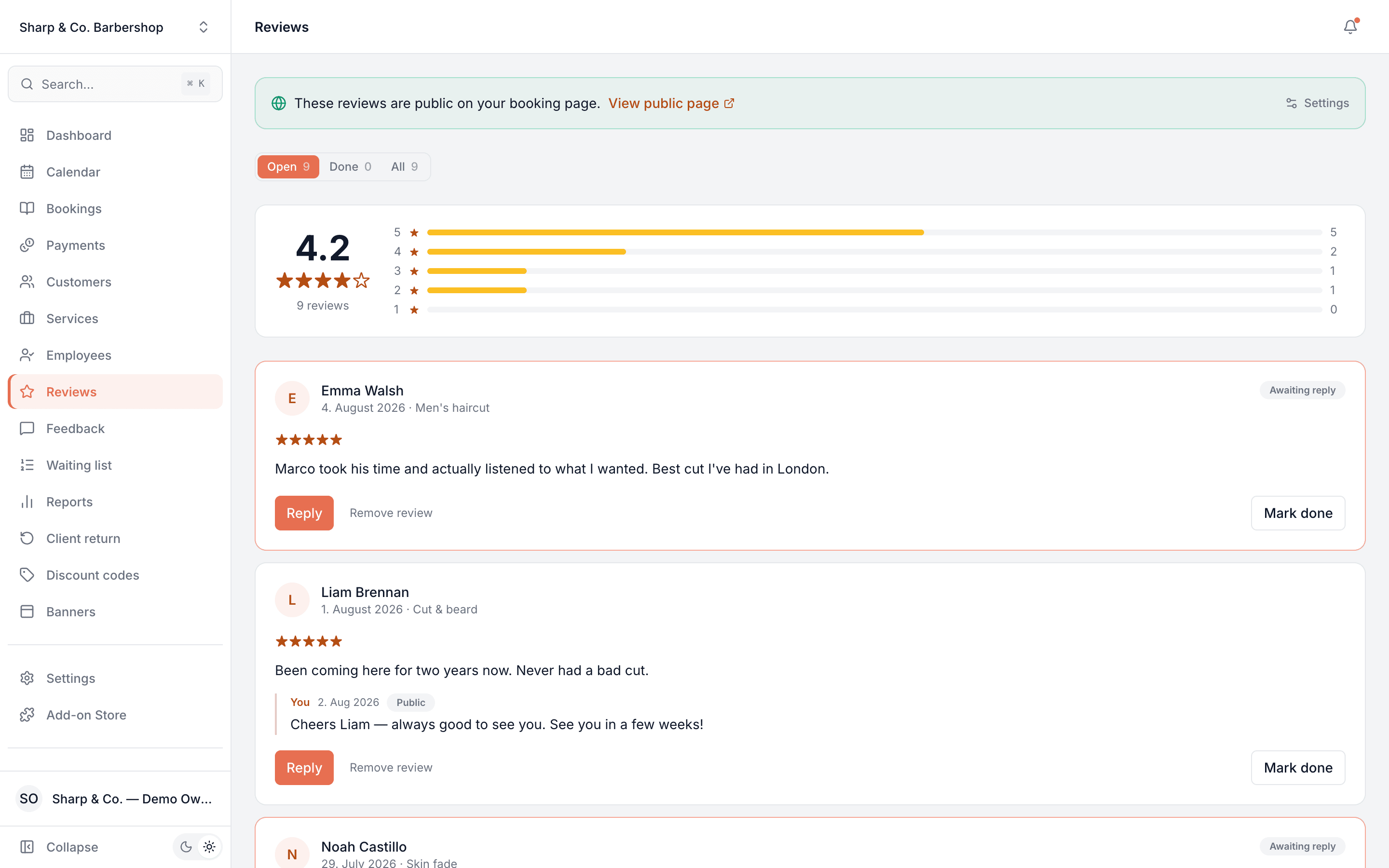
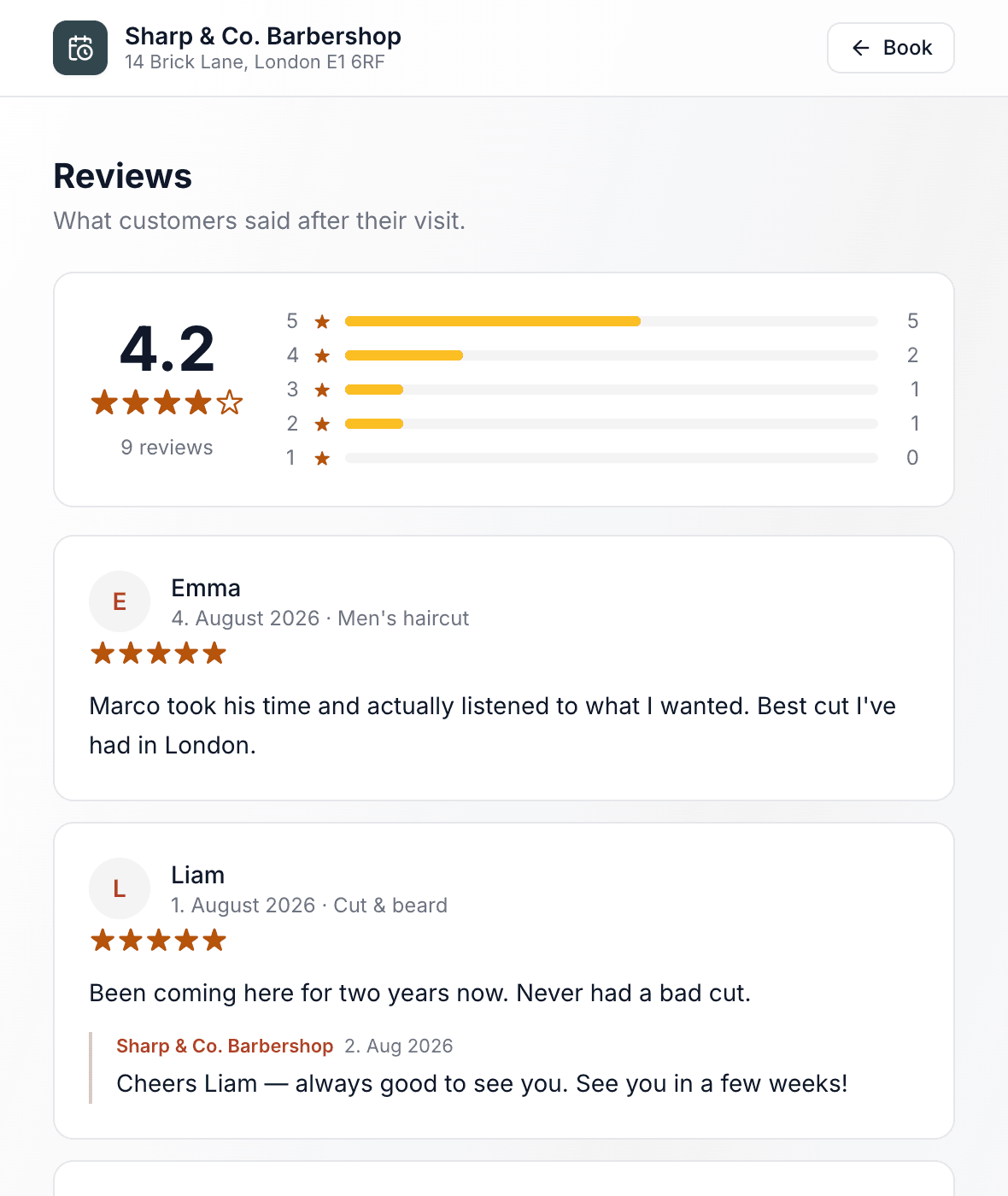
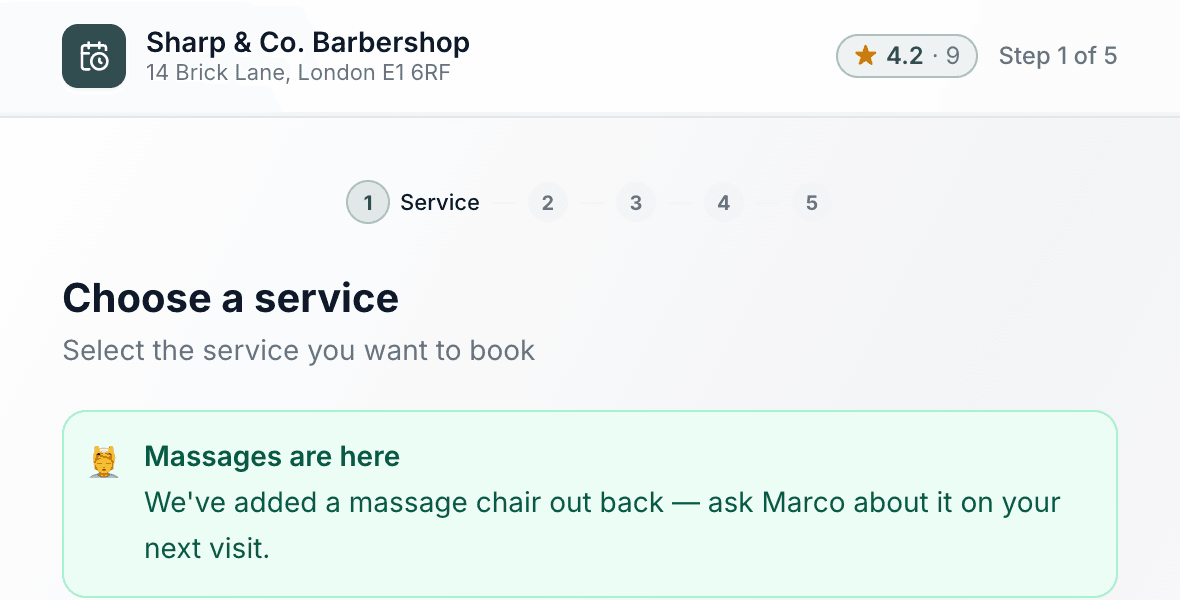
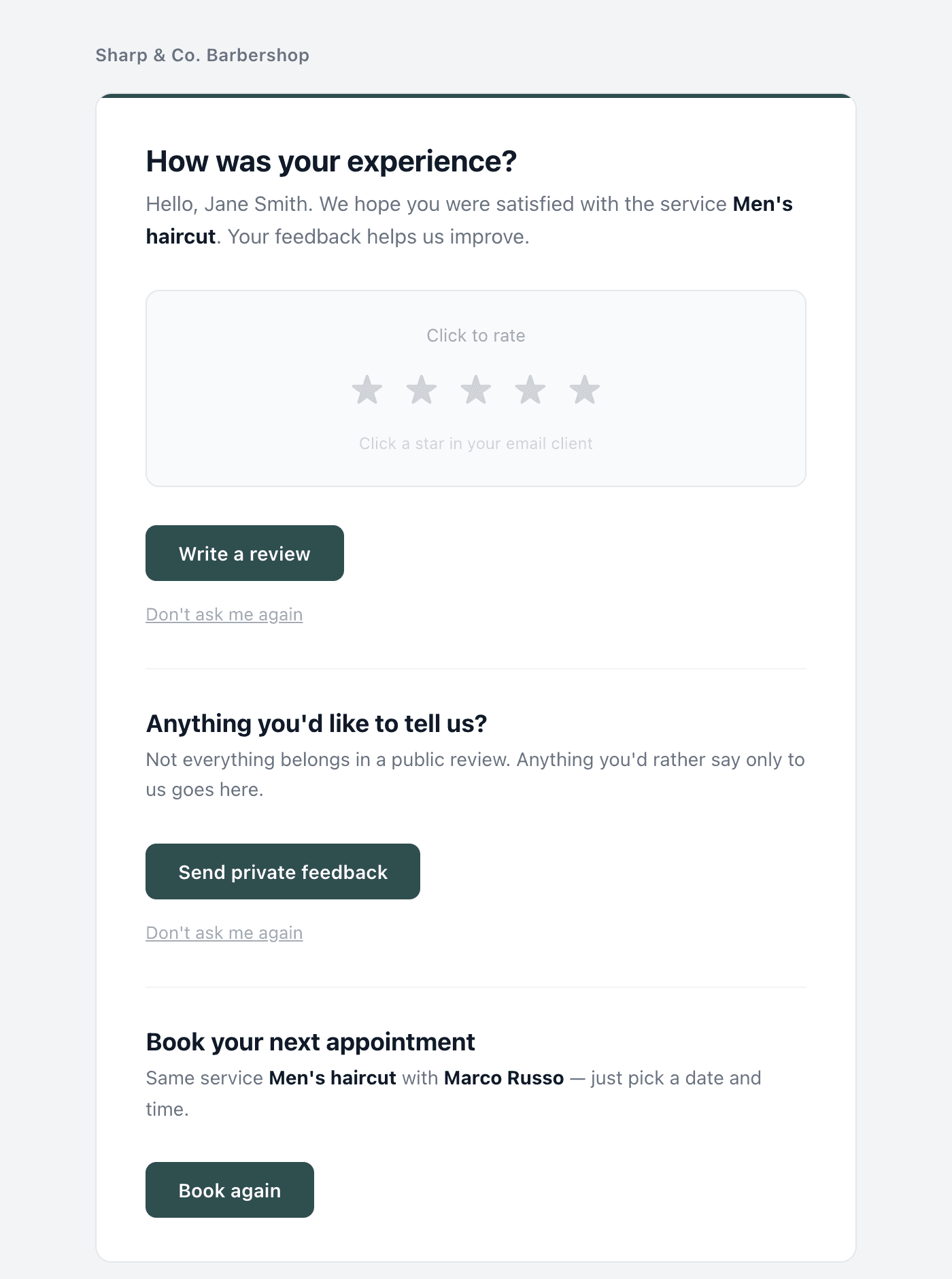
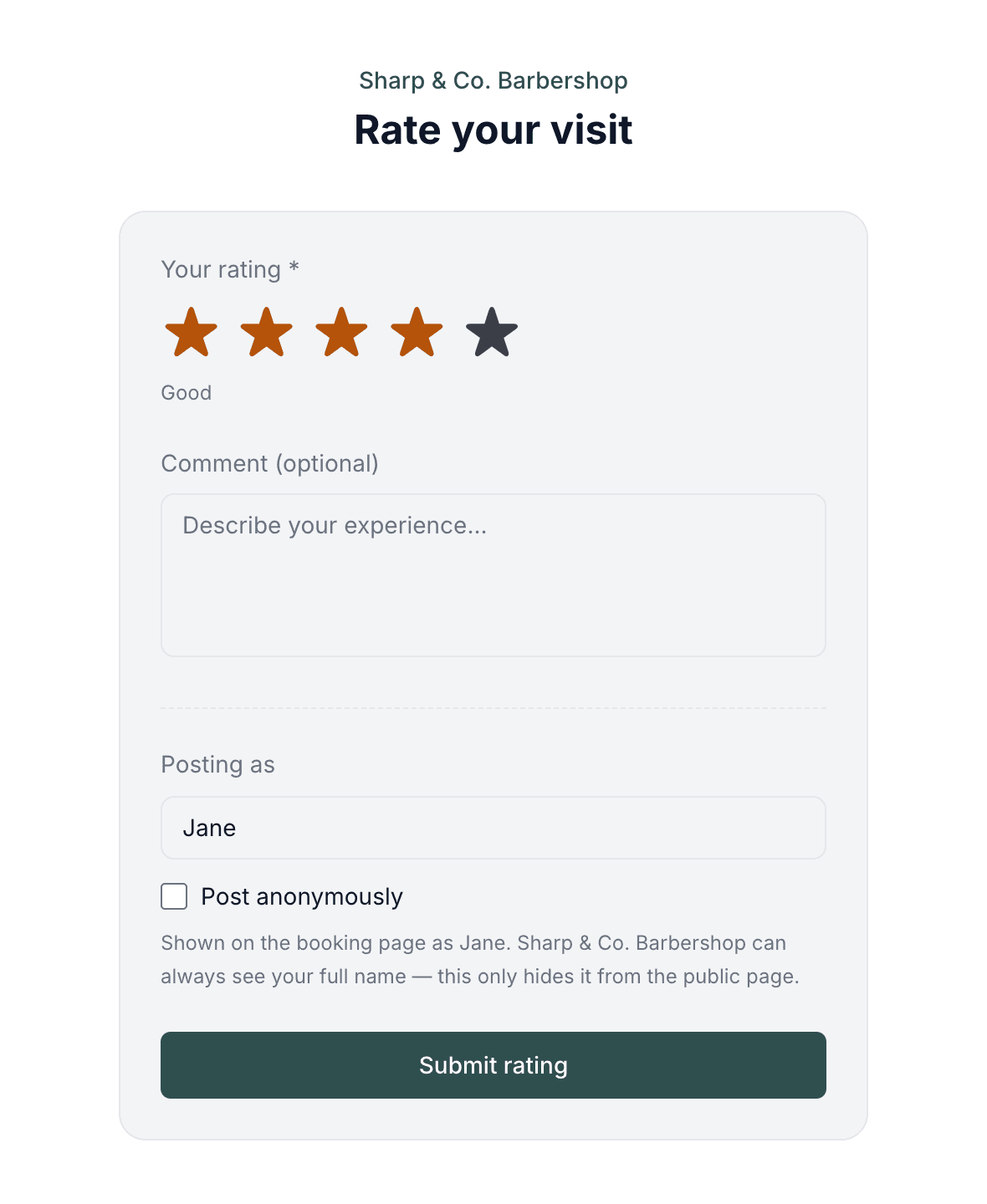
This is real sample data you can click through yourself.
Made for the phone in your pocket
Everything works on mobile — for you on the go, and for the customers booking you.
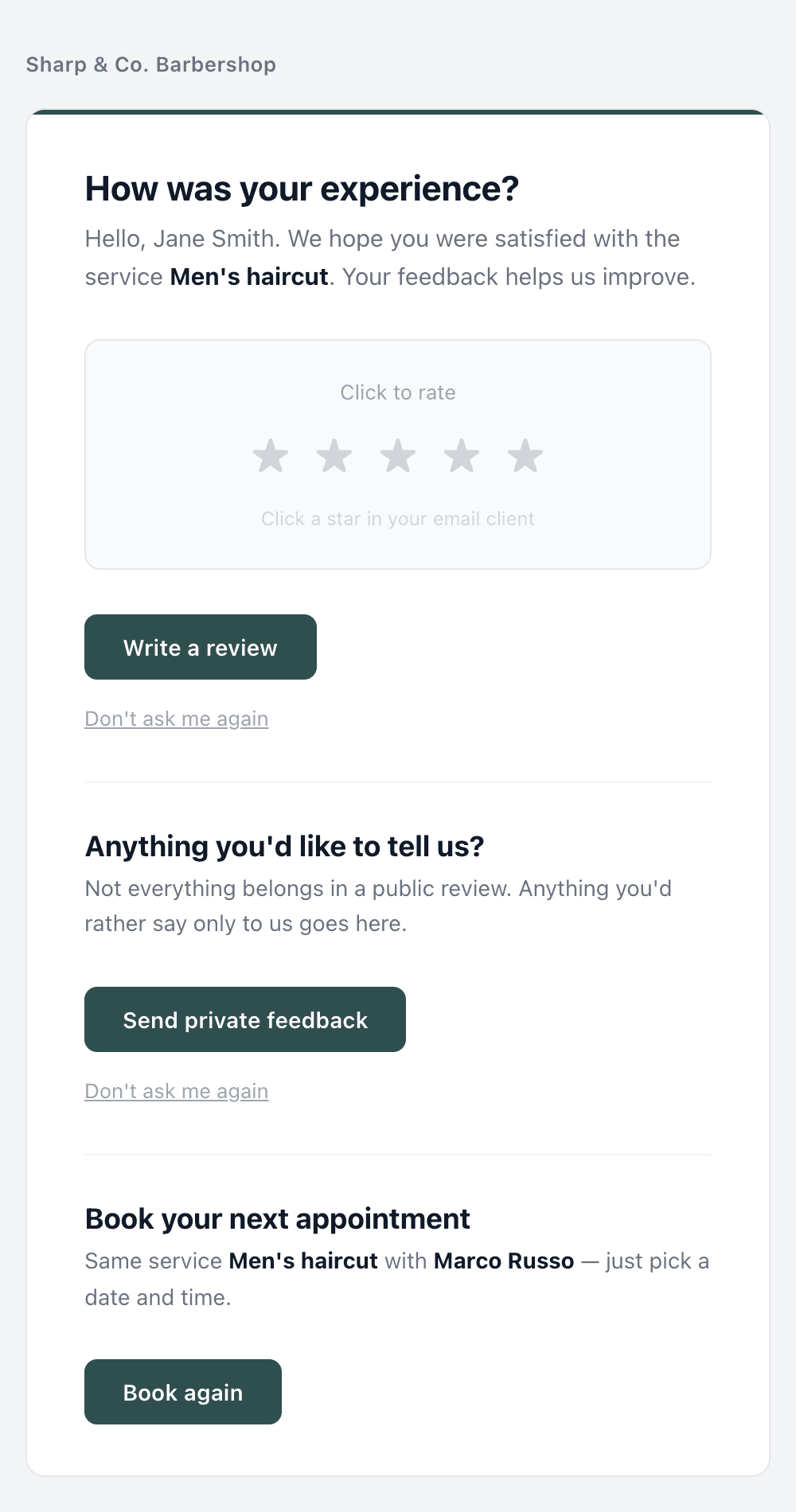
The ask lands on their phone.
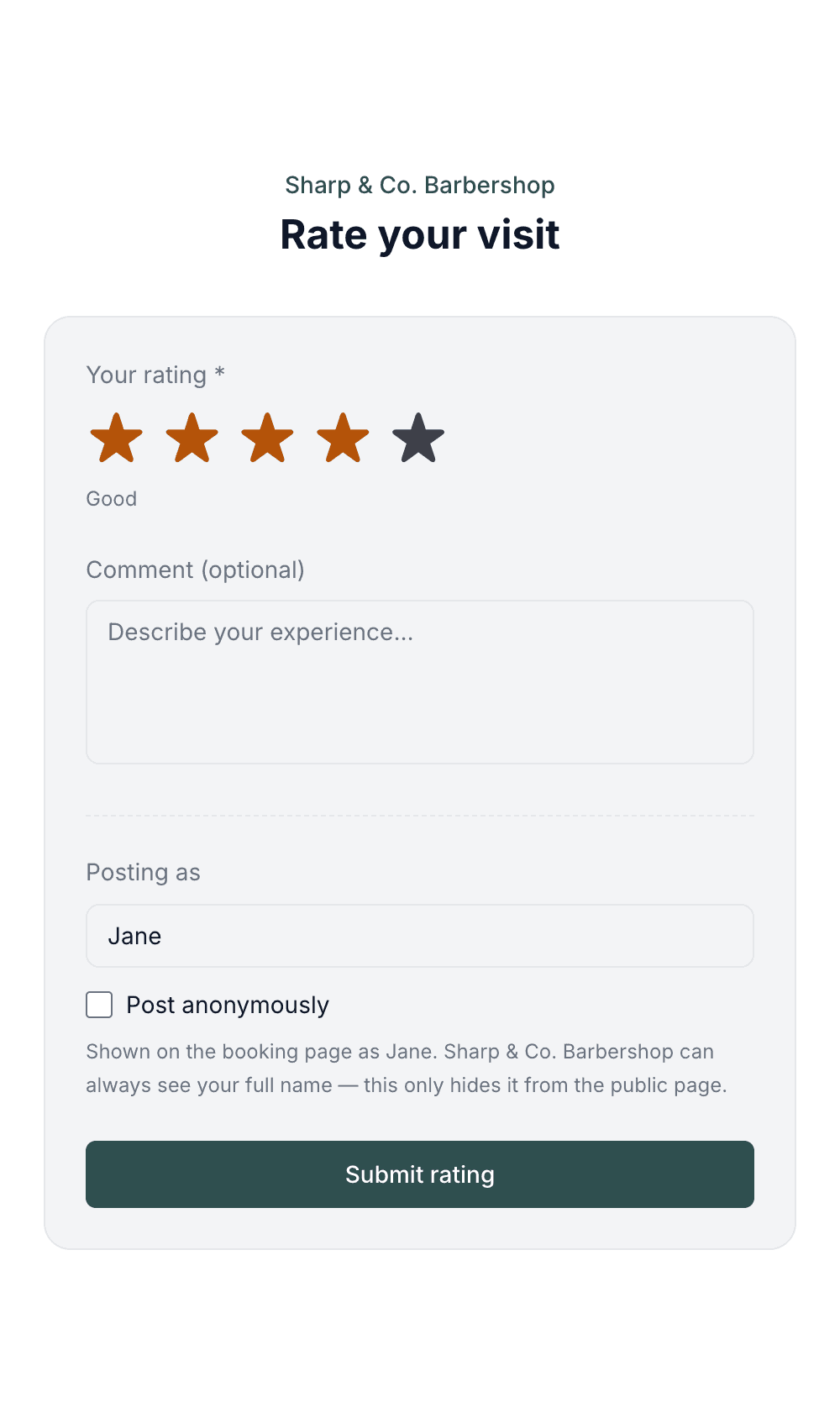
They tap a star and they're done.
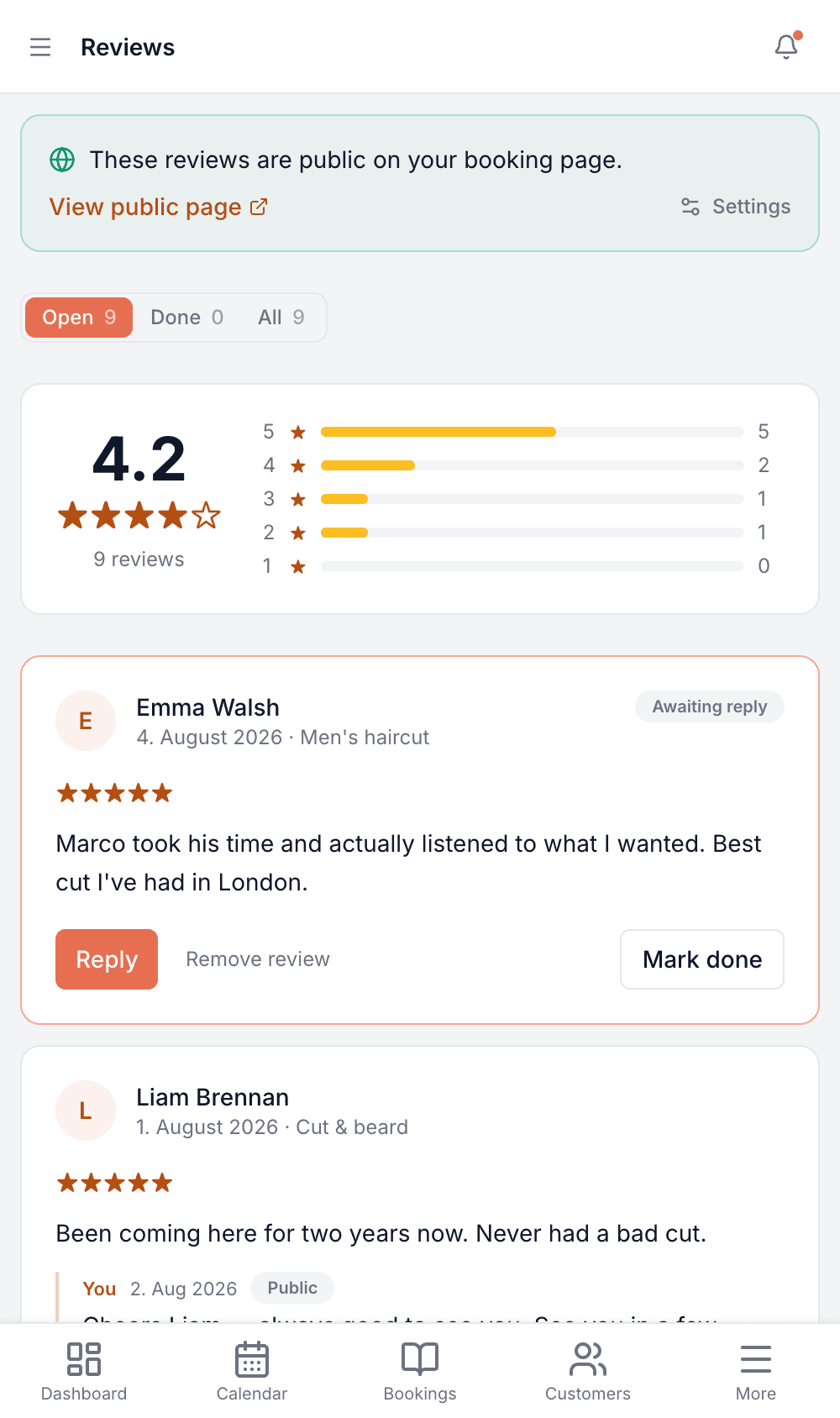
You reply from wherever you are.
Made for your business
However you take bookings, here's what it looks like for you.
Barbershop
Turn the rating you already have into something a first-time visitor sees before they pick a time — instead of it sitting in a dashboard nobody outside the shop looks at.
Nail & beauty studio
Reply to a three-star review the same day, in public, so the next person reads both the complaint and how you fixed it.
Gym & studio
Watch how intro sessions are landing before deciding whether the format needs changing.
Photo studio
Collect feedback after each shoot without ever having to ask a client to their face.
Common questions
- When is the request sent?
- Shortly after the appointment's end time, automatically. If you mark a booking as completed yourself, it goes out there and then.
- Does the customer need an account?
- No. They tap a star in the email and land on a page that's already set up for them — a comment is optional and one tap submits it.
- Do reviews appear on my booking page?
- Only if you switch that on — it's off until you do. When it's on, your booking page gets a rating badge and a public page customers can read. The badge stays hidden until you have three reviews, because a single rating looks worse than none.
- Is my customer's full name published?
- Never. The public page shows a first name at most, the customer picks what it says, and they can post anonymously. You always see who wrote it, and we tell them that so nobody is misled about it.
- Can I hide a review I don't like?
- No, and that's deliberate. You publish all of them or none of them — picking out the good ones is something customers work out, and it costs you the trust the page was meant to build. Genuine abuse (spam, a competitor, a review naming someone else) can be removed with a reason.
- Can customers reply to my reply?
- Yes, if you allow it — the whole conversation shows under the review. You can also send a private message instead, which goes by email and never appears publicly.
- Will a customer get pestered?
- No. Each visit produces at most one request, a multi-part booking still only generates one, and anyone who has already reviewed you is never asked again. Every email carries a “don't ask me again” link.
- What if I also use the Google Reviews add-on?
- The two are combined into a single email, so customers get one ask rather than two.
Ready to try Reviews?
It's included in Bookodile — turn it on in a click, no setup required.