
Feedback
The things people won't put in a public review.
One open question after each visit, answered privately. Never public, and separate from Reviews.
Opens a real workspace with sample data — no signup, nothing to install.
Where it appears
A Feedback section in the main sidebar. Customers get the question in the same follow-up email as everything else — never a second email.
What your customers see
One text box, no rating. They can send it anonymously, which means you won't know who wrote it and can't reply.
Why it matters
Hear the things people won't put in a public review — the wait, the music, the card machine.
How it works
One question, not a survey
After a visit the customer gets one open question and a text box. No stars, no scale, no five-page form. Somebody who has just had a haircut answers one honest question or nothing at all — and a form is how you get nothing at all.
It rides along with the emails you already send
The ask sits in the same post-visit email as everything else. Turn this on alongside Reviews and Google Reviews and your customer still gets one email, not three.
A box per person they saw
If they had a cut and then a massage from someone else, they get one box for each, labelled with who did it. They can write to one, the other, or both — without picking from a dropdown first.
They can tell you anonymously
There's a tick-box for it, and it means what it says: we store no name and no booking, so even you can't tell who wrote it. The trade is that you can't reply — and the customer is told that before they send, not after.
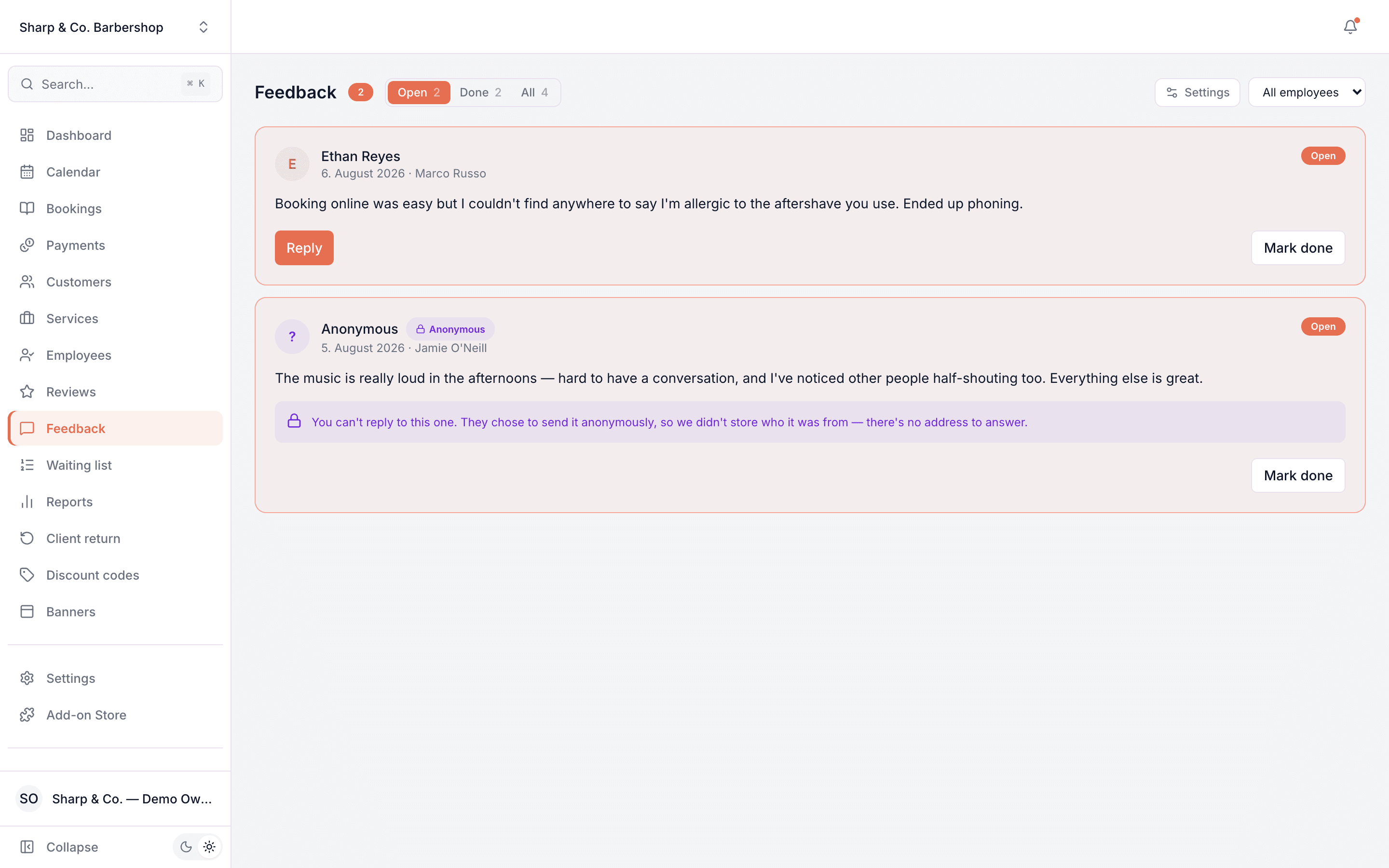
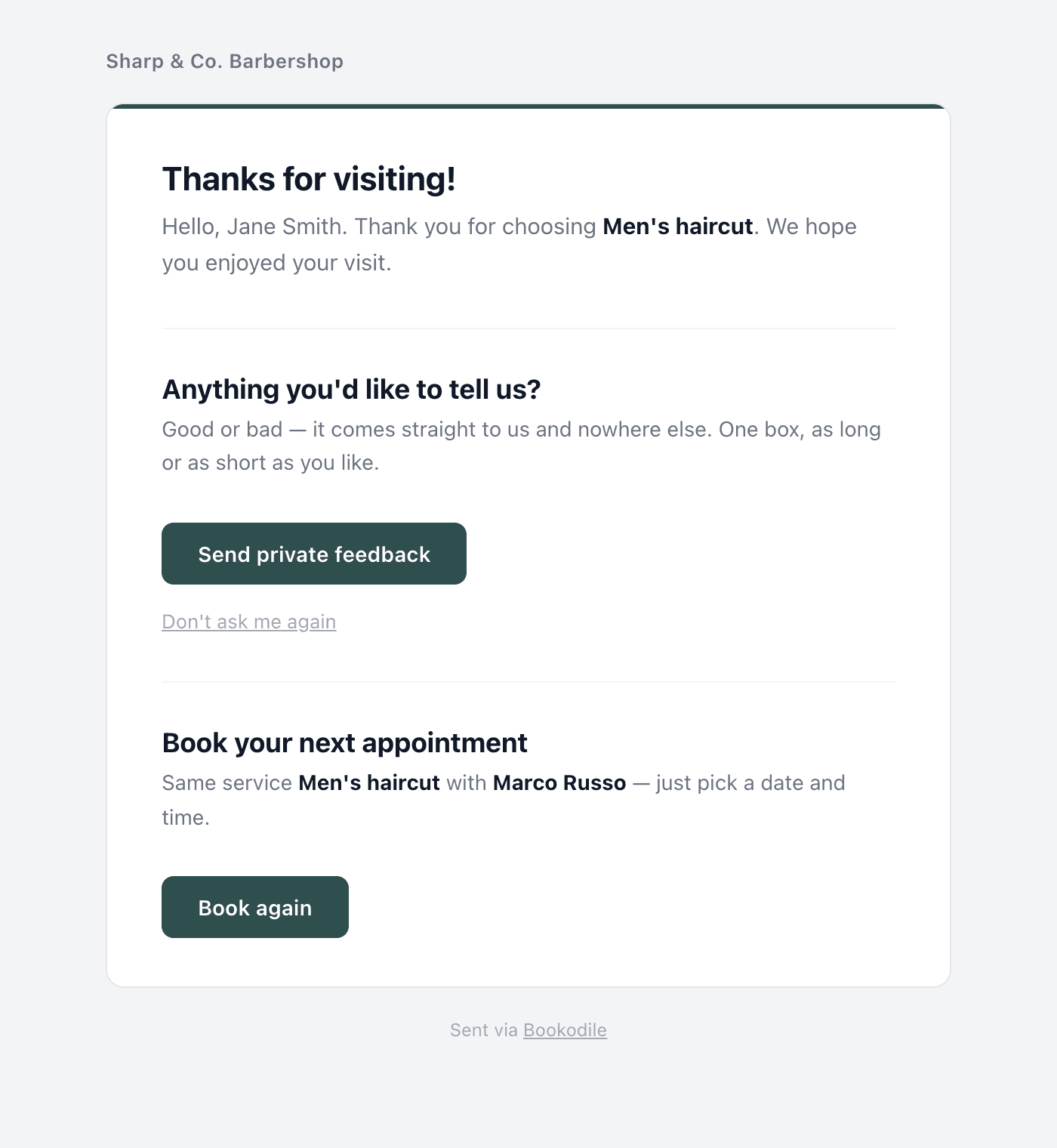
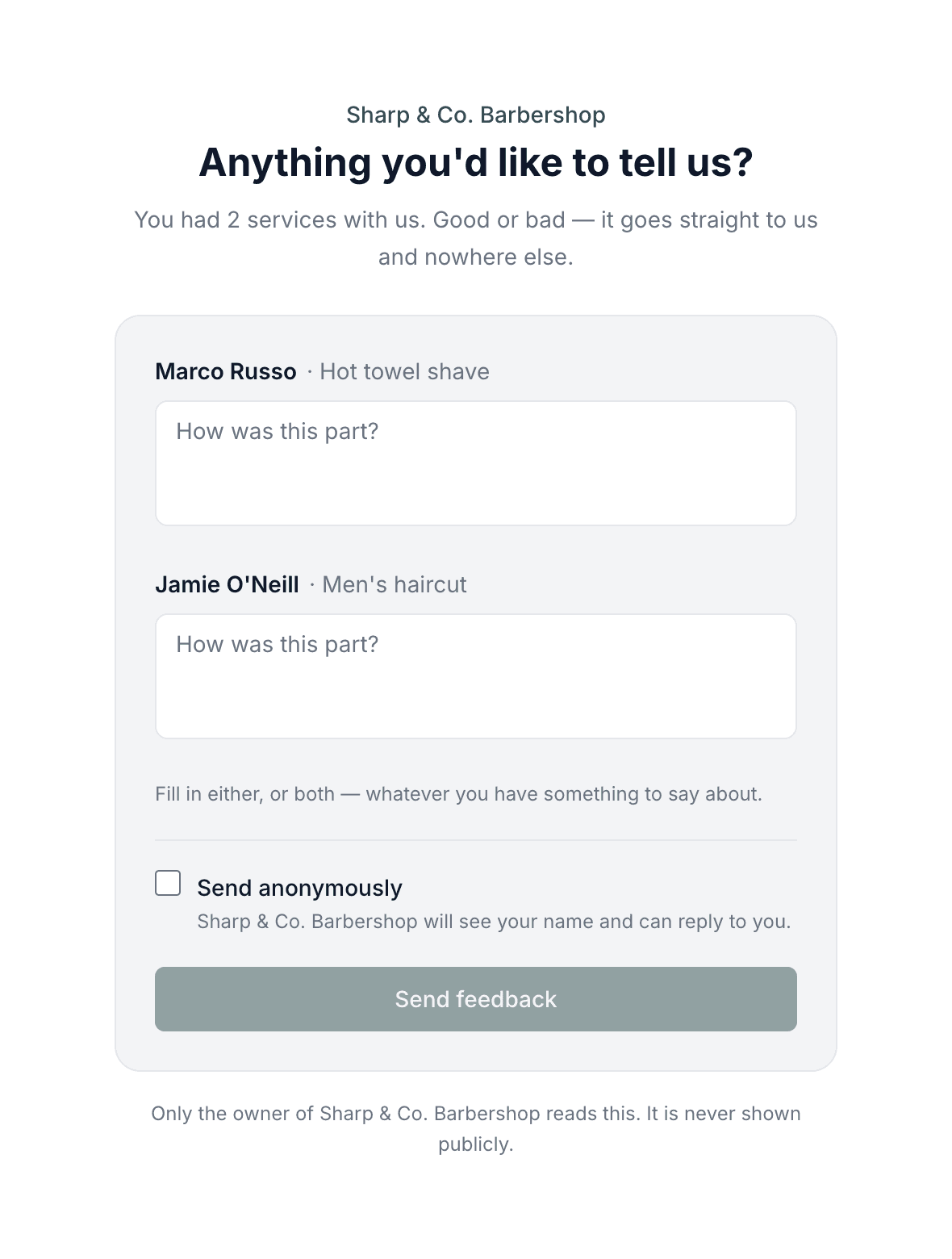
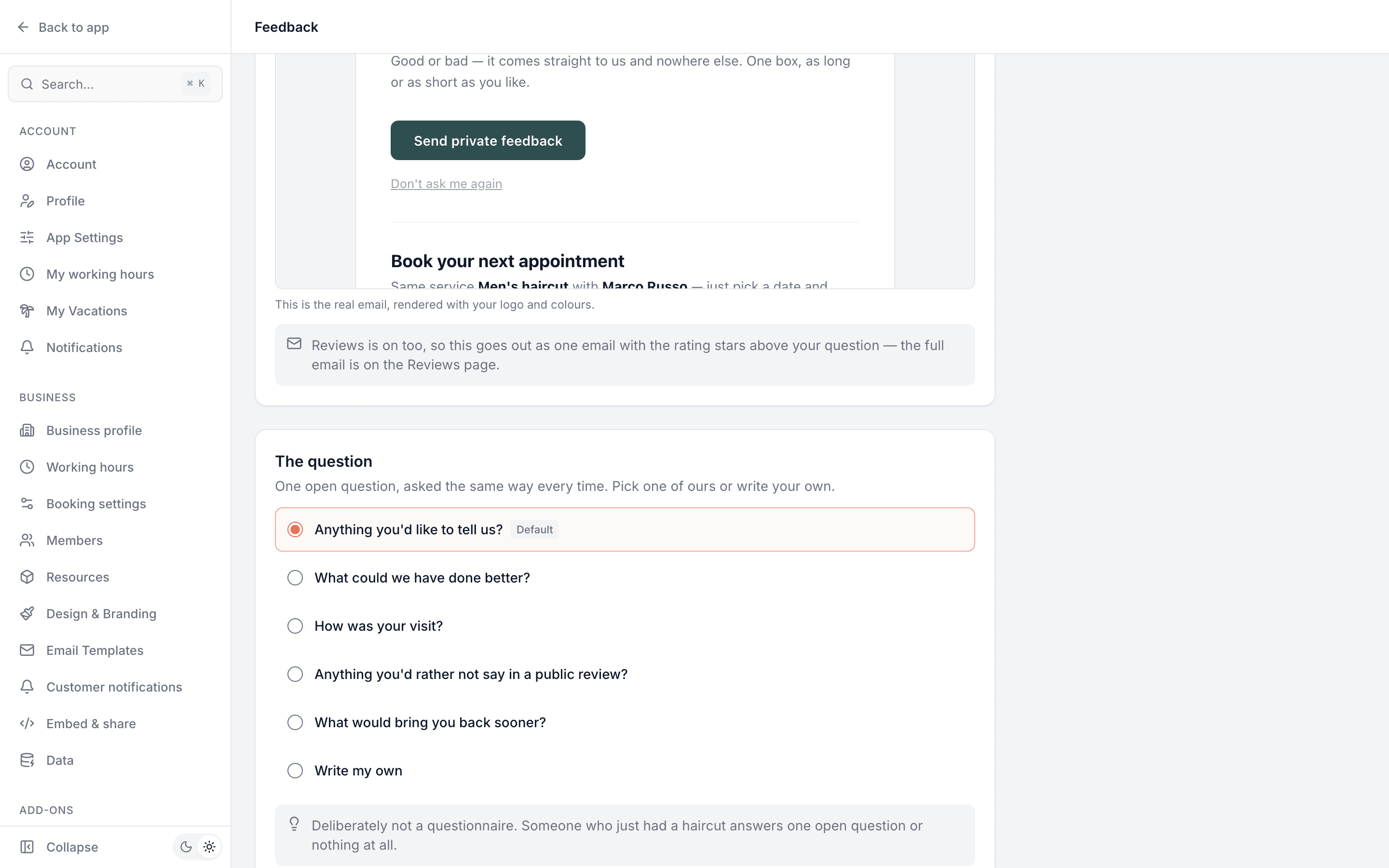
This is real sample data you can click through yourself.
Made for the phone in your pocket
Everything works on mobile — for you on the go, and for the customers booking you.
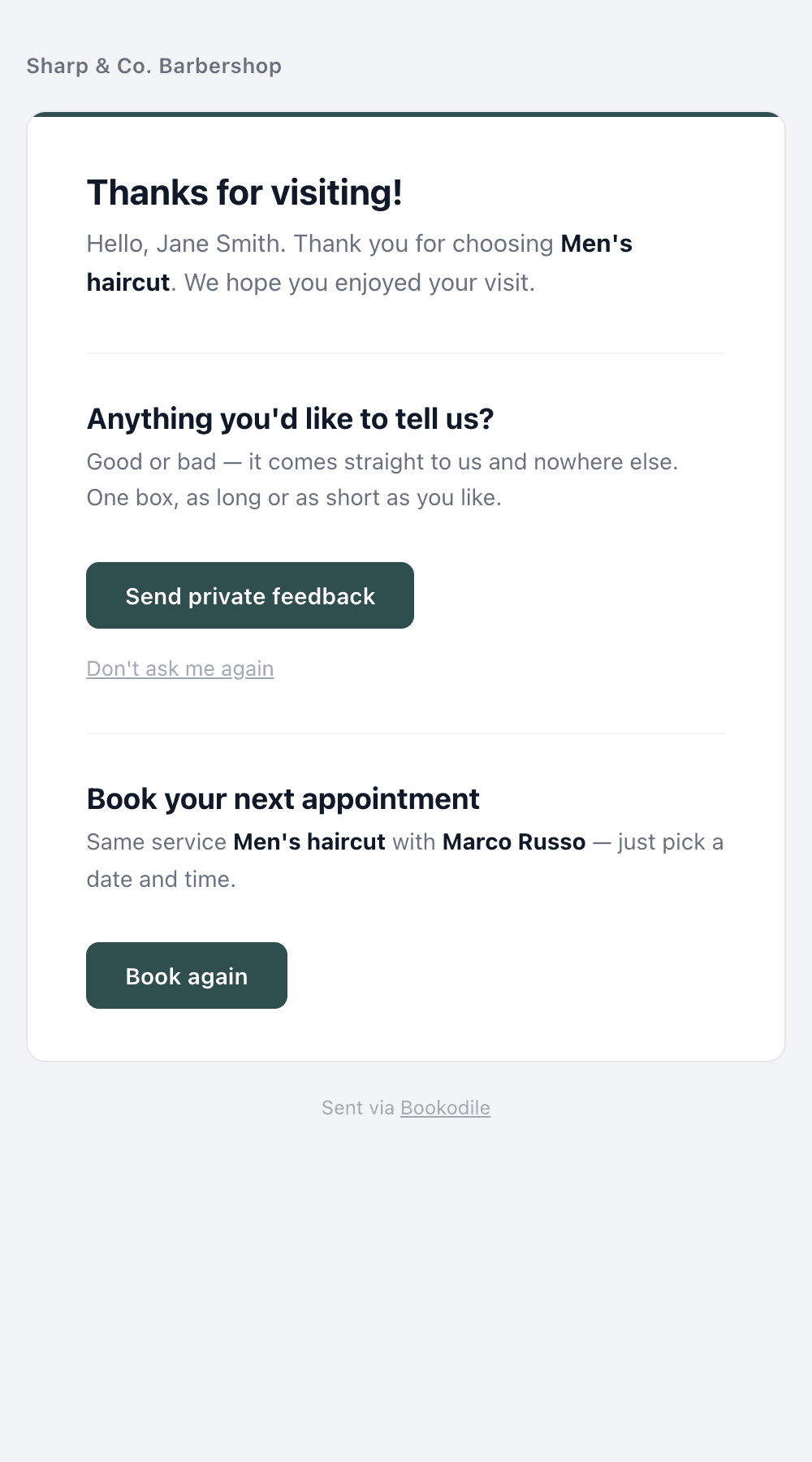
Your question, on their phone.
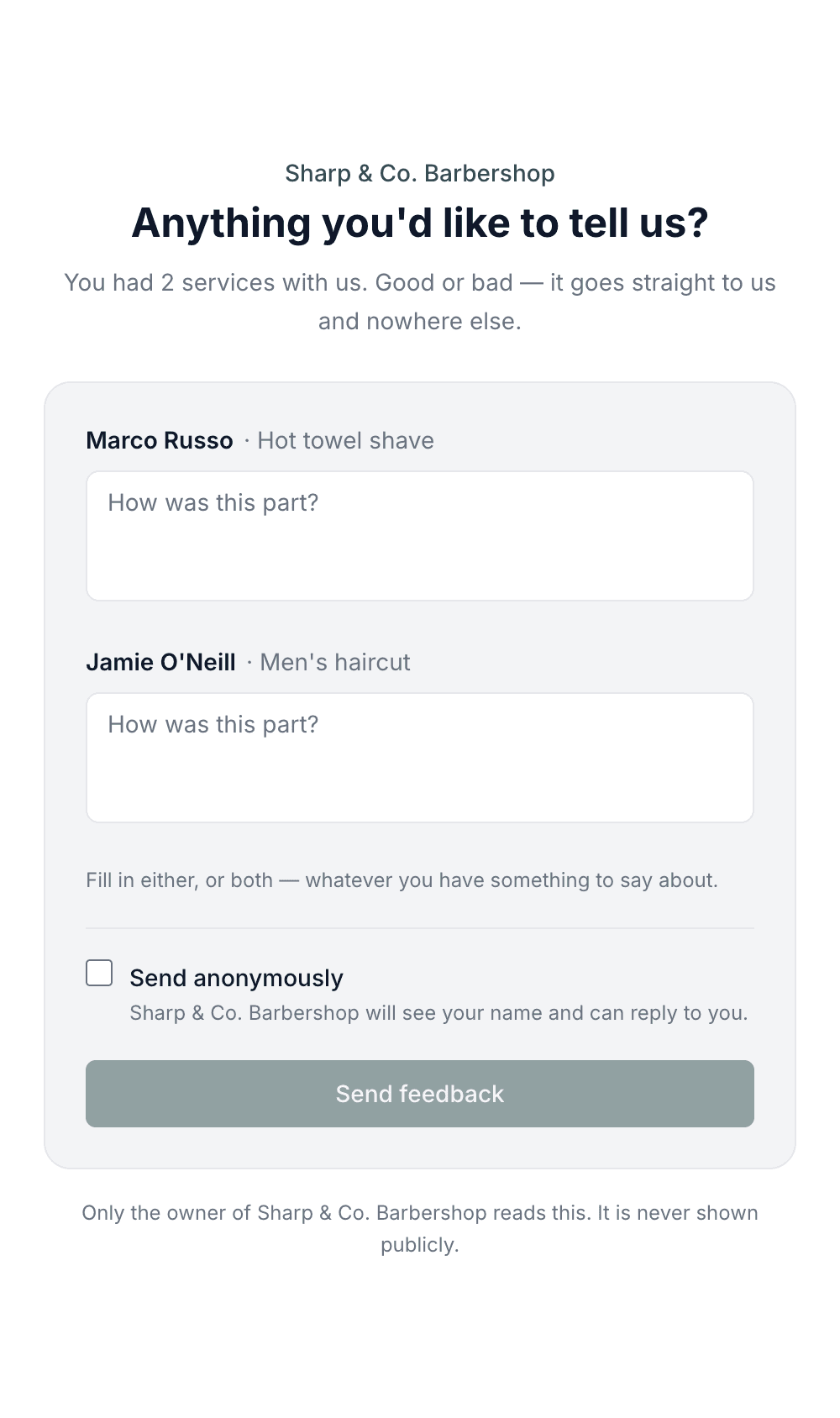
One box each, easy to thumb-type.
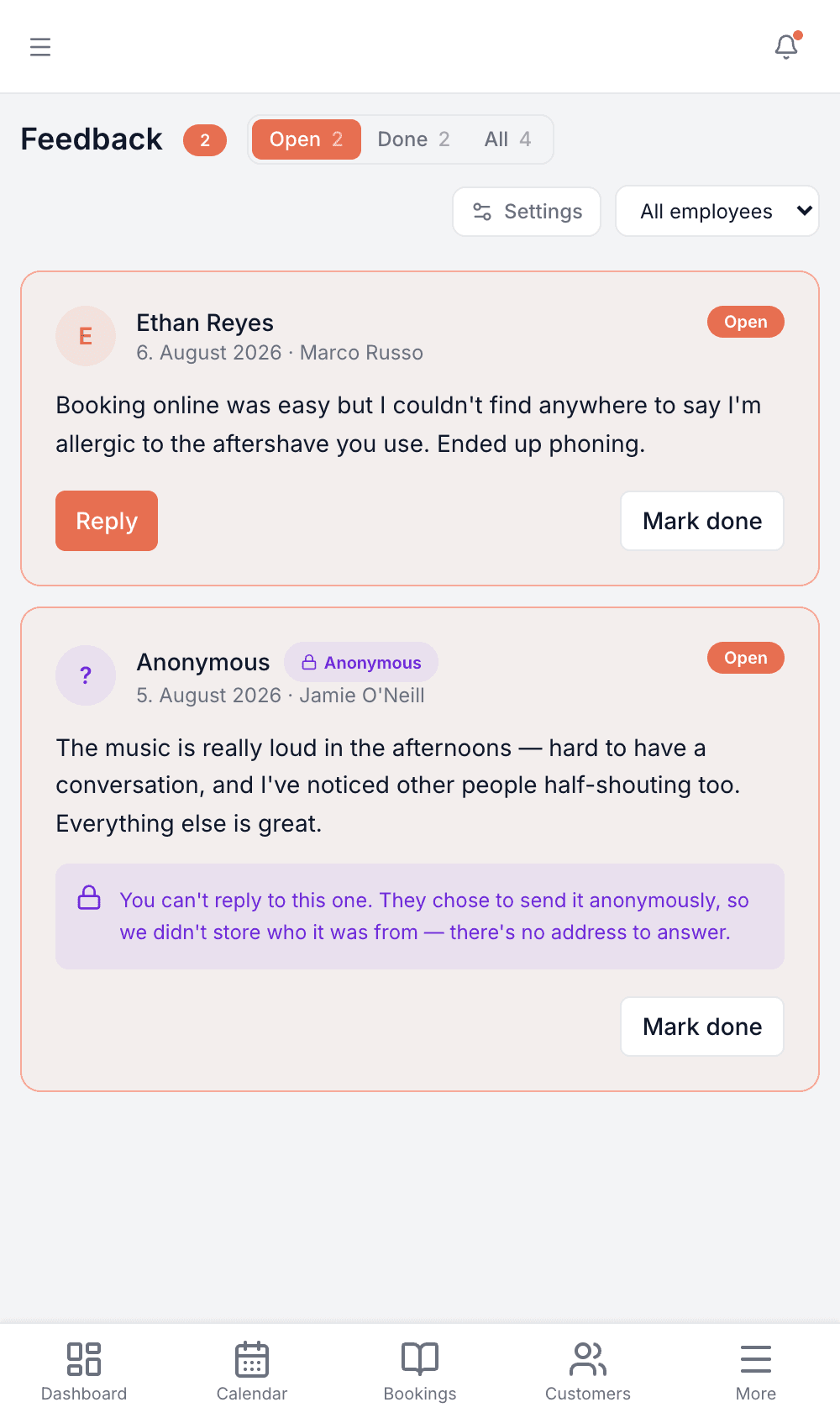
Read it between clients.
Made for your business
However you take bookings, here's what it looks like for you.
Barbershop
Find out the music is too loud in the afternoons — the kind of thing nobody puts in a public review but everybody notices.
Nail & beauty studio
Hear that the card machine failed again from the third client it happened to, instead of from nobody.
Gym & studio
Let members say the 6am class is overbooked without putting their name to it in front of the trainer.
Photo studio
Ask what the shoot was actually like to sit through, and get an answer you can act on rather than a five-star rating.
Common questions
- How is this different from Reviews?
- Reviews are a rating you can publish on your booking page. Feedback is private prose that never goes public — it's for the things people will tell you but won't post. You can run either on its own; plenty of shops want feedback and no public reviews at all.
- Does this mean a second email?
- No. It's a section in the same post-visit email, so one visit is still one email however many of these add-ons you have on.
- Is anonymous really anonymous?
- Yes — that's why it's worth having. We don't store the customer, the booking or anything else that leads back to them, and the database refuses to save it any other way. You'll still see which service and which employee it was about, since that's what makes it useful. In a one-chair shop the timing can narrow it down, so we promise “we won't see your name”, never “nobody could ever guess”.
- Can my staff read it?
- You choose: just you, or you plus the employee it's about, or the whole team. Whatever you pick, the customer is told before they write — and widening it later only affects new feedback, never what was already sent under a stricter promise.
- Can I reply?
- To anything that isn't anonymous, yes. Your reply goes by email and stays private — feedback has no public side at all.
- Can I change the question?
- Yes. There are five ready-made ones to pick from, or you can write your own in a single line. Keep it open either way — the moment it reads like a questionnaire, people stop answering. Pick one of ours and each customer is asked in their own language; write your own and it goes out exactly as you typed it.
Ready to try Feedback?
It's included in Bookodile — turn it on in a click, no setup required.