
Client Return Engine
Automatically win back clients who drift away.
Automatically send win-back emails to customers who haven't visited in a while. Configurable stages with optional discount incentives.
Opens a real workspace with sample data — no signup, nothing to install.
Where it appears
A dedicated Client Return section appears in the main sidebar showing statistics and recent activity. Configuration is available in Settings under Add-ons.
What your customers see
Customers receive personalized emails reminding them to book again. Later stages can include discount codes to incentivize a return visit. Requires Discount Codes add-on for full functionality.
Why it matters
Increase customer retention and reduce churn. Automated follow-ups bring back customers who might otherwise forget to rebook.
How it works
It learns each client's rhythm
Rather than a fixed “90 days”, it works out how often each client normally comes in from their own history, and notices when they're overdue by their own standard. Someone who visits every three weeks and someone who visits twice a year are each judged against their own pattern.
It reaches out in escalating stages
First a gentle reminder with no discount. If they still don't book, a second email with a discount. If they're really drifting, a last-chance email with a bigger one. You write the wording once; each stage only ever fires after the one before it.
The discount code is created for them
For the discount stages, a single-use code is generated automatically and dropped into the email — nothing for you to make or track. It works on your booking page like any other code, and it's theirs alone.
Booking again stops the sequence
Once a client books again — online or with your team — they're marked returned and the follow-ups stop: no awkward “we miss you” email the day after they came in, or a week before a booking they already have. If they drift away again later, it starts over from the gentle first email. Your dashboard shows who's at risk, who came back, and your overall return rate.
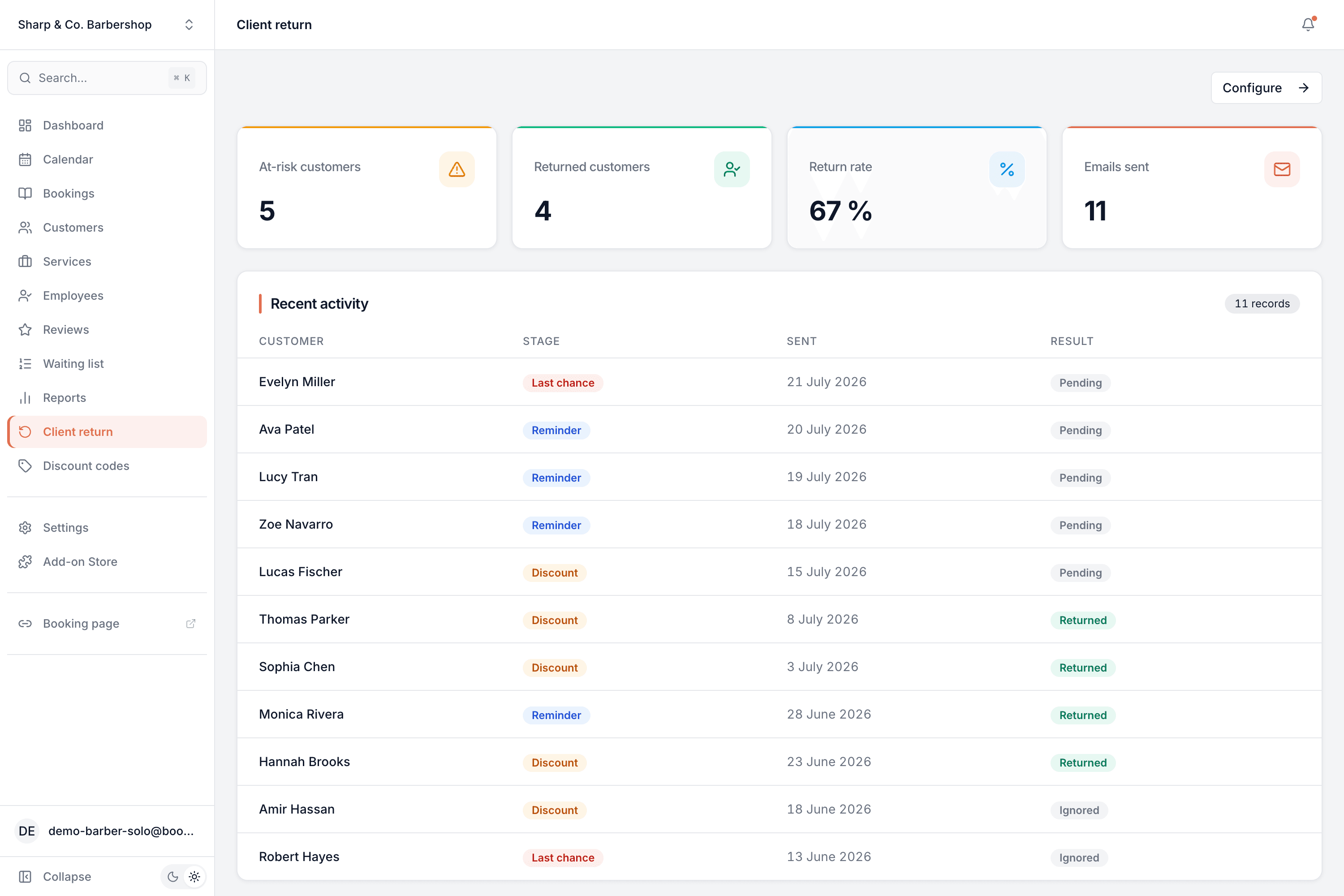
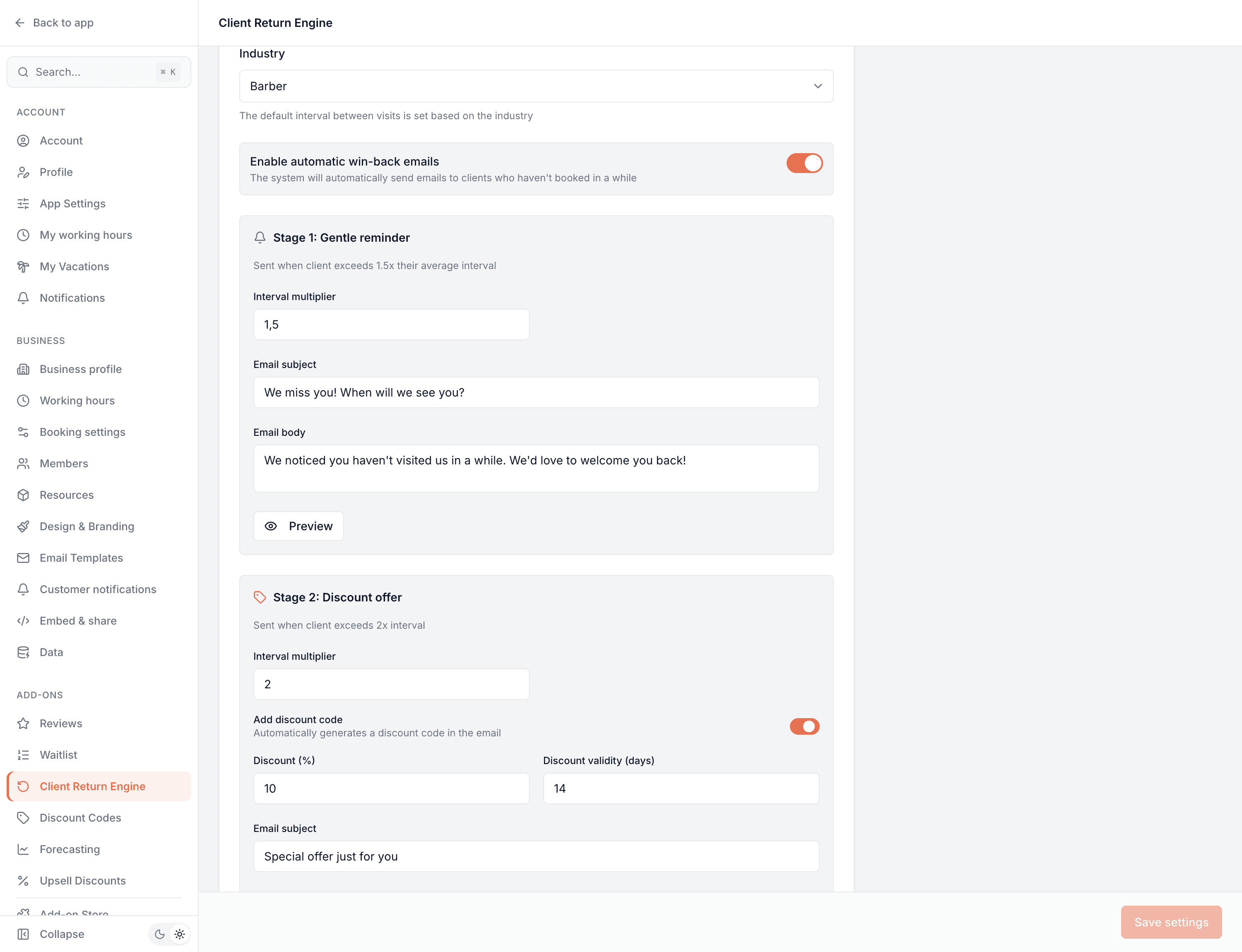
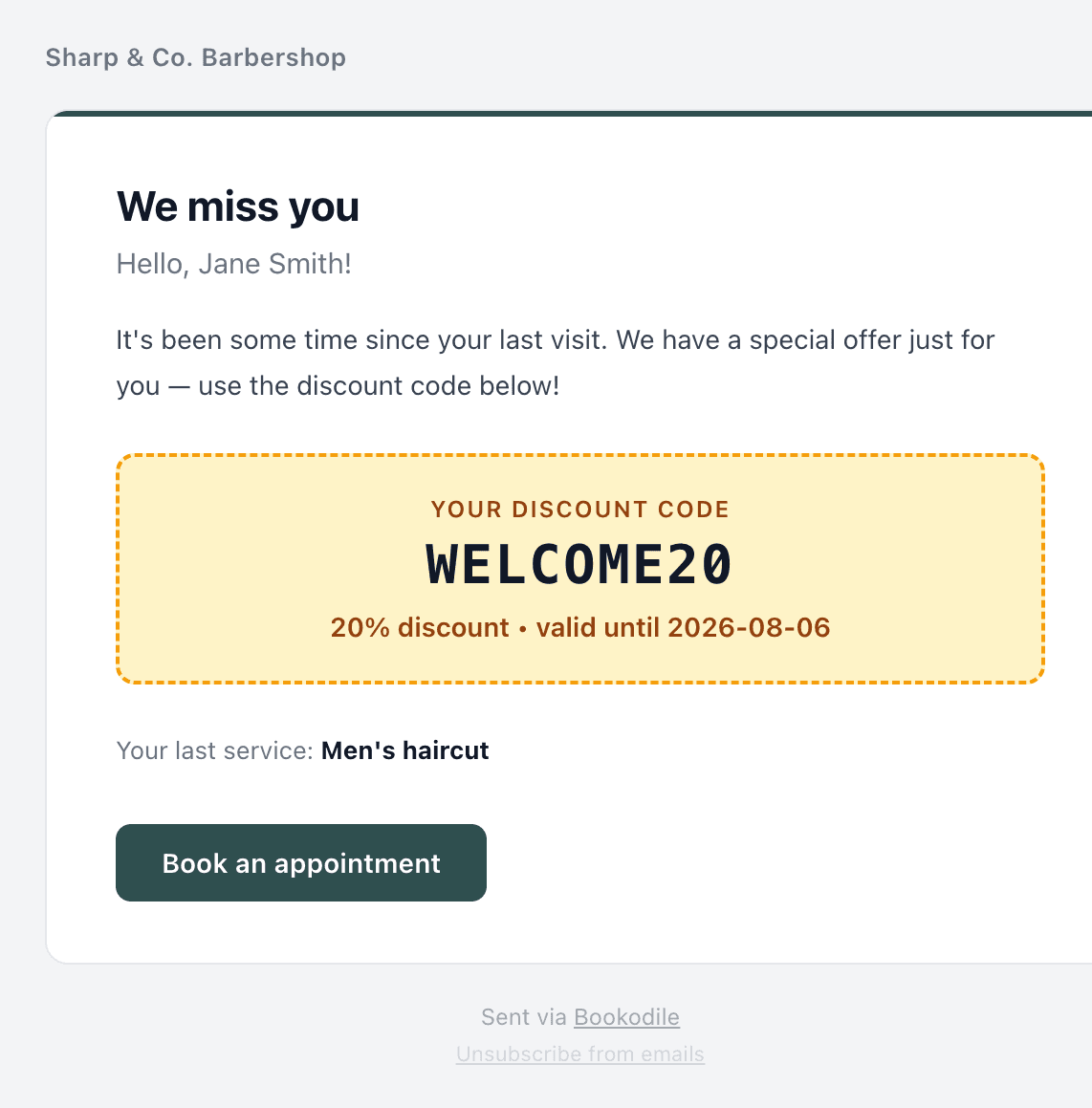
This is real sample data you can click through yourself.
Made for your business
However you take bookings, here's what it looks like for you.
Barbershop
A regular who used to come in monthly hasn't been seen in seven weeks — they get a nudge, then a code, without you keeping a mental list.
Nail & beauty studio
Win back clients between manicure cycles automatically, with the discount only kicking in for the ones who need the extra pull.
Gym & studio
Catch members whose sessions have tailed off and pull them back before they cancel altogether.
Photo studio
Reconnect with clients a year on from a shoot — the system knows a portrait client's rhythm is annual, not weekly.
Common questions
- How does it decide who's lapsed?
- It uses each client's own average time between visits, not a single fixed threshold. When someone is overdue relative to their own pattern, the sequence begins — so it fits a weekly regular and a twice-a-year client equally well.
- How many messages does someone get?
- Up to three, and only in order: a no-discount reminder, then a discount, then a bigger last-chance discount. Each stage waits longer than the last, and a client only ever moves to the next stage if they still haven't booked.
- Where do the discount codes come from?
- They're generated automatically — a unique, single-use code per client, added straight to the email. You don't create or manage them, and they redeem on your booking page like any other code.
- What happens when a client comes back?
- The sequence stops immediately and they're marked as returned, so nobody gets a win-back email right after they've rebooked.
- Do I have to write the emails?
- There's sensible default wording for all three stages that you can use as-is or rewrite. You can also set the timing and the discount amounts per stage.
- Will it email people I don't want it to?
- It only considers clients with completed visits, respects a global pause on notifications, and every email carries an unsubscribe link.
Ready to try Client Return Engine?
It's included in Bookodile — turn it on in a click, no setup required.