
Multi-branch
Run every location from one account.
Run several locations under one account — each with its own team, services and booking page — and see them all together or drill into one.
Part of every plan — nothing to switch on.
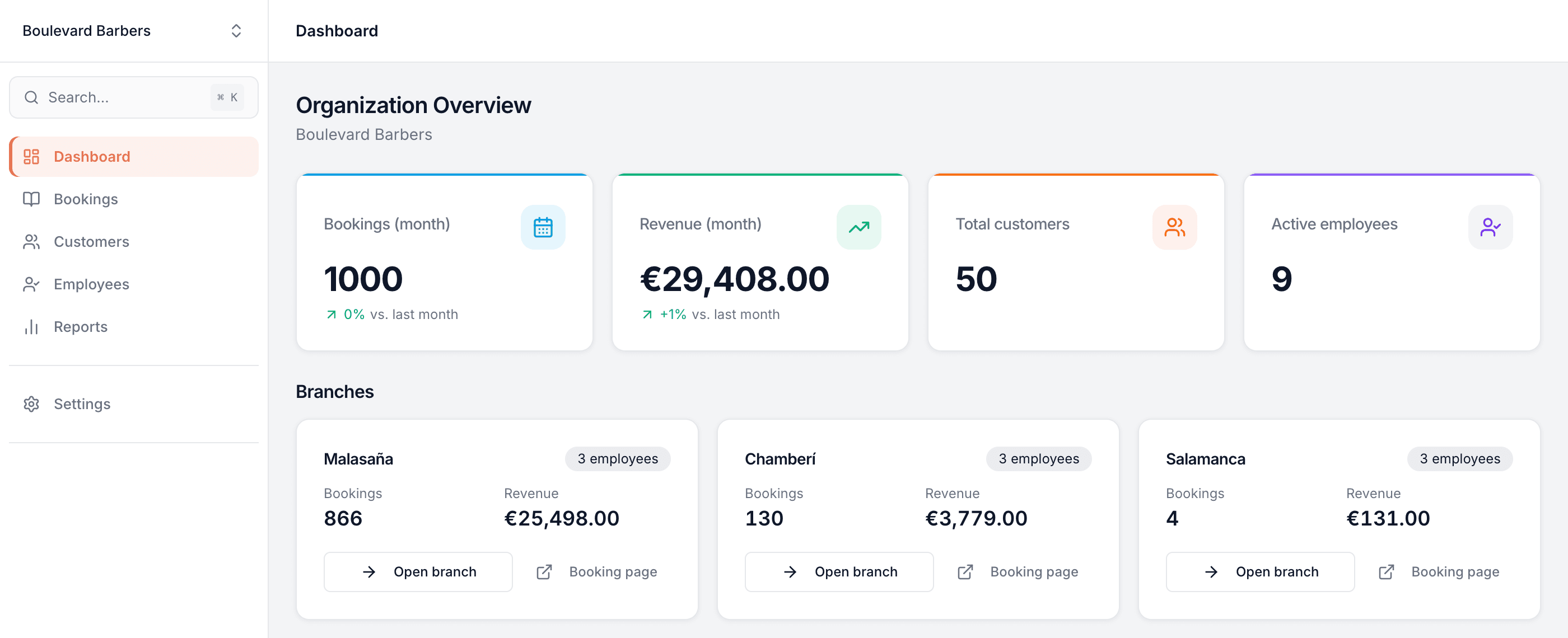
Every location, one account
Add as many branches as you run. A single login covers them all — no juggling separate accounts or passwords.
The whole group at a glance
An organization dashboard totals bookings, revenue, customers and staff across every branch, with each location broken out beside it.
Switch in a click
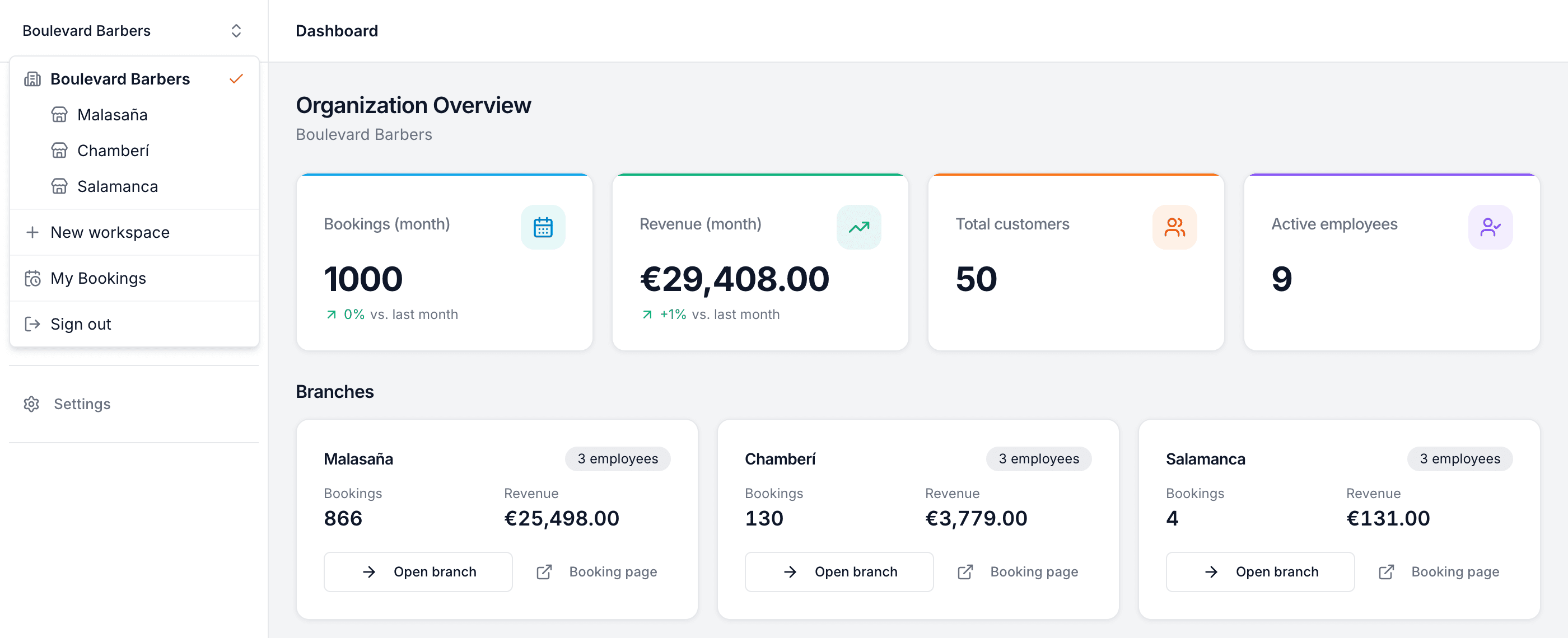
Jump from the group view into any single branch — and back out again — from one menu in the corner.
Its own team per branch
Each location keeps its own employees, working hours and services — and someone can work at more than one.
A booking page each
Every branch gets its own public booking page and link, so customers book the exact location they're visiting.
Compare like for like
Reports stack each branch side by side, so you can see which location is pulling ahead and which needs a hand.
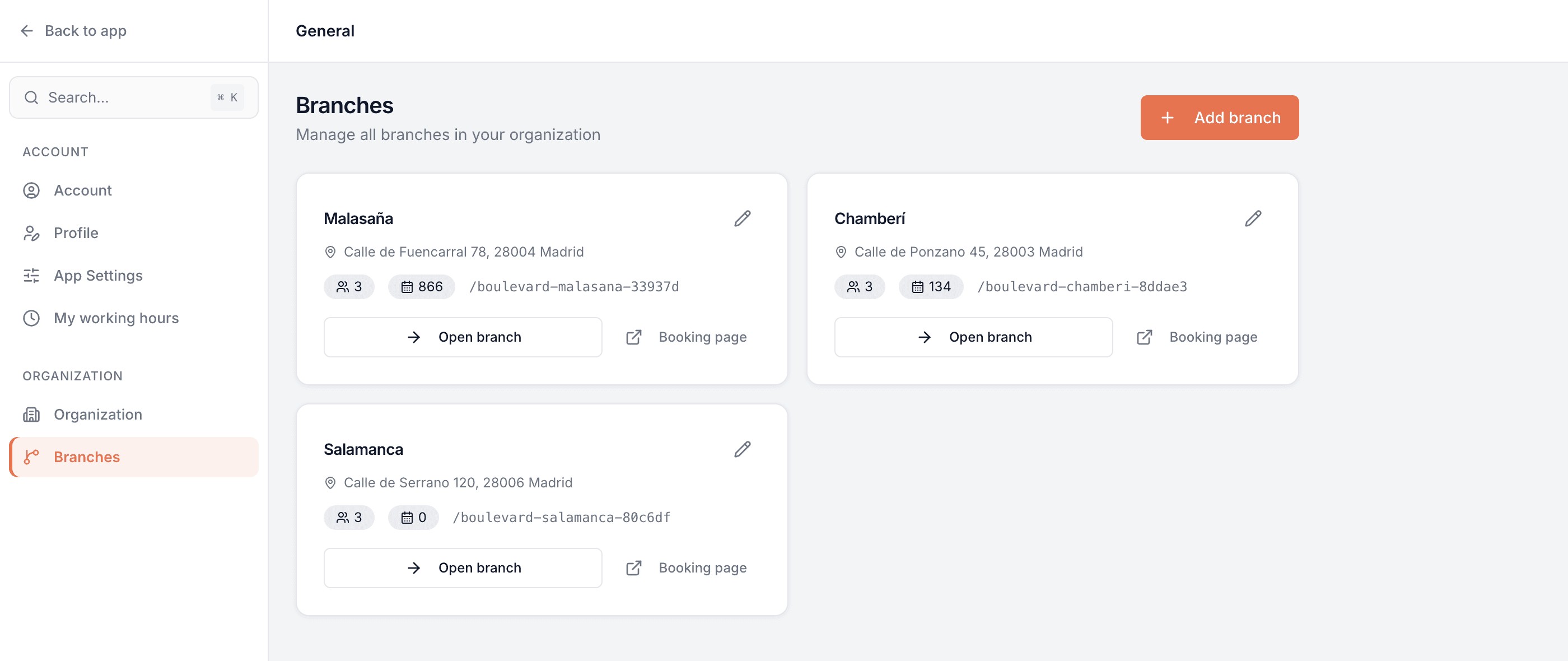
Add and manage every location in one place
Set each branch up once — its address, its team, its own booking page — and run them all from a single Branches screen. Adding your second location, or your tenth, takes a minute.
- Every branch with its address, team size and bookings at a glance
- Its own public booking page and link, ready to share
- Open any branch to manage it, or edit its details in place
One login, switch in a click
You never sign in and out to move between locations. Drop from the whole organization down to a single branch — and back — from one menu in the corner, with everything under a single account.
- Jump between the group view and any individual branch instantly
- Each branch keeps its own calendar, customers, team and settings
- Access is scoped by role, so branch staff see their location while owners see the group
Common questions
- How many locations can I run?
- As many as you like. Add each branch to your organization and manage them all under a single login.
- Do I need a separate account per branch?
- No. One account holds the whole organization. You switch between the group view and any single branch from a menu in the corner — no signing in and out.
- Does each branch have its own booking page?
- Yes. Every branch gets its own public booking page and link, with its own team, services and hours, so customers book the exact location they're visiting.
- Can I see all my branches together?
- Yes. The organization dashboard totals bookings, revenue, customers and staff across every branch, and reports stack each location side by side so you can compare them.
- Can a team member work at more than one branch?
- Yes. Staff can be assigned to more than one location, and each branch keeps its own working hours for them.
- Can staff be limited to their own branch?
- Yes. Access is scoped by role and branch, so branch staff see their own location's diary and customers while owners see the whole group.
- Do I set up every branch from scratch?
- No. A new branch can start from one you already have: its services with their prices, opening hours, booking rules, logo and colours, and your website's design and words. You pick which of your team work there, and change anything for the new branch afterwards.
Multi-branch is in every Bookodile account
Along with everything else you need to take bookings — nothing to switch on, no add-on required.