
Booking page
Your own booking link, open 24/7.
A booking page on your own link where customers pick a service, a team member and a time, and book themselves — day or night, from any device, no app and no account required.
Part of every plan — nothing to switch on.
Open around the clock
Customers book whenever it suits them — midnight, Sunday, mid-shift — instead of waiting for you to pick up the phone.
Your brand, your link
Your logo, your colour and your business details across the whole page — in light or dark, whichever the customer's phone is set to. It looks like you, not like generic software.
Works on any device
The same clean flow whether they open it on a phone, a tablet or a laptop — nothing to download.
Times in the right zone
Slots are shown in your business's timezone, clearly labelled, so a booking is never an hour out.
Straight into their calendar
The confirmation offers one-tap add-to-calendar for Google, Outlook and Apple, so the appointment isn't forgotten.
In your customers' language
The page speaks your business's language and any others you add. It opens in the customer's own when you offer it, with your services and bios translated, and their emails follow.
Findable on Google
Your booking page can come up when someone searches for your business by name, with your own description under it. It's on from the start, and one switch takes it back out.
Your name when shared
Send your booking page in a chat and it opens into a clean picture with your business's name on it, not a general one. There's nothing to make, and it keeps itself up to date.
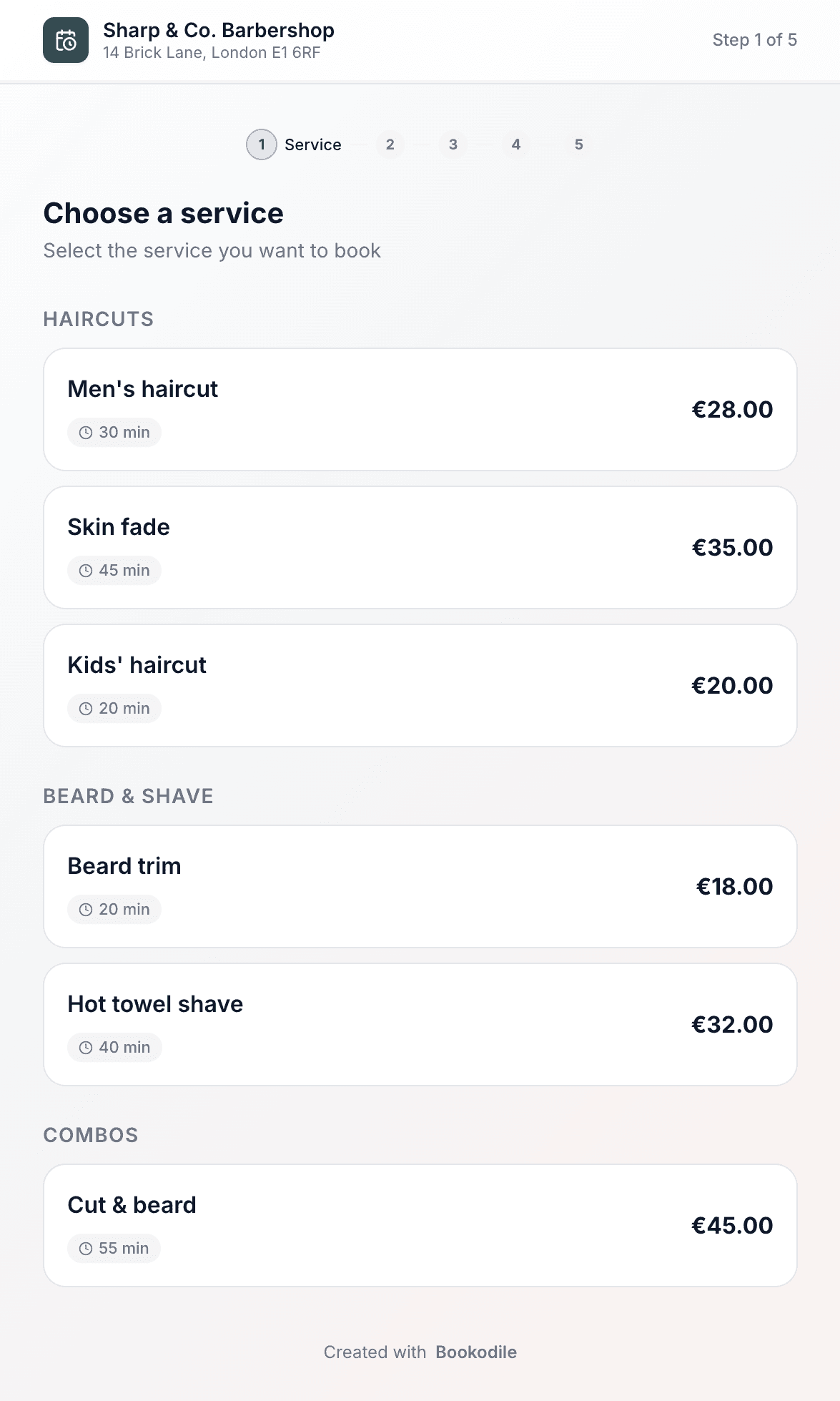
One link, every service
Share a single link and customers see everything you offer, grouped by category with the price, how long it takes and a photo when you've added one. They pick a service, choose a team member — in the order you set, with each person's price and time beside their name when those differ — or leave it to whoever's free, and they're on their way.
- Services organised into the categories you set up
- Price and duration shown up front, in your currency
- A photo beside each service you've given one — a tap shows it bigger, so a customer picks the look, not just a name
- Pick a specific team member — listed in the order you choose, for each service if you like, each with their photo and a short bio if they wrote one — or “anyone available”, which goes to the first one free in that order
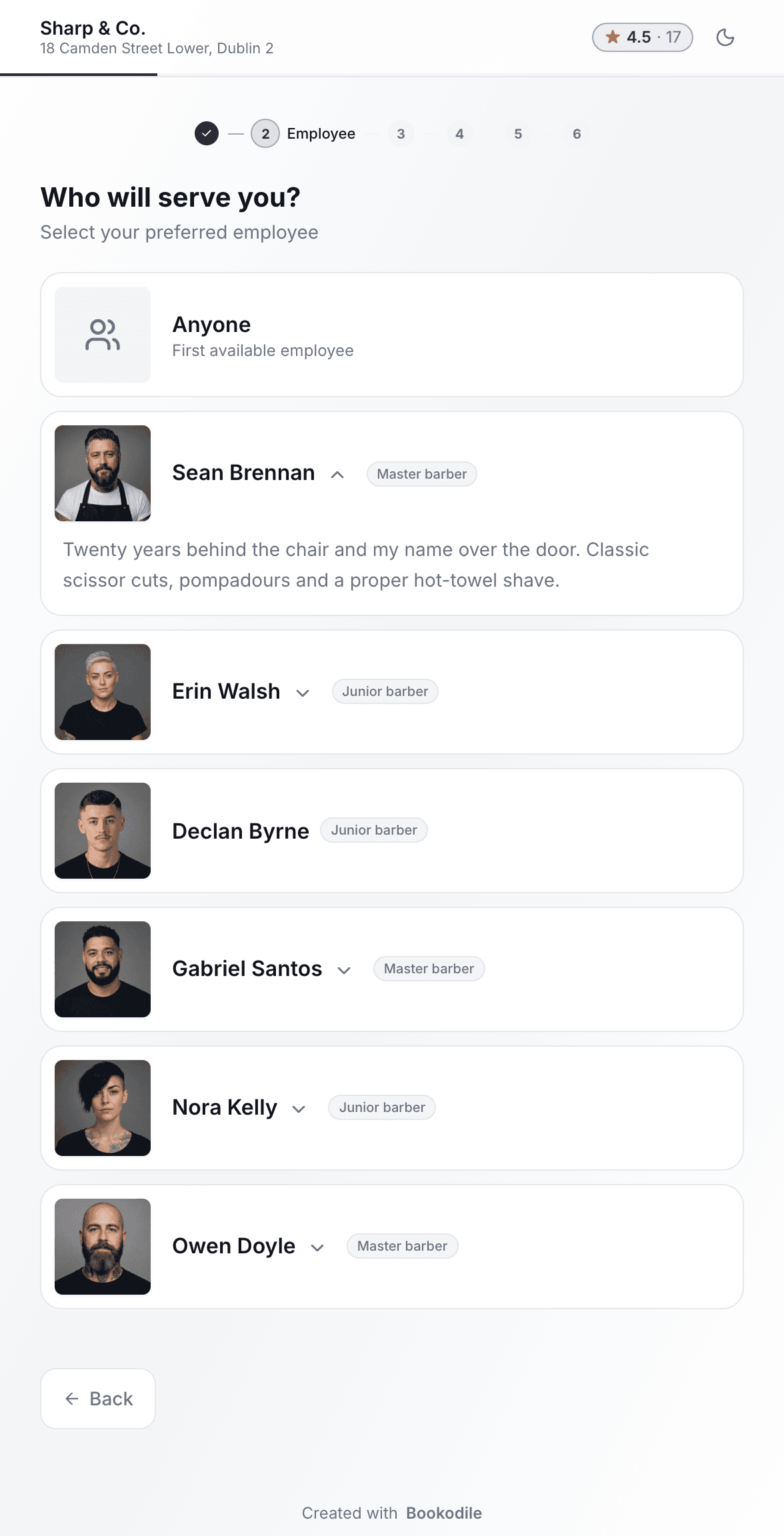
Customers choose who serves them
After the service comes the person. Every team member has a photo, and each can write a few words about themselves — what they're good at, how long they've been at it. It stays folded behind a small arrow by their name, so a regular books in one tap while someone new can read up first. Anyone who doesn't mind leaves it to the first one free, in the order you set — your team's, or a custom one for that service.
- A photo for every team member, big enough to recognise them
- A short bio of up to 200 characters, in their own words
- Bios open under the card, so regulars aren't slowed down
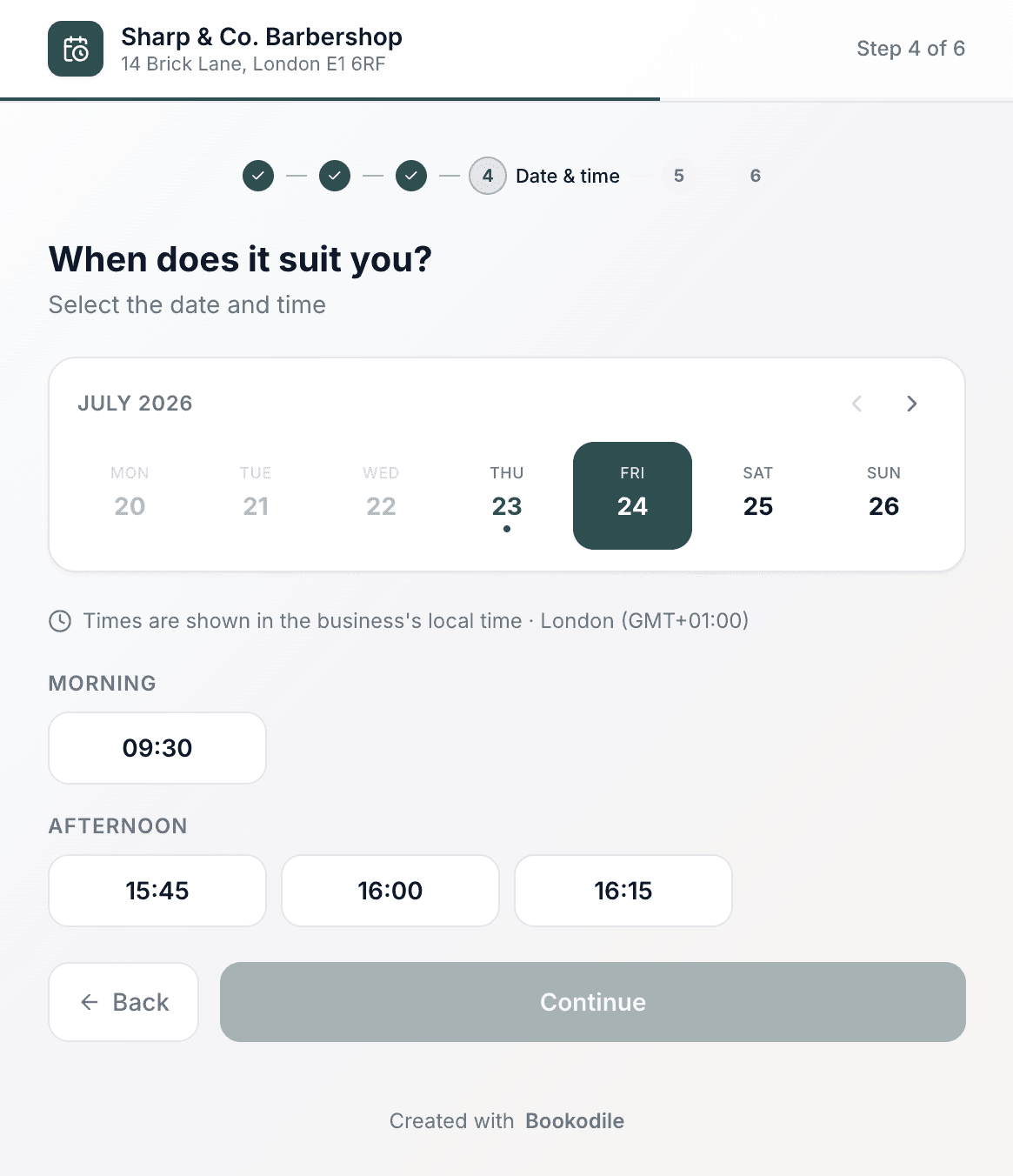
Only real openings — never a clash
The times on offer come straight from your working hours and what's already booked, with buffer time between appointments respected. Customers only ever see slots you can actually take, shown in your local time.
- Availability built from your hours and existing bookings
- Buffer time between appointments kept clear
- Every time labelled with your business's timezone
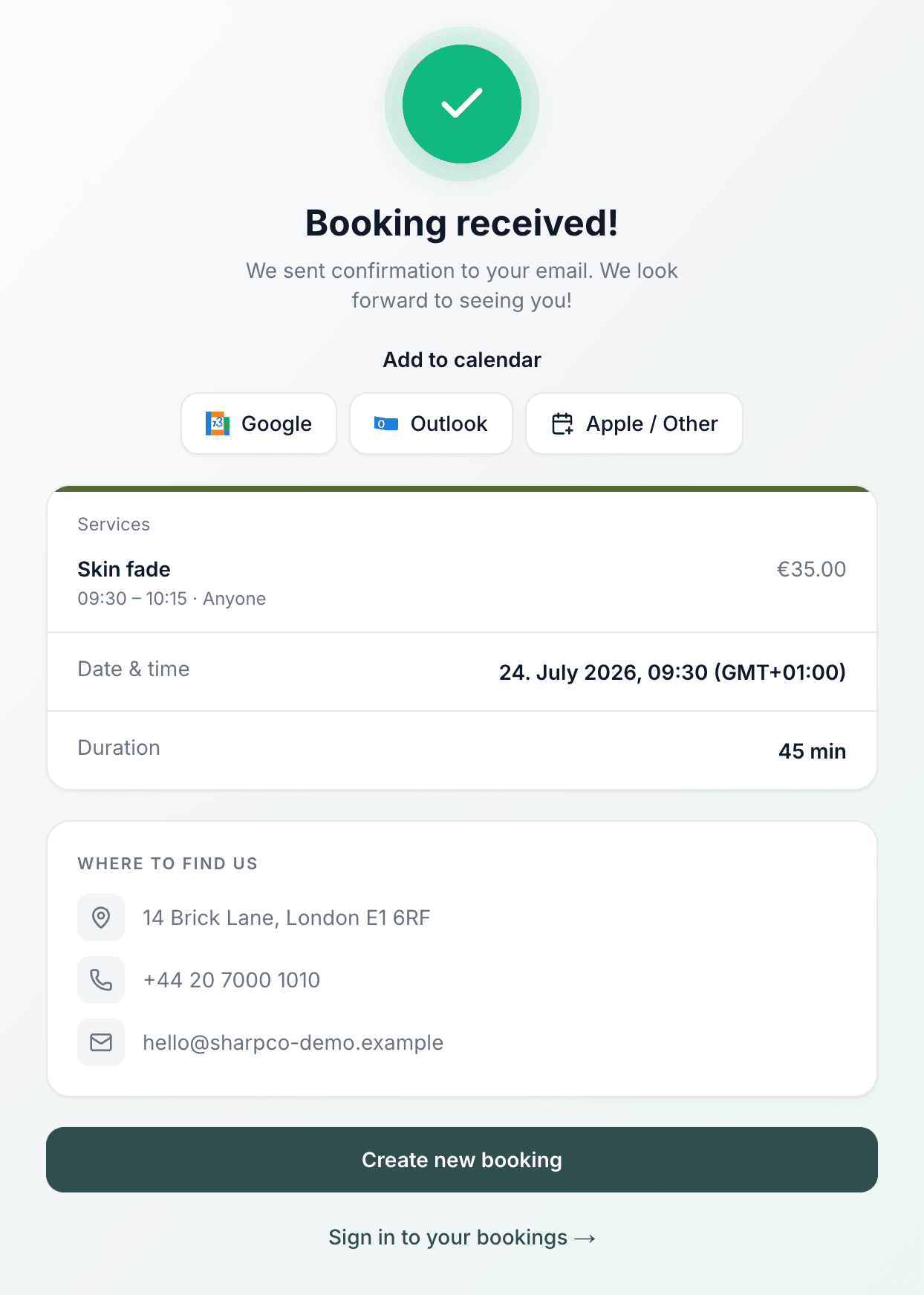
Booked, confirmed, in their calendar
The moment they confirm, the booking lands in your calendar and a confirmation email goes out. The customer gets a tidy summary, one-tap add-to-calendar, and everything they need to find you.
- Automatic confirmation email, no action from you
- Add to Google, Outlook or Apple in a tap
- Your address and contact details on the confirmation
Made for the phone in your pocket
Everything works on mobile — for you on the go, and for the customers booking you.
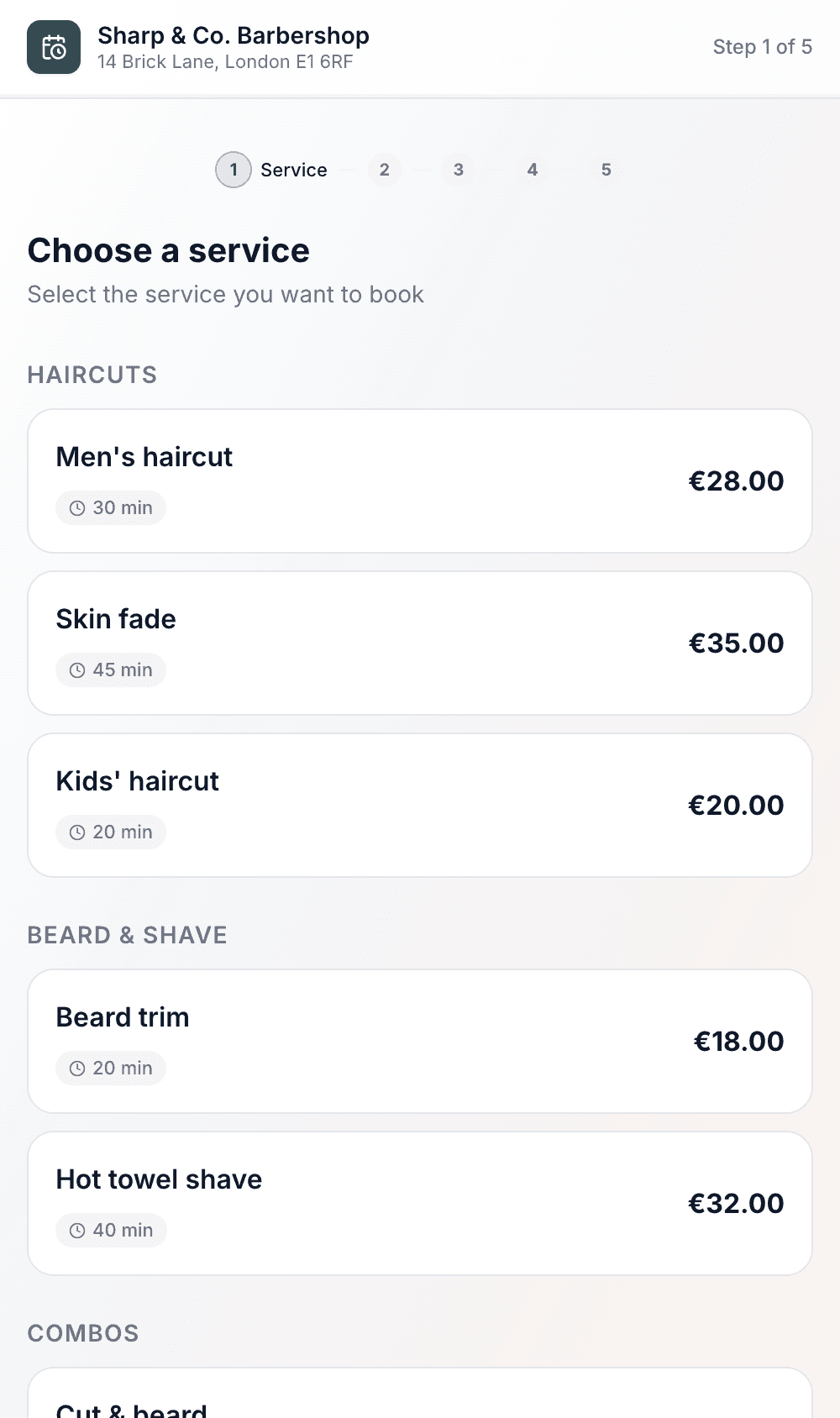
Pick a service
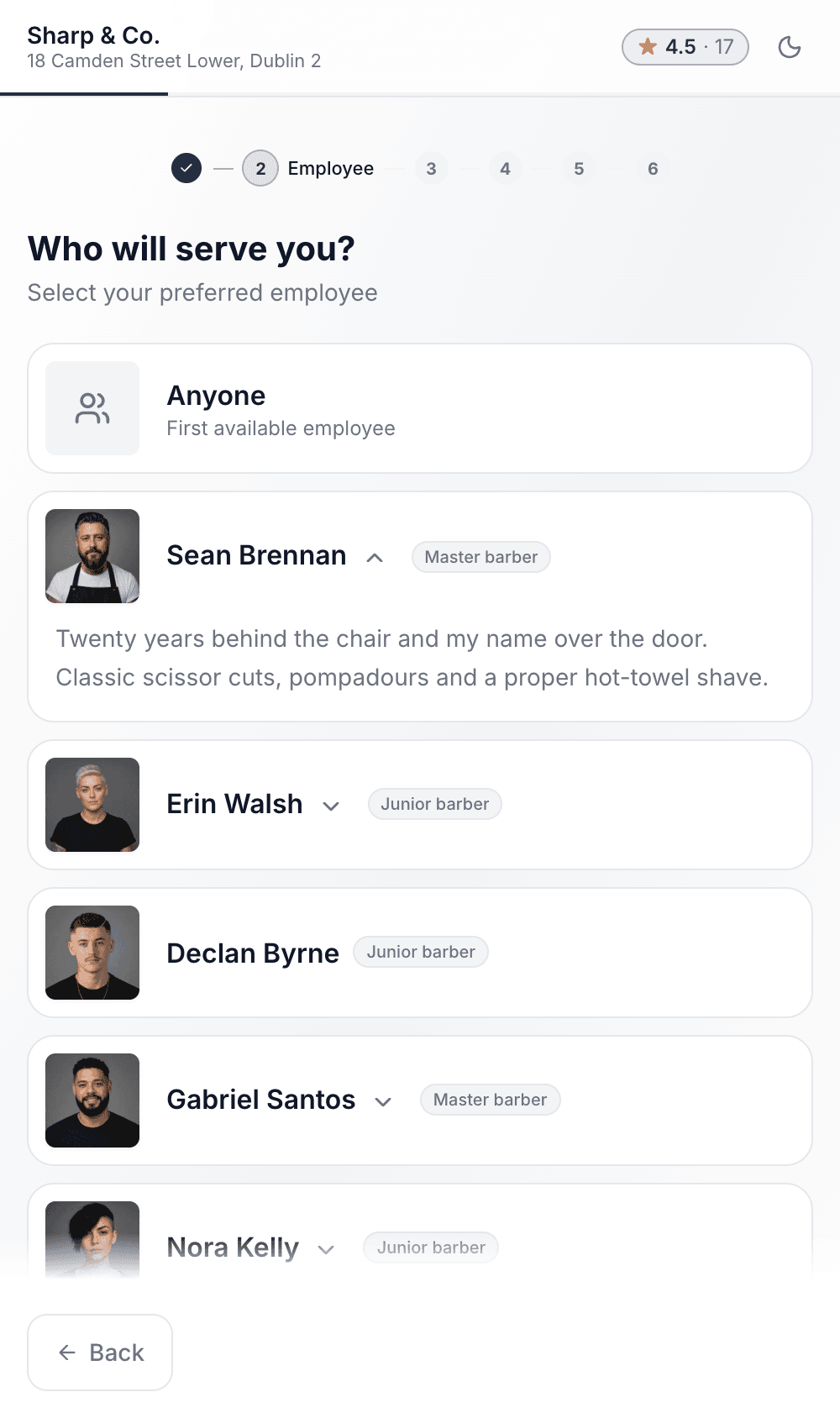
Choose who
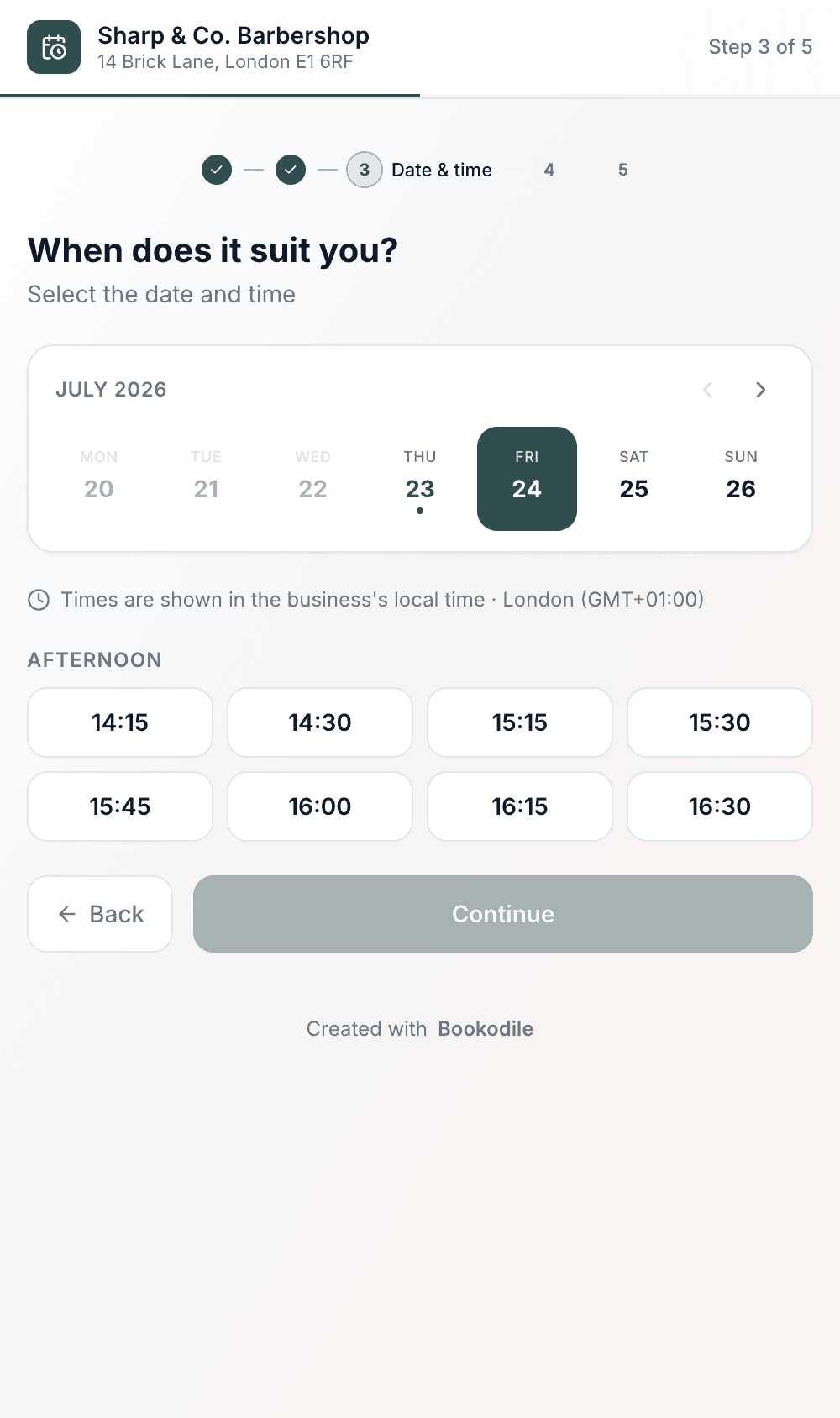
Choose a time
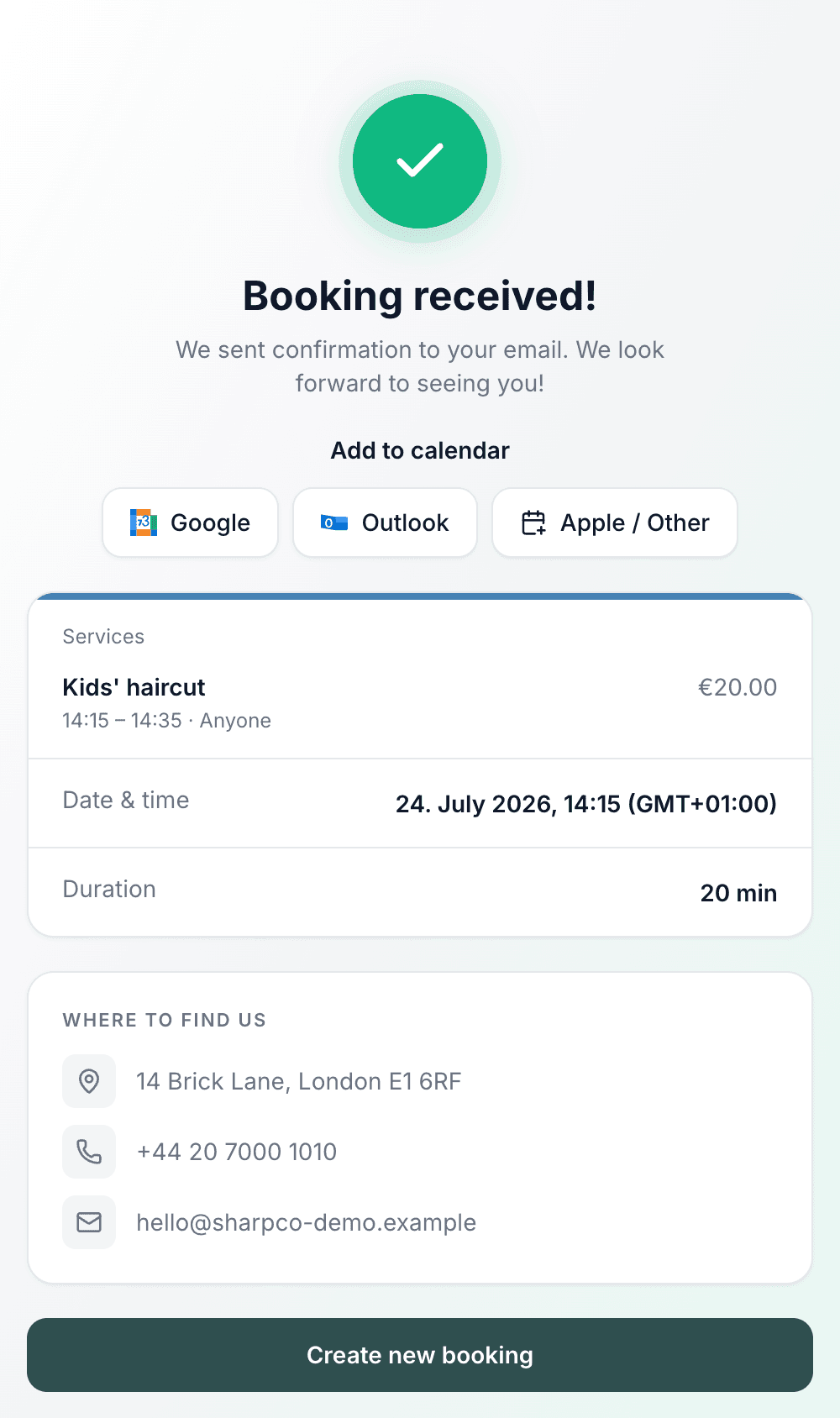
Done — confirmed
See a real one
Every one of these is a live page with sample data — open whichever looks most like you.
Common questions
- Do customers need an account to book?
- No. They open your link, choose a service and a time, enter their name and contact details, and they're booked. There's nothing to sign up for and nothing to install.
- What is my booking page's address?
- bookodile.com/your-business — short enough to say out loud, print on a card or put in an Instagram bio. You choose the name, and if you change it later, links already shared keep working. So do links from before October 2026, which have /book/ in the middle.
- Is it my own branded page?
- Yes. Your logo, your accent colour and your business name, address and contact details are on the page — it reads as your booking page, not generic software.
- Does it have a dark mode?
- Yes, and there is nothing to switch on. The page matches whatever the customer's phone or laptop is already set to, and there is a sun/moon button at the top if they want the other one. Your accent colour is adjusted so it stays readable on a dark background — a black or grey one turns its buttons white — and you can upload a second version of your logo for dark screens if your usual one needs it.
- How does it know when I'm free?
- Availability is worked out from your working hours and the bookings you already have, with any buffer time between appointments kept clear. Customers only see slots you can genuinely take.
- What about timezones?
- Times are shown in your business's local timezone, clearly labelled on the page, so a booking is never an hour off.
- Does the customer get a confirmation?
- Yes — a confirmation email goes out automatically, and the confirmation page offers one-tap add-to-calendar for Google, Outlook and Apple.
- Can I put it on my own website?
- Yes. Put your link behind a Book now button on your site, and set a logo link in Design & Branding so tapping your logo takes customers straight back to it. Or embed the booking flow into your site or hand out a QR code — that's the Embed & QR feature, also included in every account.
- Can I choose the order my team appears in?
- Yes. On the Employees page, drag people into the order you want — the same order is in Settings → Members and in Booking page settings. The booking page, the calendar and every place you pick a person follow it, and someone new joins at the end of the list.
- Will my booking page show up on Google?
- It can, and it's switched on from the start. We list your page in our sitemap so search engines know it exists, and the page carries your business name, your own description and your address. Search engines still decide what to show and it usually takes a few weeks — nobody can promise a position.
- Can I keep my booking page out of Google?
- Yes. In Settings → Website & booking page, beside your page's address, turn off “Show my business in search results” — one switch for your booking page and your website. We drop it from our sitemap and ask search engines to leave it out, and anyone you send the link to can still book exactly as before. A page that is already listed can take a few weeks to disappear.
- Can customers reschedule or cancel themselves?
- Yes. The confirmation email and My Bookings link to the booking, where the customer can move it to another free time or cancel it, and tell you why — up to the cancellation window you set in Booking settings. A move keeps the same services, team member and price, and the team member gets an email with the new time and the customer's reason.
Booking page is in every Bookodile account
Along with everything else you need to take bookings — nothing to switch on, no add-on required.