
AI Chat
Your own tech person and copywriter, built in.
Tell Bookodile how your business works, in your own words, and it sets it up for you — team, services, prices, opening hours, rooms and add-ons — and shows you every change to check before anything happens. Like having your own tech person and copywriter on the team.
Part of every plan — nothing to switch on.
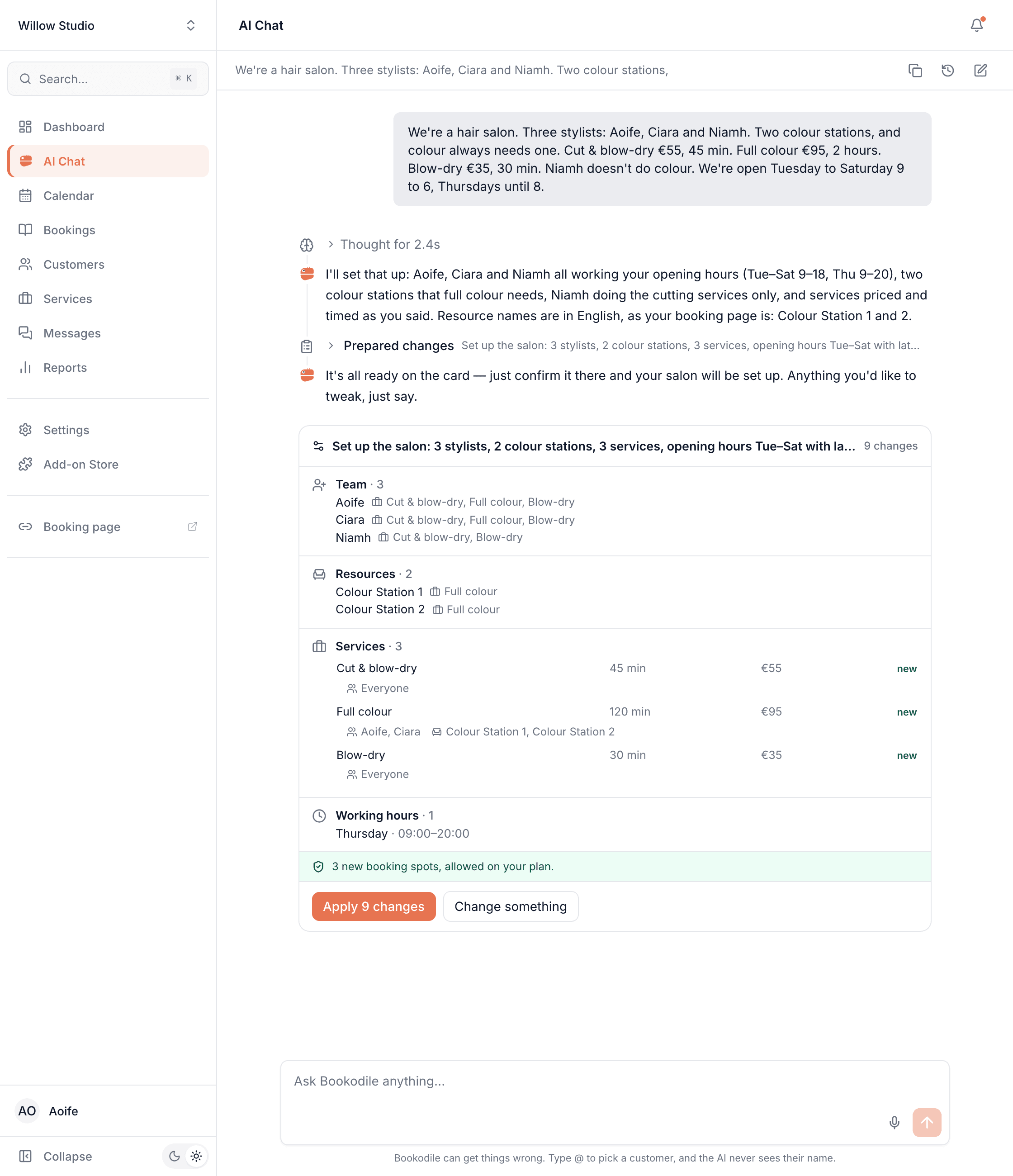
Set up in your own words
Describe your team, services, prices and hours the way you'd brief a new colleague. The chat asks for anything missing — it never guesses a price or how long something takes.
See every change before it happens
Every change is laid out for you first: who does what, which services need which room or station, and whether your plan covers it. Apply it, ask for a change, or leave it.
Undo in one click
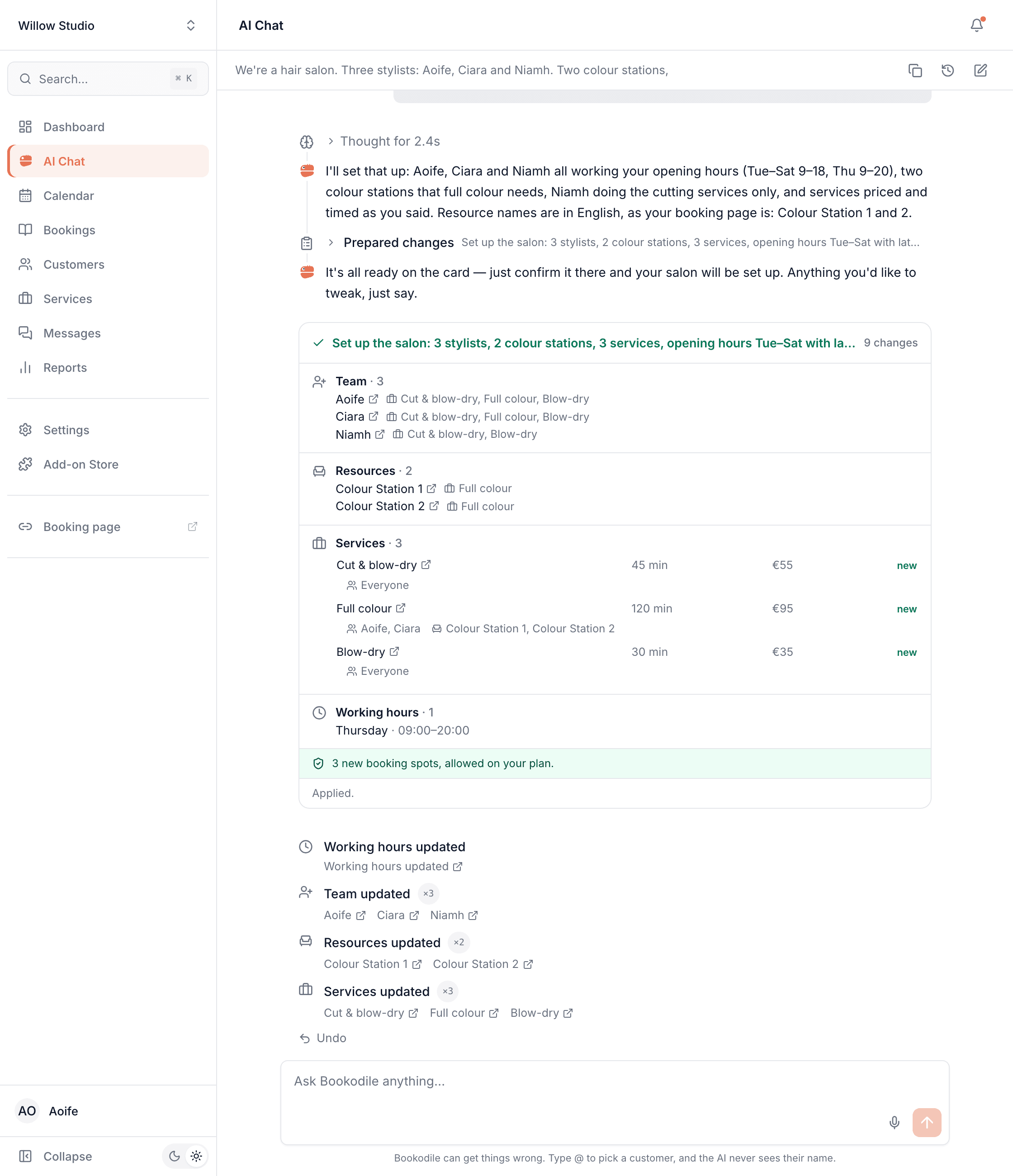
Changed your mind about a setup? Undo reverses all of it. If something already depends on part of it — a booking on a new service — that part stays, and the chat tells you which.
It writes what customers read
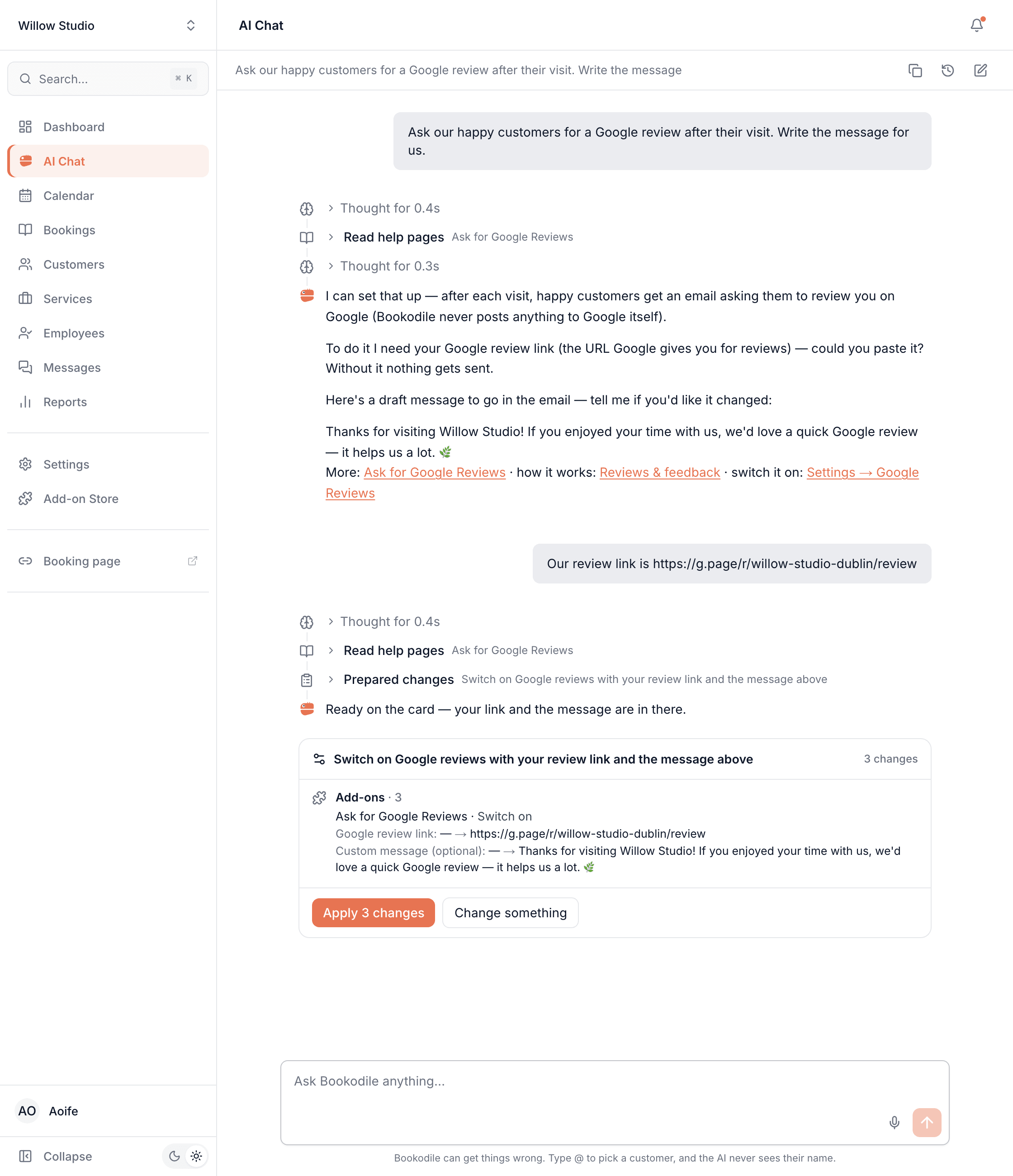
Service names in your booking page's language, the note to customers when a booking moves, the message asking for a Google review — drafted for you, and yours to edit before it goes.
Your customers stay private
The AI never reads your customers' names, emails or phone numbers from your data. It works with references, and you see the names.
Speak instead of typing
Talk to it in English, Slovak, Czech or Vietnamese. What you said appears as text for you to check before you send it.
Set up your whole business from one message
Write it the way you'd say it: who works there, what you offer and for how much, how long each service takes, when you're open, and what needs a room, chair or station. The chat turns it into one list of changes — team, services, rooms and hours together — and asks rather than guesses when something's missing. Apply it, and every line links to what it made, with Undo underneath.
- Team members, their working hours and the services each one does
- Services with prices and lengths — even a different price or length per person
- Rooms, chairs and equipment, and the services that need them
- Opening hours, booking rules and the add-ons customers can pick
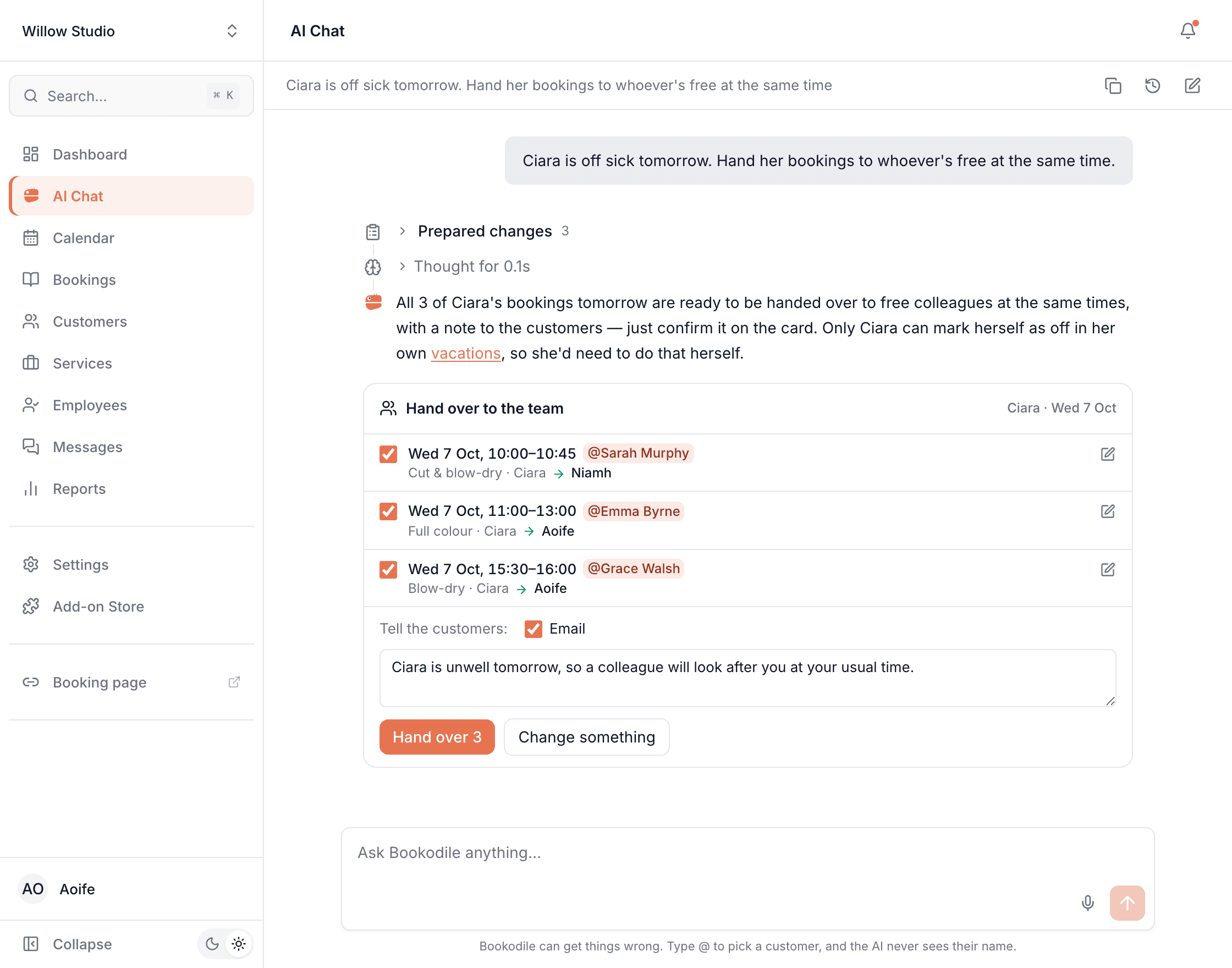
Someone's off sick? One message
Say who can't come in, and the chat finds a colleague who does each of their services and is free at the same time. Every booking is listed together, with the colleague who'd take it — untick any you'd rather leave. It writes a short note to the customers, and tells them by email, or by text where you send texts. A booking nobody can take stays where it is, and the chat says so.
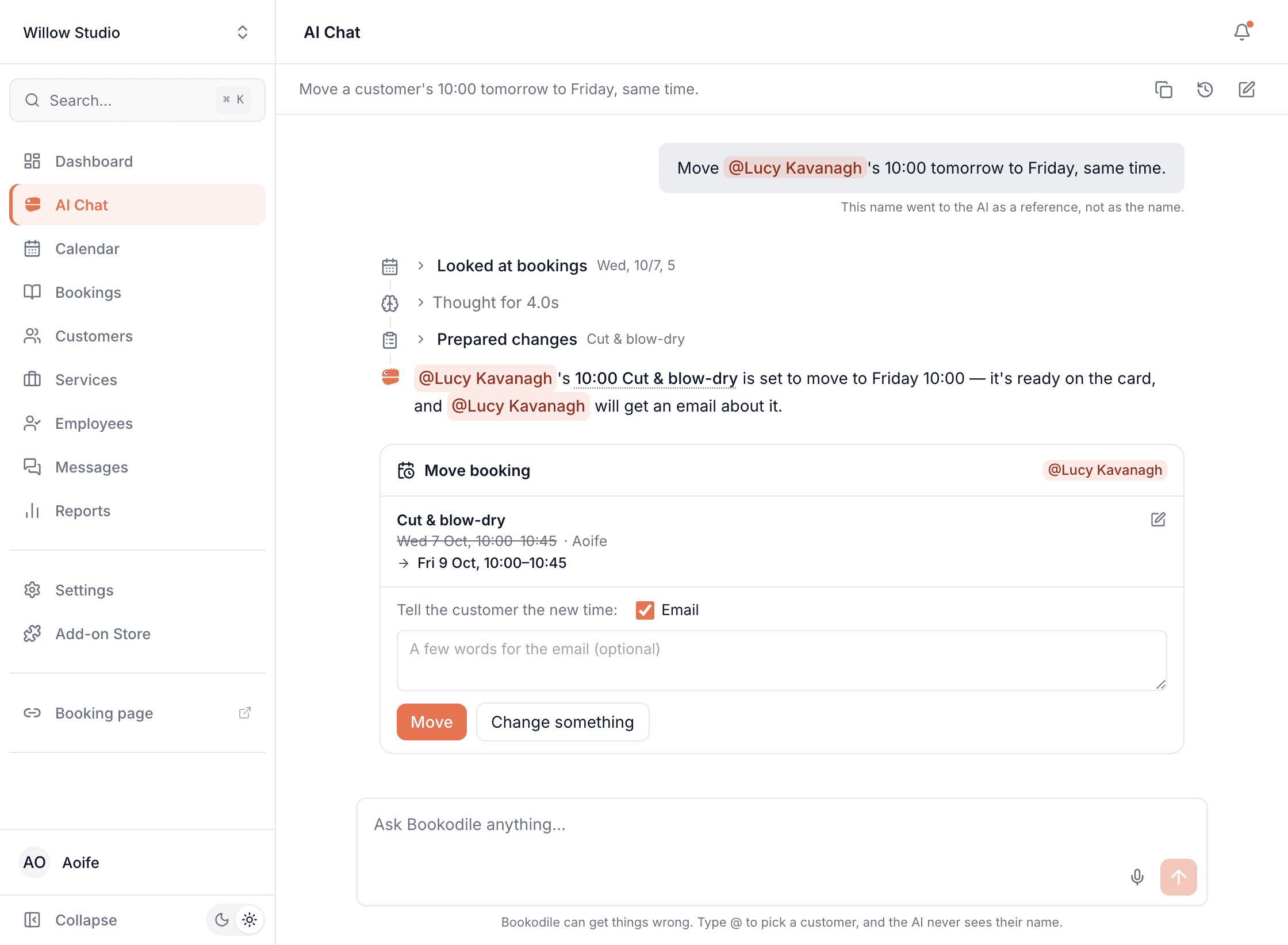
Move a booking without opening the calendar
"Move Lucy's 10:00 tomorrow to Friday, same time." The chat finds the booking, checks the new time the way the calendar does — the team member's hours, time off, other bookings, any room it needs — and shows you the move first, with a clash if there is one. A visit with several services moves as one. Many at once works too: "move this morning to the afternoon".
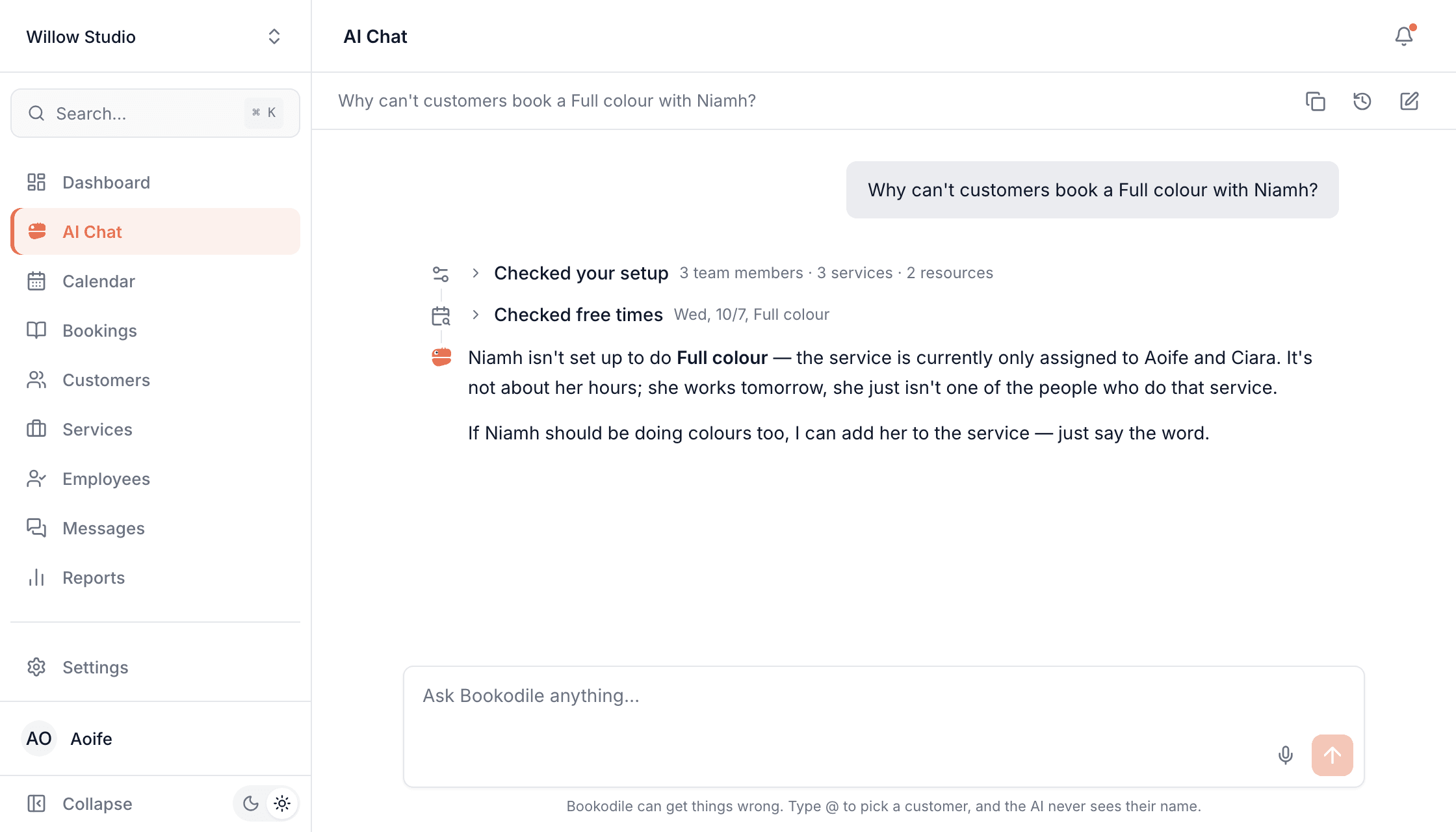
"Why can't anyone book…?" answered in plain words
When customers can't book something, the chat checks your setup and the calendar and tells you why — closed that day, a team member who doesn't do that service, time off, your minimum notice, or simply no free time — then offers to fix it.
The copywriter you didn't hire
Ask it to switch on an add-on and it drafts the words for you. Here it wrote the message that asks happy customers for a Google review, asked for the one thing it couldn't know — the review link — and put both in front of you to approve. Names and notes customers see are written in your booking page's language.
Ask how anything works
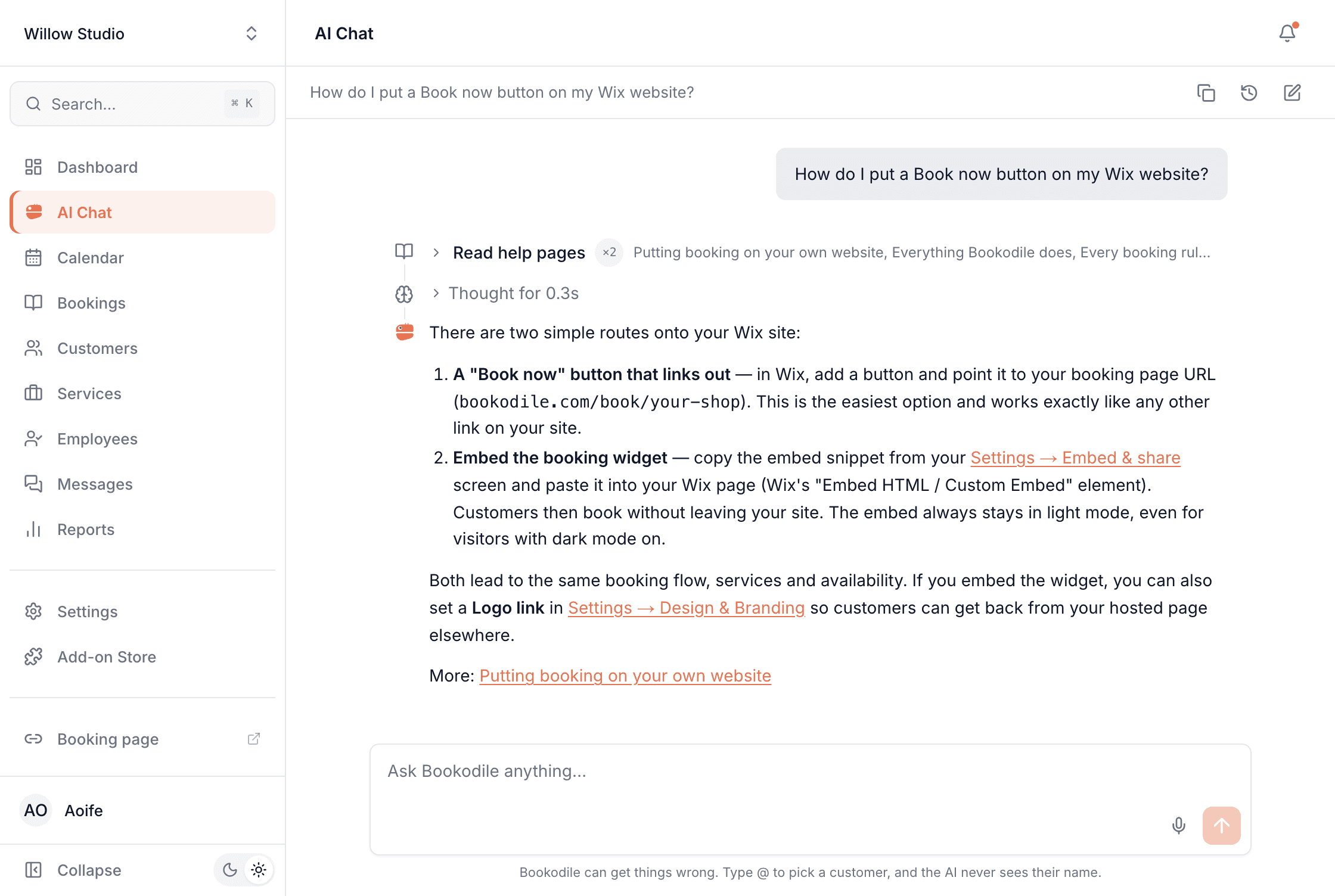
"How do I put a Book now button on my Wix site?" The chat answers from Bookodile's help pages, links the screens it mentions, and points you to the page so you can read more.
Common questions
- Does it change anything without asking?
- No. Every change is shown to you first, and nothing happens until you apply it. Setup changes can be undone with one click; a moved or cancelled booking is changed back in the calendar, because the customer may already have been told.
- Does the AI see my customers' details?
- It never reads your customers' names, emails or phone numbers from your data — it refers to them by a code, and the chat shows you the name. Pick a customer by typing @ and they're sent the same way. An email address or phone number you type is replaced before the AI reads your message; any other name you type does reach it.
- What can it set up?
- Team members and their working hours, services with their prices and lengths (per person, too), combinations of services, the add-ons customers pick with a service, rooms and equipment, categories of team members, opening hours, booking rules, and add-ons and their settings. It also moves, cancels and hands over bookings, and blocks time.
- What can't it do?
- It doesn't create new bookings, write to customers in Messages, or read payments and reports. Discount codes, vouchers, events, promotions and banners are made on their own pages — the chat links you there.
- Which languages does it speak?
- It replies in the language your dashboard is in — English, Slovak, Czech or Vietnamese — and writes anything your customers will read in your booking page's language. You can speak to it in all four.
- Who on my team can use it?
- Everyone, with their own access: it can only read and change what that person could in the dashboard. Owners and managers can also read the team's chats, read only — a setting on each role.
- Does it cost extra?
- No. AI Chat is part of every account, the free one included. Each business has a daily allowance; if it's used up, the chat says so and is back the next day.
- Can it get things wrong?
- Yes, it can — which is why every change is laid out for you before it happens, and answers link the screen where you can check.
AI Chat is in every Bookodile account
Along with everything else you need to take bookings — nothing to switch on, no add-on required.