
Services & pricing
Set what you offer, how long it takes and what it costs.
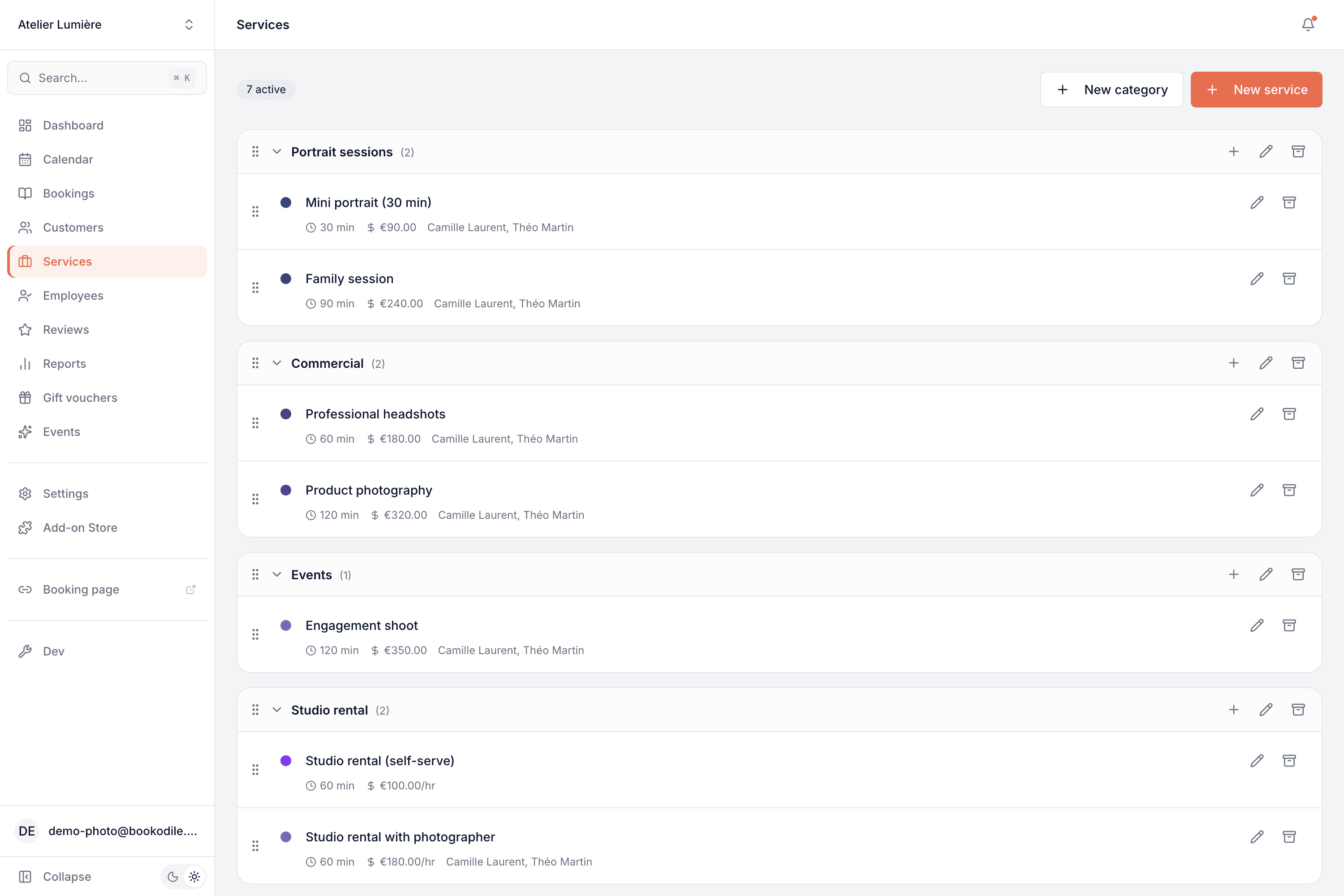
Set up everything you offer — grouped into categories, priced the way you actually charge, with the right duration, buffer time and any room or equipment it needs.
Part of every plan — nothing to switch on.
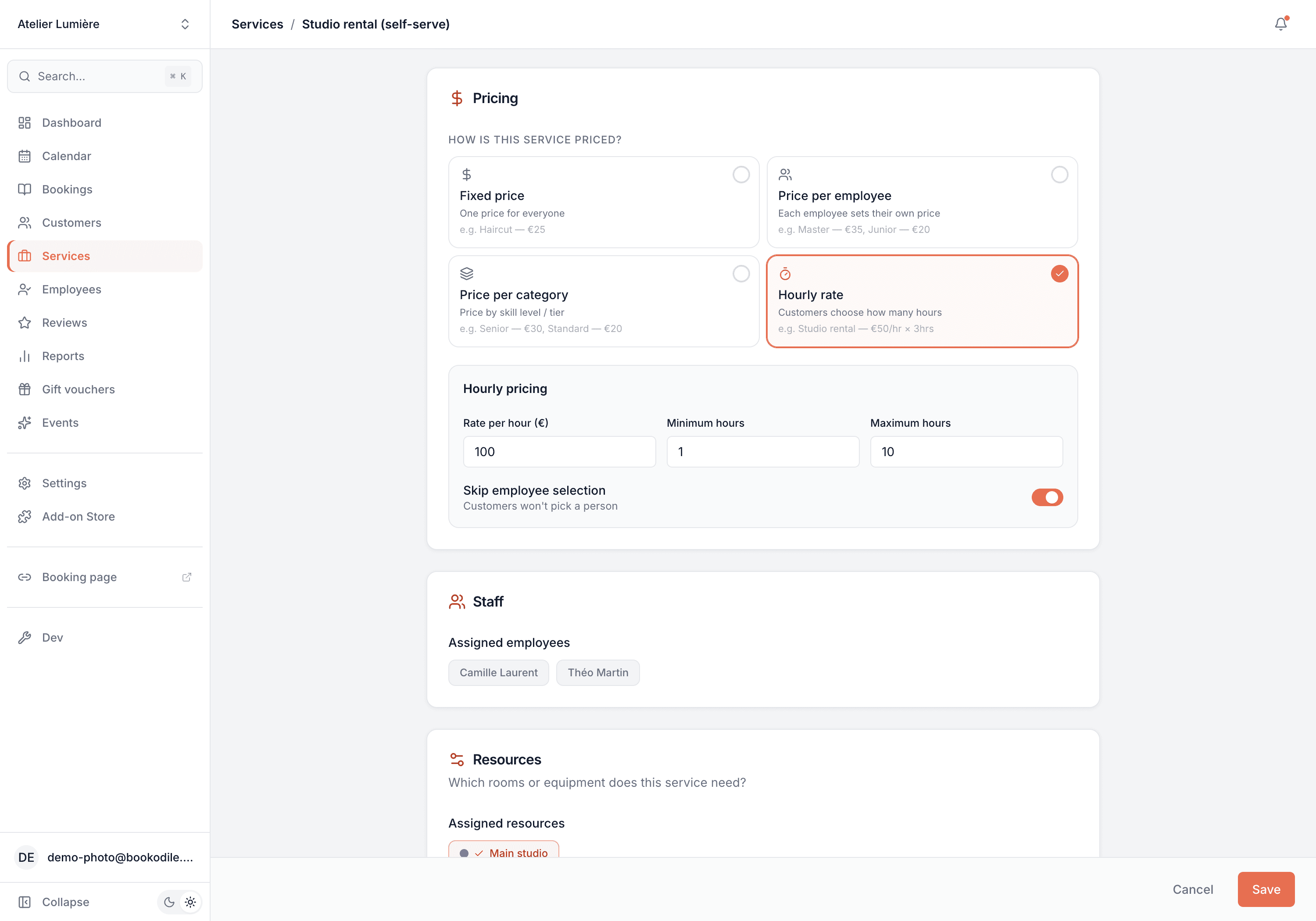
Four ways to price
A fixed price, a different price per team member, a price per employee category, or an hourly rate — whatever matches how you charge.
Duration & buffer
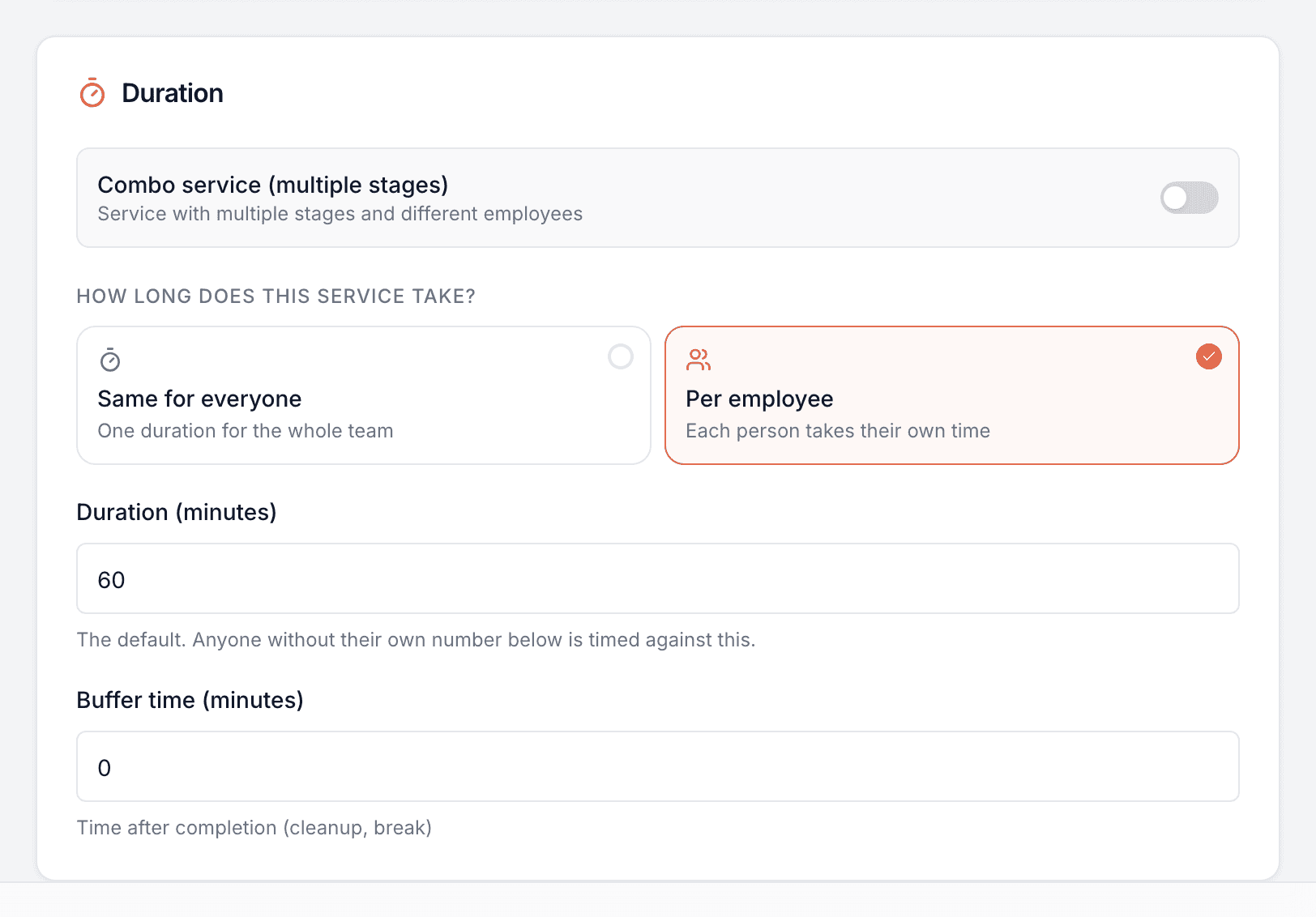
Set how long each service takes — one time for everyone, or a different one per team member when someone needs longer — plus buffer time afterwards for cleanup or a breather.
Neat categories
Group services into the sections that make sense to you — customers see them organised the same way on your booking page.
Combo services
Chain multiple stages into one booking — even with a different team member on each — for things like colour-and-cut.
Who offers what
Assign each service to the team members who perform it, so customers only ever book someone who can actually do it.
Rooms & equipment
Link a service to a resource it needs — a room, a chair, a machine — and it's never booked past what it can hold: one appointment at a time, or as many as you set. Keep one for the person it belongs to and nobody else is put in it.
A photo for each service
Show what's being booked — a nail style, a cut, the room. The photo sits beside the service on your booking page and leads its card on your website.
Priced the way you actually charge
Not every business charges a flat rate, so you don't have to force it. Pick the pricing model that fits each service, and the booking page and every total work it out correctly from there.
- Fixed price — one price for everyone
- Per team member — your senior and junior charge differently
- Per category — one price for your Juniors, another for your Seniors
- Hourly — the customer picks how many hours, with a min and max, for rentals and studio time
When someone on your team needs longer
A new starter can take three times as long over the same haircut as you do, and booking them a thirty-minute slot helps nobody. Set a duration per person on any service and the booking page works out the real finishing time for whoever the customer chooses.
- Set it per person, the same way you set a price per person — and independently of it
- Leave someone blank and they keep the service's normal duration, so you only fill in who differs
- Customers see the shortest time with a plus on the menu, then each person's own time when they pick
- “Anyone” only offers times somebody can actually finish before you close
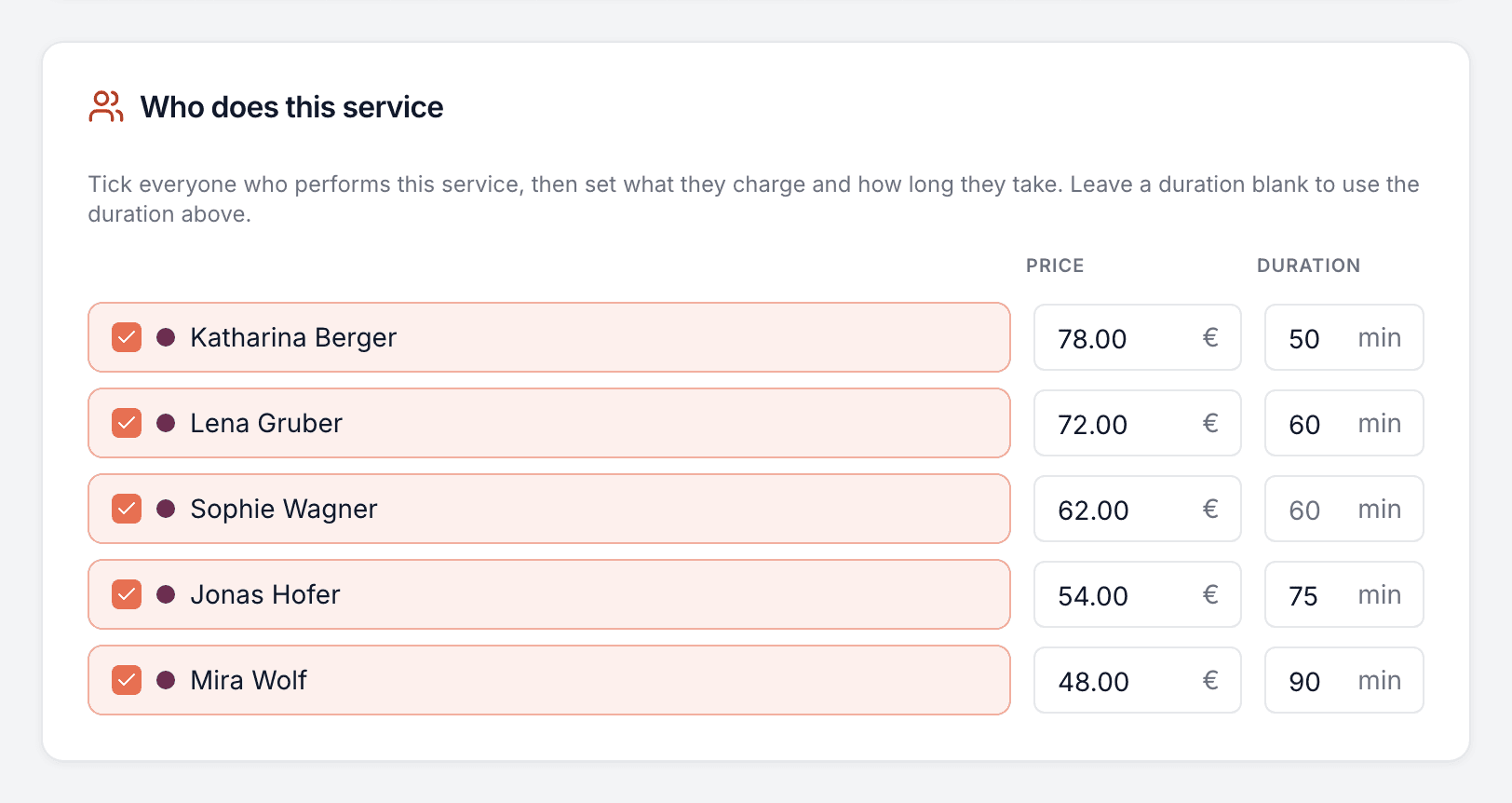
Everyone who does it, on one screen
Underneath the pricing, every service ends with the same question: who actually does this one? Tick the people who perform it and customers can only ever book one of them. Then, if you've priced the service per team member or timed it per person, that same list grows the columns to match — a price beside each name, the minutes beside that, or both at once. One place to look, nothing to keep in sync.
- Tick a name and that person becomes bookable for the service
- Priced per team member? A price box appears beside everyone ticked
- Timed per person? A minutes box appears too — blank means the duration above
- Both at once is normal: the senior charges more and finishes sooner
- Who customers see first: your team order, or switch on a custom order for this service — or for its whole category — and “anyone available” goes to the first one free in it
Rooms, chairs and equipment — never overbooked
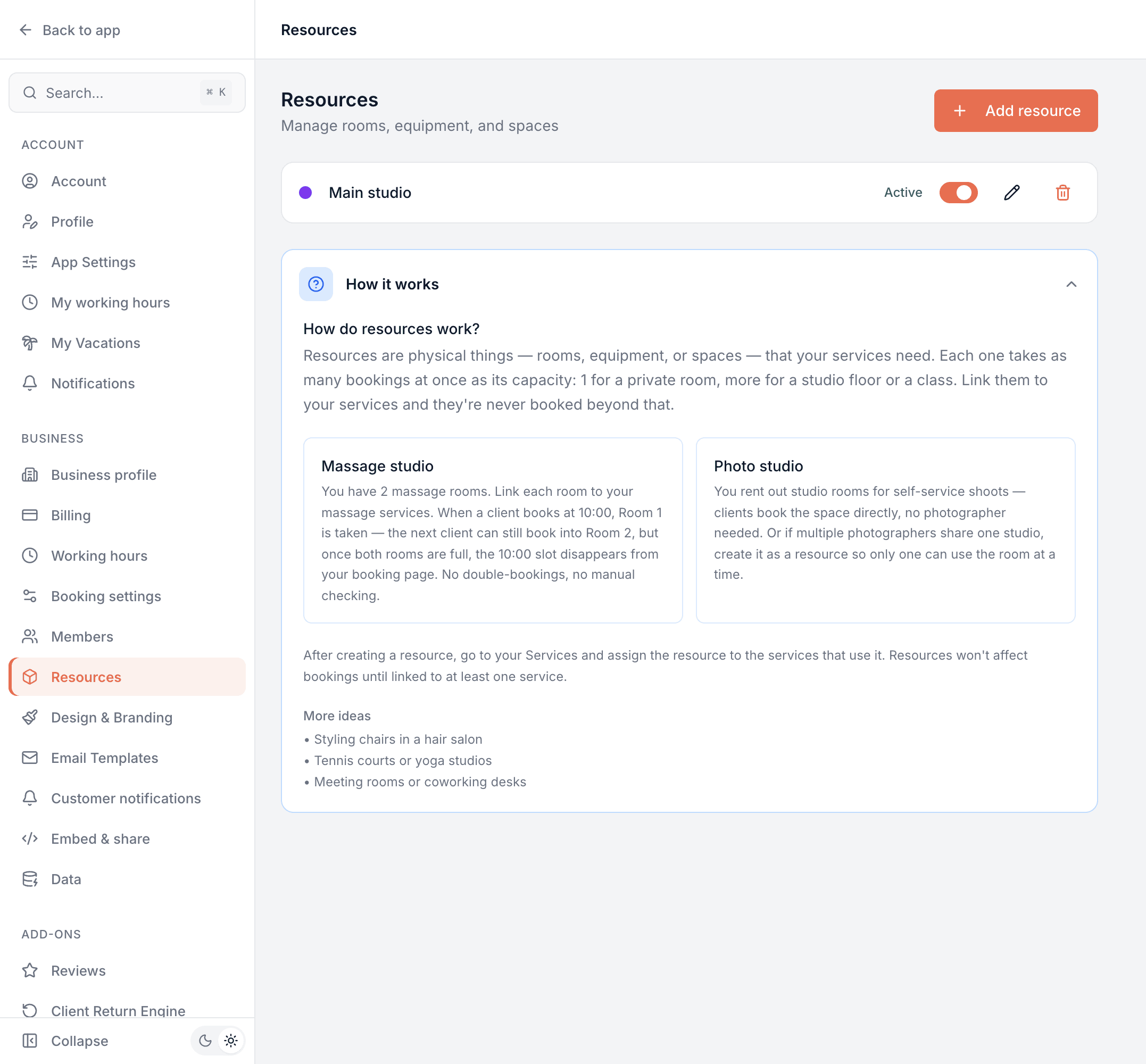
If a service needs a physical thing — a treatment room, a studio, a styling chair, a piece of equipment — set it up as a resource and link it to the service. Bookodile then makes sure it's never booked past its capacity: one appointment at a time by default, or as many at once as you set for a studio floor or a class space. Especially handy for spas, gyms and studios. And when the thing isn't interchangeable, keep it for the people it belongs to.
- Two massage rooms? Both can be booked at once, but the slot disappears when they're full
- A single chair holds one booking at a time; a studio floor with a capacity of eight holds eight
- Keep a chair for one person and nobody else is ever put in it — the juniors share theirs, the master keeps his
- Works for tennis courts, meeting rooms, machines — anything with limited availability
Common questions
- What pricing options are there?
- Four. A fixed price; a different price per team member; a price per employee category, so a category like Junior carries its own price; or an hourly rate where the customer chooses how many hours within a minimum and maximum. You set it per service.
- Can I choose who is offered first for a service?
- Yes. Your booking page lists your team in the order you set in Settings → Members, and a customer who picks “anyone available” gets the first one free in it. Any service, or a whole service category, can switch on a custom order of its own — so a quick add-on like a hair wash can go to your newest team member first while your most experienced one stays first for everything else. Bookings are never spread evenly: the order decides.
- Can one booking include several services?
- Yes — a combo service chains multiple stages into a single appointment, and each stage can be performed by a different team member, so something like colour-then-cut is booked in one go.
- Can two people take different amounts of time for the same service?
- Yes. Set the duration per team member on that service — useful when someone is still training, or simply works at a different pace. Anyone you leave blank keeps the service's normal duration, so you only fill in the people who differ, and customers are only ever offered times the person they picked can actually finish.
- What's buffer time for?
- It's time reserved after a service for cleanup, resetting a room, or a breather. The next appointment can't start until the buffer has passed, so your day doesn't run into itself.
- What are resources?
- Physical things a service needs — a room, a chair, a machine, a studio. Link a resource to a service and Bookodile never lets it be booked past its capacity, even across different services that share it. Capacity is one unless you change it, so a room takes one appointment at a time; raise it for a space several people use at once, like a studio floor. It's the piece spas, gyms and studios rely on.
- Can a chair or a room belong to one person?
- Yes. Every resource is open to anyone who does its services by default, and you can keep one for named people instead — three juniors share a chair while the master has his own, or a practitioner owns the back room. Nobody else is ever booked into it, and anyone who has a resource of their own is sent there first, so the shared ones stay free for whoever has nothing else.
- Do customers see my categories?
- Yes. Services are grouped on your booking page in the same categories you set up here, so a long menu stays easy to scan.
- Can a service have a photo?
- Yes, one per service. Customers see it beside the service on your booking page and can tap it to see it bigger — handy when the look is the choice, like a nail style. Your website uses it on the service's card too, unless you give the website a different photo of its own.
- Can a service be offered only as an extra?
- Yes. Switch on Only as an add-on and it leaves your booking page's list, while customers can still add it to the services that offer it — a hair wash with a cut, nail art with a manicure. It's still a real service: your team can book it on its own, and its page shows which services offer it.
Services & pricing is in every Bookodile account
Along with everything else you need to take bookings — nothing to switch on, no add-on required.