
Website
Your own website, built from your booking setup.
A website for your business, built from what you've already set up — your services, prices, team, opening hours and reviews — in a design you pick and words you can change just by asking. Every Book button opens your booking page.
Part of every plan — nothing to switch on.
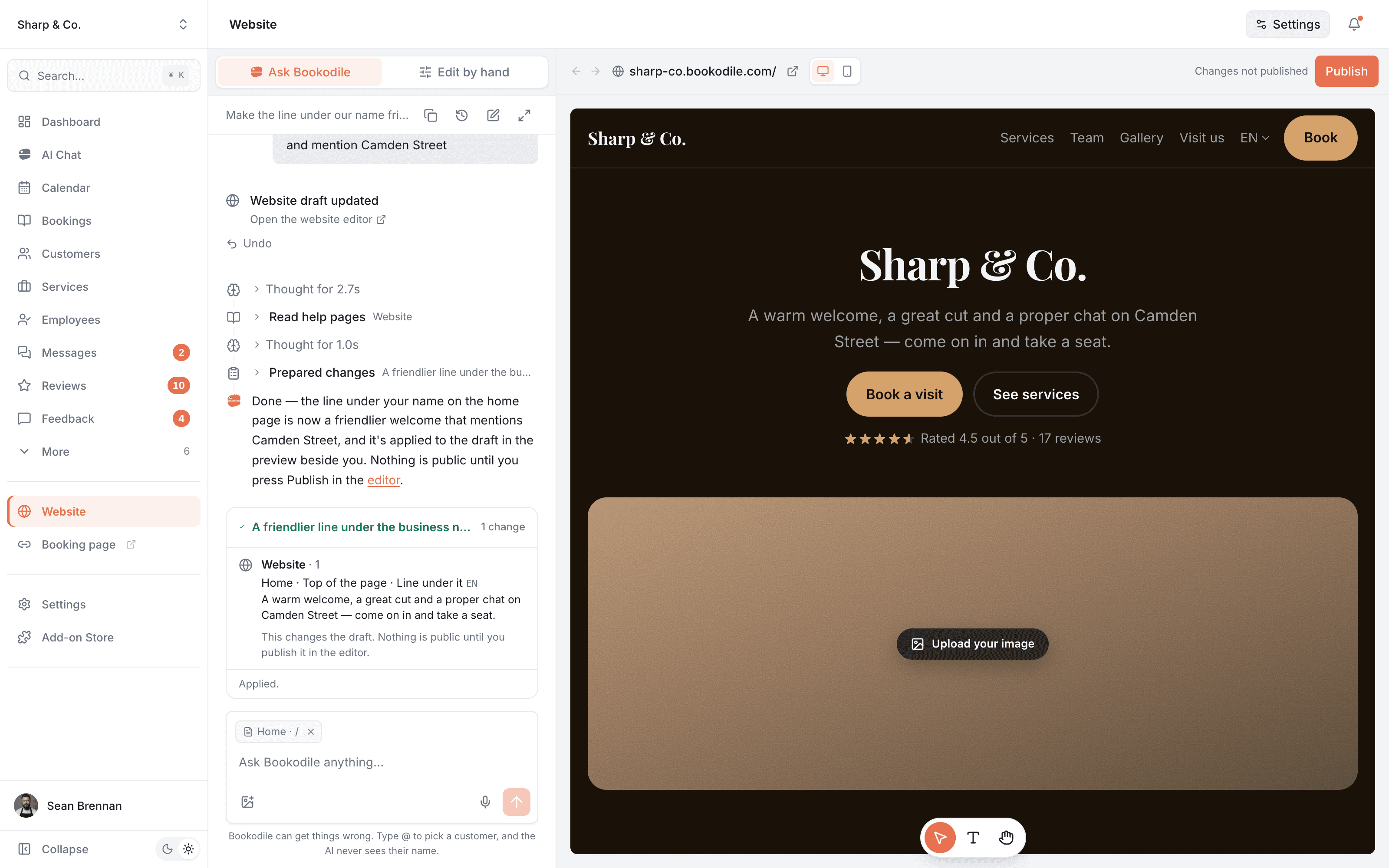
Choose a template you like, then make it yours
Each one is shown as a business like yours. Pick the look you like — your services, prices and team are already on it, and the words, photos and colours are yours to change whenever you want.
- Classic OneLight and clear, with a photo beside your name and your prices in a list. Fits any business.Several pages · Light
- Bold OneDark and bold, with your name over a wide photo and your services on cards.Several pages · Dark
- Luxe OneBlack and gold on one long page: everything you do, your team and your reviews, top to bottom.One page · Dark
- Luxe TwoMonochrome, in the style of a barbershop: ruled lines, words only at the top over a mosaic of your work, the team first.Several pages · Dark
Photos show as soft colours here; yours go in their place.
Always up to date
Services, prices, the team, opening hours and reviews come from your booking setup. Change a price once and your website follows within minutes — there's no second place to update.
Just ask Bookodile
"Make it feel warmer." "Add the questions customers always ask." Or click any part of the preview and say "make this shorter". The change lands in the preview beside you, with Undo.
Nothing goes live by accident
Every change is saved as you go, into a draft customers can't see. They see it when you press Publish, and History can bring back an earlier version.
Your own domain, or ours
Your website starts at yourname.bookodile.com. Connect a domain you already own and it moves to www.yourbusiness.com — and if someone else looks after your domain, Bookodile writes them the instructions.
Ready for Google
Every page has its own title and description for search results, in every language, and search engines are told about each one. One switch keeps your website and booking page out of search.
Made for phones
Most visitors arrive on a phone, so every page is laid out for one, with a Book button that stays in reach. Pages arrive ready-made, with no tracking code, so they open fast.
Every design, already filled in
There is no blank page. Your services, prices, team, opening hours and reviews are already on your website, so every template shows your own business — not placeholder text. Open the gallery, look at each one with your own pages, words and photos, and switch with one click. Once your website is live, a switch changes the design and leaves your pages exactly where they were.
- Light and dark templates, every one on one page or several — your choice
- A menu that fits your kind of business: Barbers first for a barbershop, Portfolio for a photographer
- Each template drawn with your own business, on a computer or a phone
- A Book button under every team member, opening booking with them already chosen
- A role under each name, like Owner or Senior stylist, on the website only
- Blocks for your own words too: photo columns, text in columns, a hiring card after your team, buttons to anywhere
- Switch whenever you like — your pages stay, and the old version is kept in History
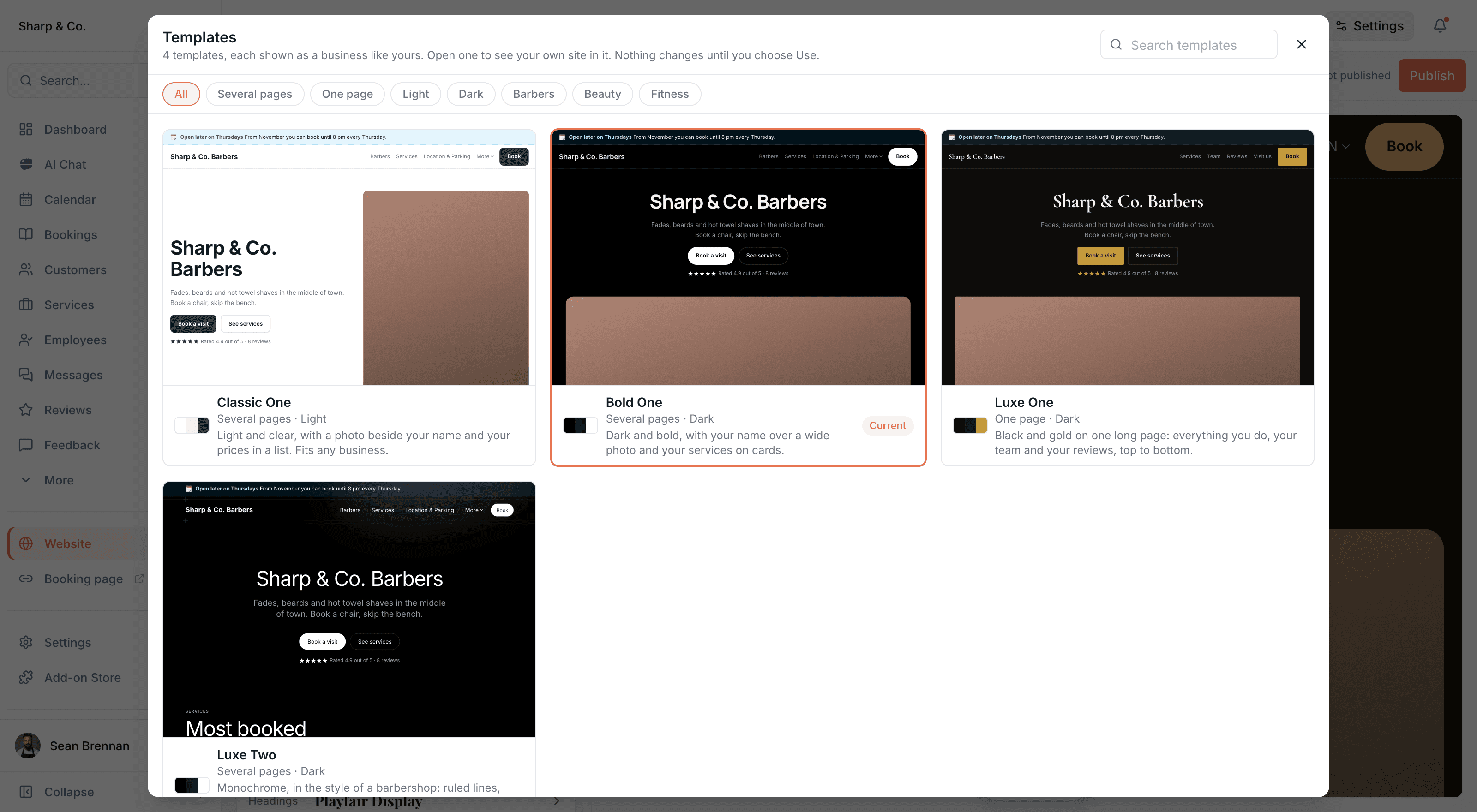
Edit right on the page
The preview beside you is also where you work. Click a heading and type over it. Point at a section, or at anything in it, and ask Bookodile to change exactly that. Move, copy, hide or remove a section where you see it, and add a new one exactly where it belongs. Prices, names and opening hours stay where they are kept: click one and it tells you where to change it.
- Three tools at the bottom of the preview: select, type, or use the site as a visitor would
- What you select goes into your message to Bookodile, which changes that and nothing else
- Change a section into another kind and keep its words, such as three promises into three photo cards
- Hidden sections stay visible to you as a band, so you can always find them again
- Every change saves as you go and has Undo
Make it look like you
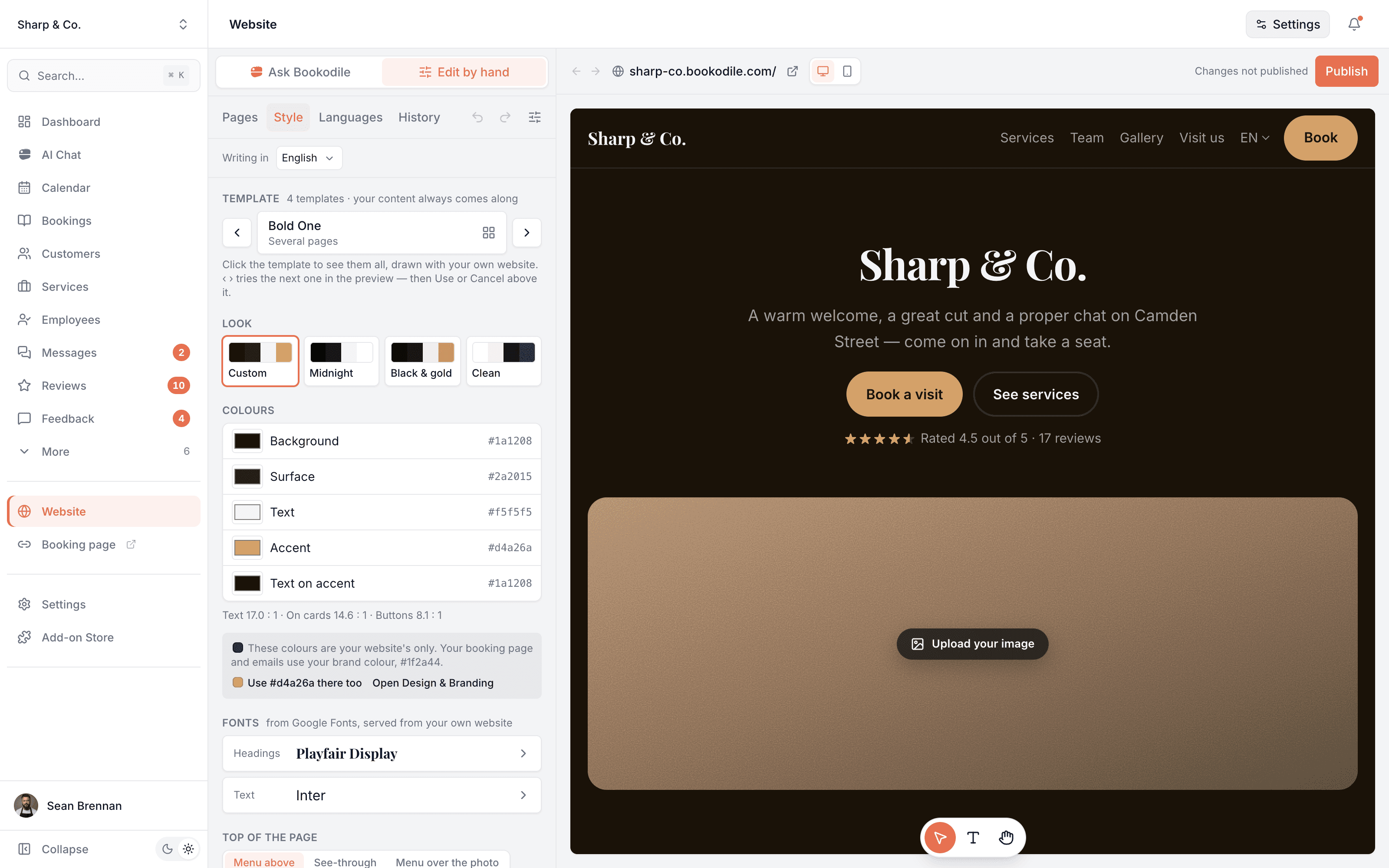
Pick a ready-made look or set your own colours, fonts, corners and buttons, how big the headings are, how much space there is, and whether photos stay in colour, go black and white or turn warm. If a colour would make text hard to read, Bookodile says so before you publish.
- Fonts from Google Fonts, served from your own website
- Your website's colours are its own — one click uses its accent on your booking page too
- Details for the finer points: card edges, lines, a footer in columns, a wider page, labels over headings
- Undo and redo every change, a hundred steps back
Photos that book
Group your photos into categories you name — Beards, Fades, Galaxy nails — and visitors tap a tab to see one. Link a category to a service and opening one of its photos shows the price and a Book button: the booking page opens with that service already chosen.
- A category with no service is just a name, for photos of your place
- Move many photos at once with Choose from your photos
- Descriptions and prices beside a photo are each one switch
In every language your customers speak
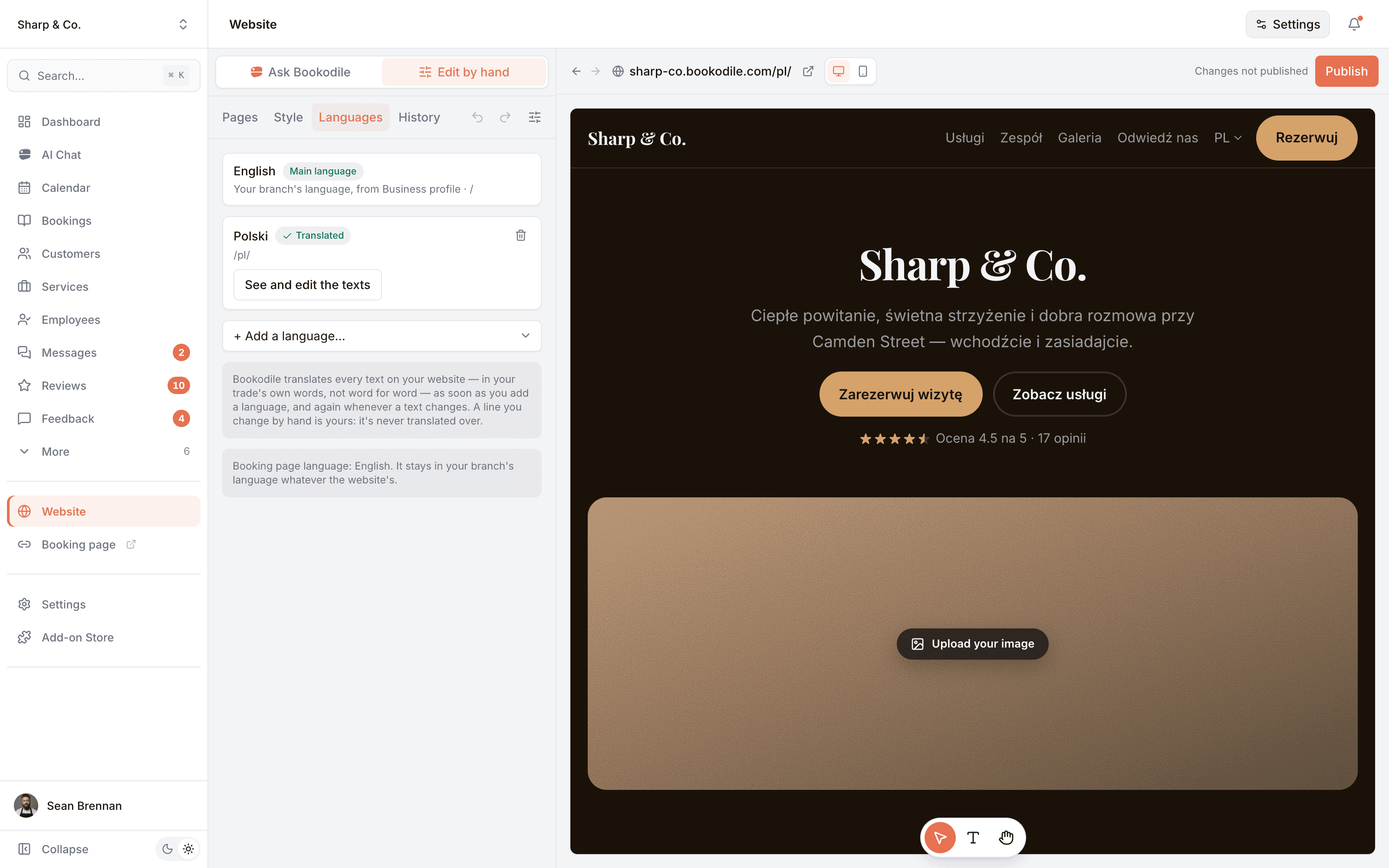
Add a language and Bookodile translates every text on your website — the way a local copywriter would, not word for word. Service names, descriptions and team bios come translated too. When you change a text, its translations are written again; a line you corrected by hand stays exactly as you wrote it.
- Seventeen languages to choose from, up to eight on one website
- Each language gets its own addresses, like /pl/, with a switch in the menu
- Your booking page stays in your business's own language
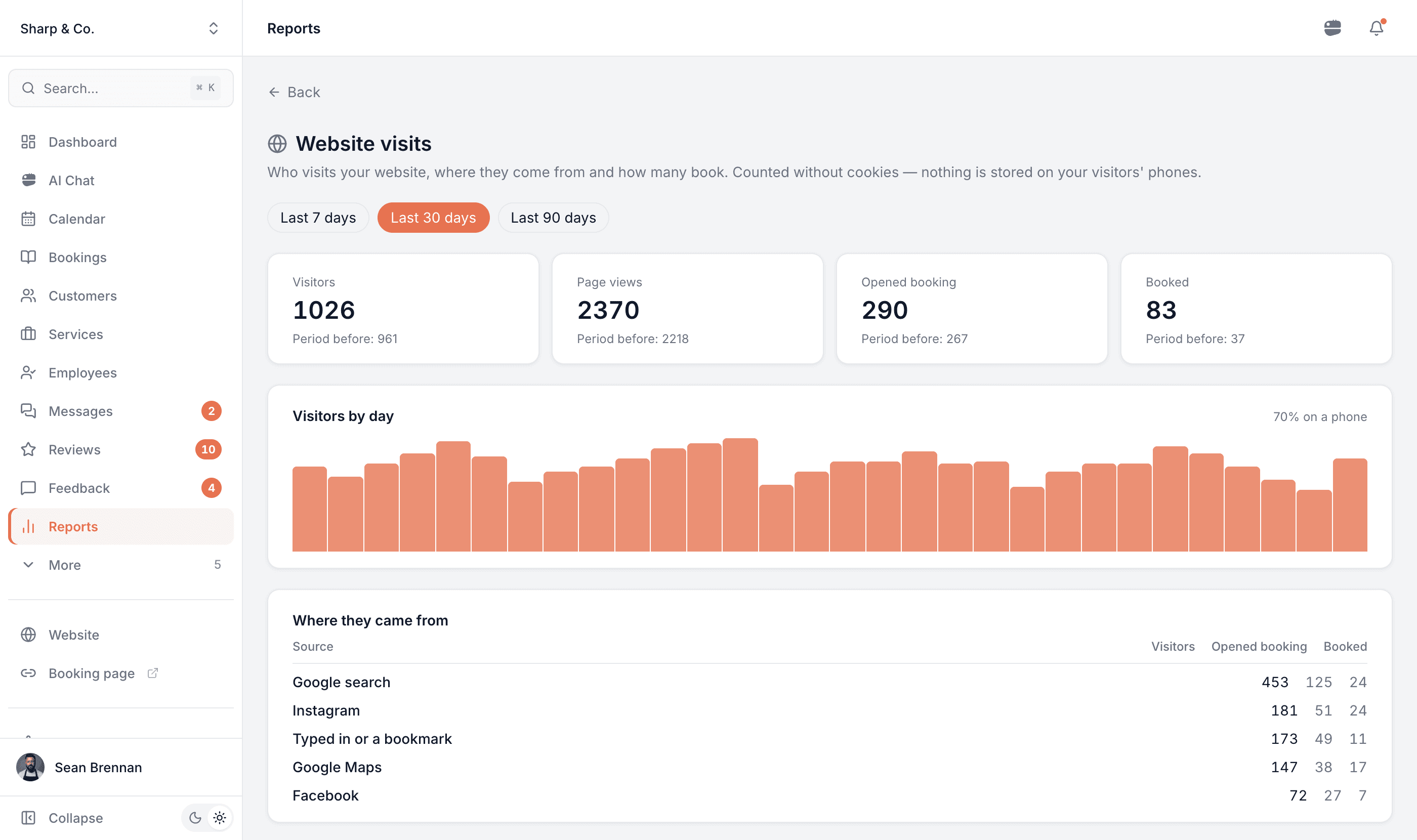
See who visits — and who books
Website visits shows how many people came, where from — Google search, Google Maps, Instagram, Facebook or a link they typed — which pages they read, how many opened your booking page and how many booked. It is counted without cookies: nothing is stored on your visitors' phones.
- The last 7, 30 or 90 days, next to the period before
- Bookings from your website, by where the visitor came from
- How many visitors were on a phone, and your most viewed pages
Made for the phone in your pocket
Everything works on mobile — for you on the go, and for the customers booking you.
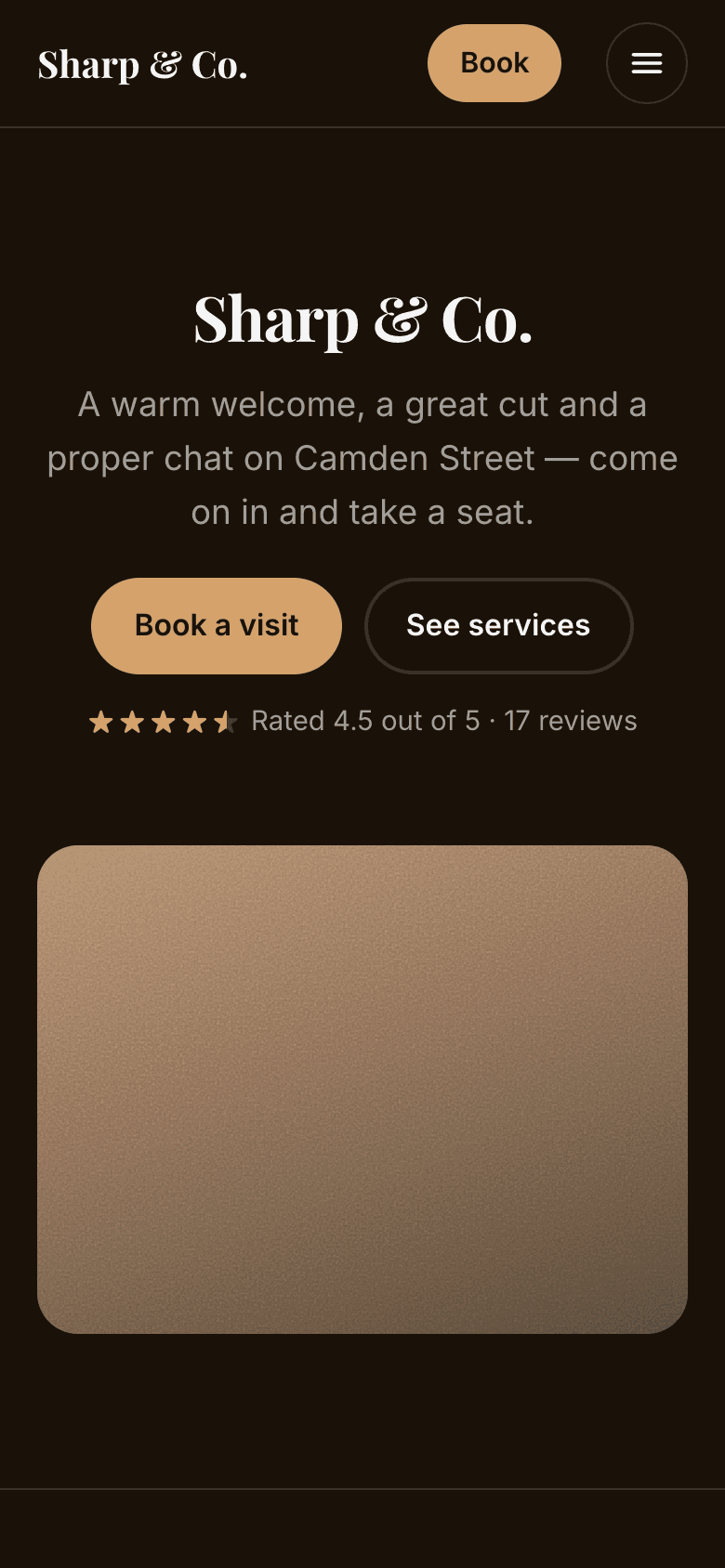
Home
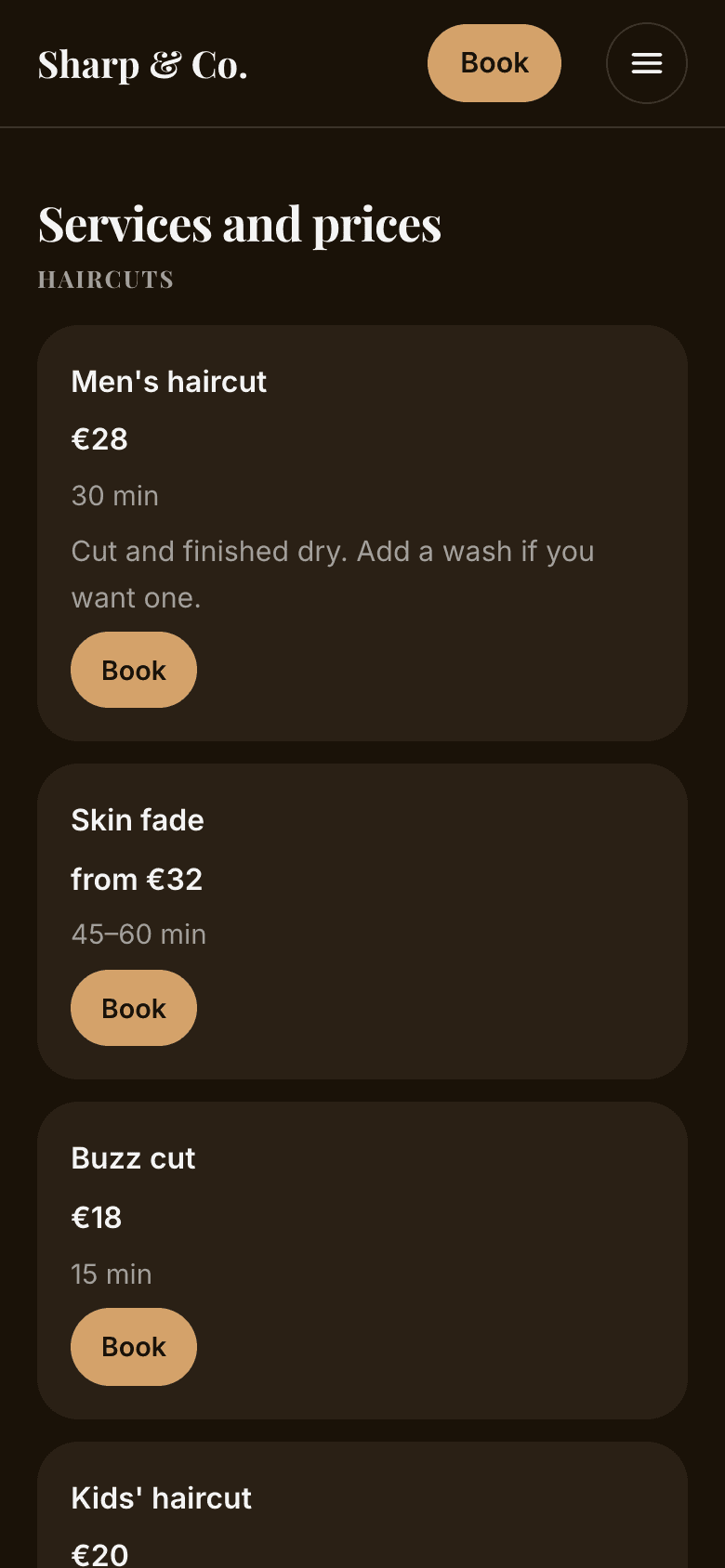
Services and prices
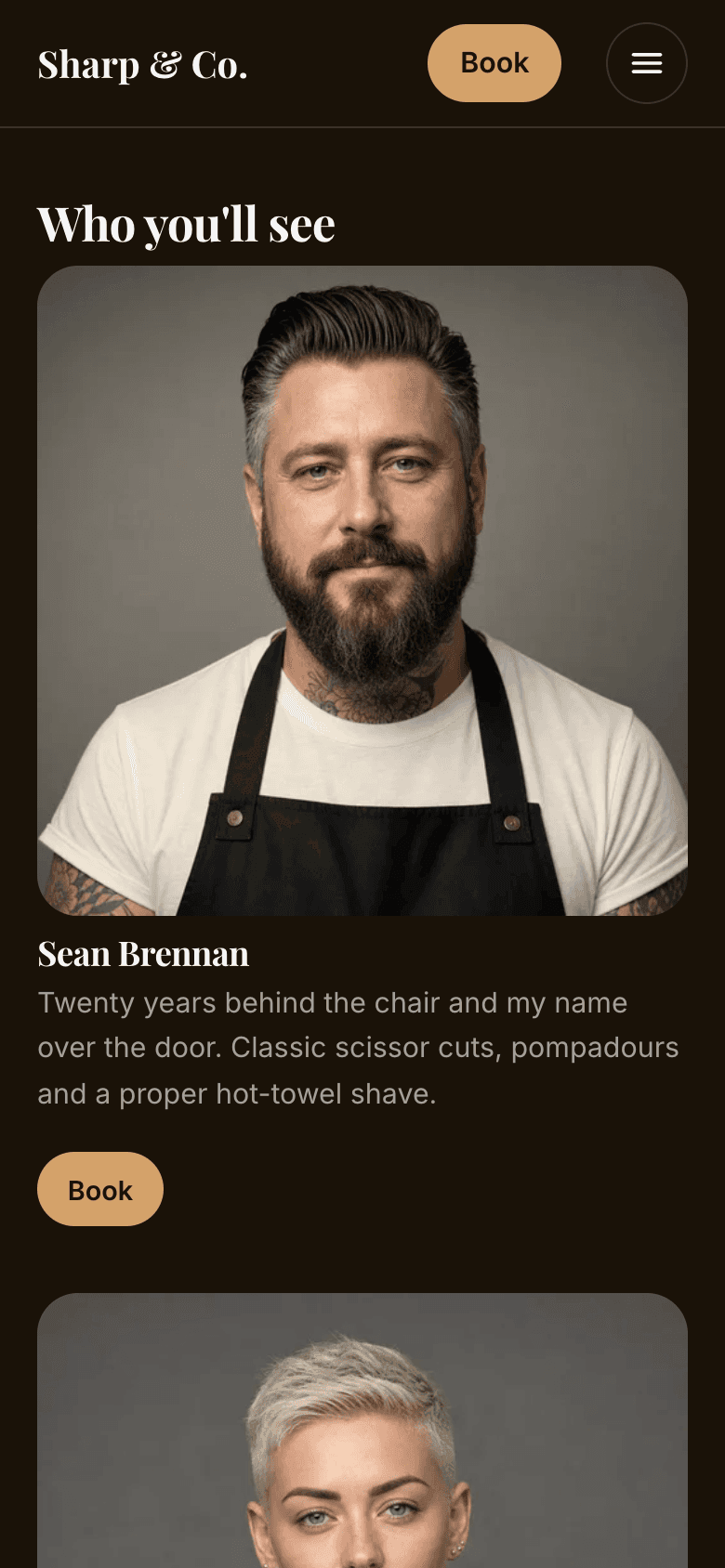
Your team
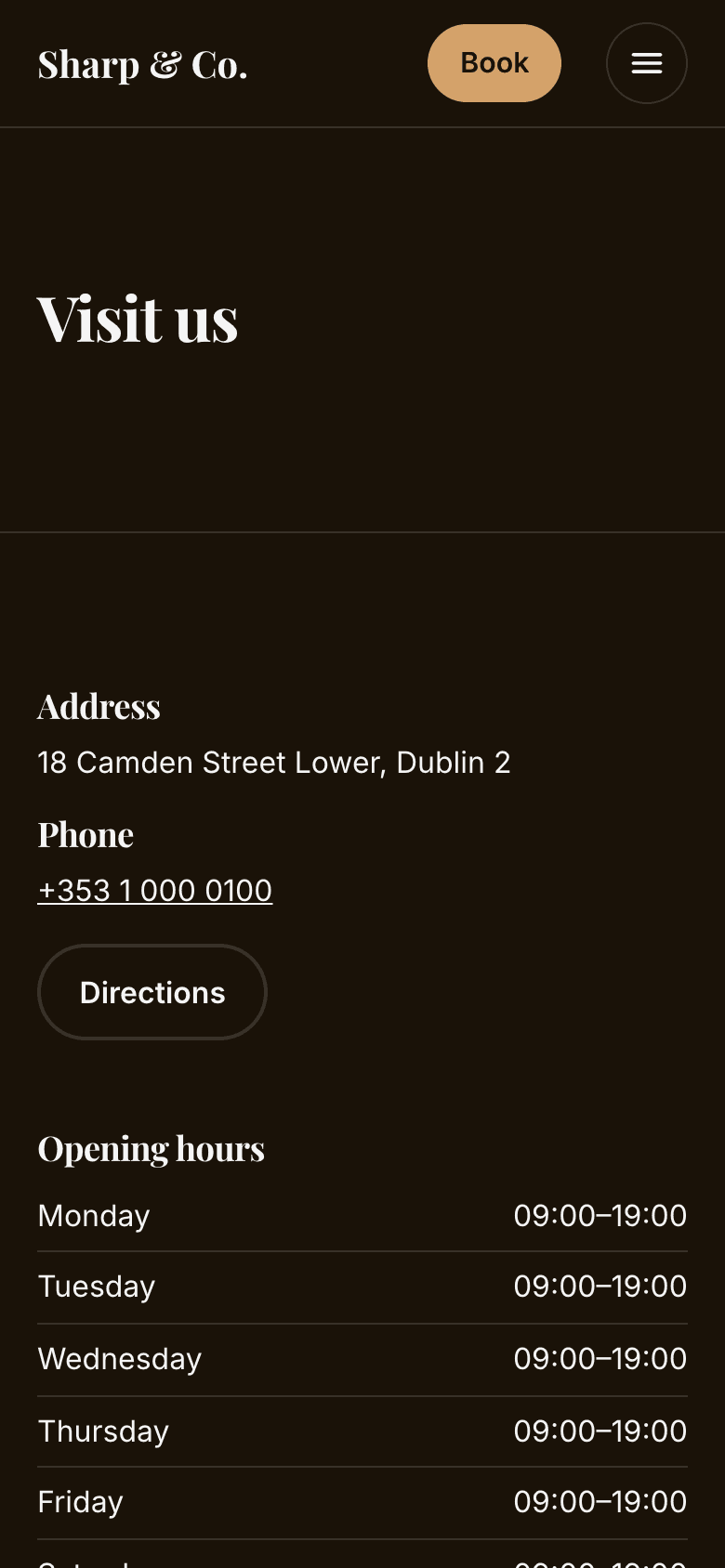
Find us
See a real one
Every one of these is a live page with sample data — open whichever looks most like you.
Common questions
- Do I have to build it myself?
- No. A new business starts with a draft website, built from its booking setup in the template it picked on bookodile.com/templates, or the standard design; an existing one gets the same draft by switching the website on in Settings → Website & booking page. Change as much or as little as you like — nothing is public until you press Publish.
- Does it cost extra?
- No. The website is part of every account, the free one included — hosting, translations and connecting your own domain too. Only the domain itself is bought elsewhere, if you want one.
- What's my website's address?
- yourname.bookodile.com, using the same name as your booking page at bookodile.com/yourname. Every Book button on your website opens that booking page.
- Can I use a domain I already own?
- Yes — it becomes www.yourbusiness.com and stays yours at whoever you bought it from. Settings shows the two records to add where your domain is managed, and the redirect that makes yourbusiness.com open it without www too. If someone else looks after it, Send instructions writes them a ready message, or Bookodile can walk you through it. We check it every day and email you as soon as it stops pointing to us. If it isn't fixed within the hour, your website goes back to its bookodile.com address so customers still reach it.
- Will changing the template mess up my pages?
- No. Once your website is published, changing the template changes the design — layouts, colours, fonts and the menu — and every page, section, setting, word and photo stays where it was. Switch back and it's exactly as before. If you want a template's own pages too, the gallery shows them first and asks.
- Can I change it without the AI?
- Yes. Edit by hand gives you every page and section, the look, the languages and the history, with undo and redo. On the preview itself you can type into any of your texts, and move, copy, hide, remove or add a section where you see it. Ask Bookodile and Edit by hand change the same draft, so you can use both.
- Do I need my own photos?
- They make the biggest difference. Add them where they show — the top of a page, the gallery, each service, each team member — and they're resized in your browser, with location and camera details removed. A photo you've already given a service or a team member for your booking page shows on the website too, unless you give the website its own. Until there is one, those places show a plain placeholder.
- Can customers book straight from a photo?
- Yes. Put photos in a gallery category linked to a service — say Galaxy nails linked to your gel manicure — and opening one shows the service, its duration and price, and Book. The booking page opens with that service already chosen. A category can also be just a name, with no Book button.
- Can I bring over my old website?
- Its words, yes. Give Bookodile the address and it reads the pages and brings the texts across for you to check. Prices, durations, opening hours and the team always come from your booking setup, never from the old site. Photos aren't brought over yet.
- Will it show up on Google?
- It can. Every page is listed for search engines with its own title and description. A brand-new website waits until its first real booking, or 14 days after you first publish, so a half-finished site isn't what gets listed. Search engines still decide what to show and when — nobody can promise a position.
- What can't it do?
- It has no blog and no online shop, and it runs no code of your own — no chat widgets or tracking pixels. Customers book on your booking page, which every Book button opens.
Website is in every Bookodile account
Along with everything else you need to take bookings — nothing to switch on, no add-on required.