
SMS messages
The confirmation and the reminder on their phone, not only in their inbox.
Booking confirmations, reminders and your own messages by SMS to your customers' phones, as well as by email. The add-on is free; SMS need a paid plan and are billed monthly with it, per SMS.
Where it appears
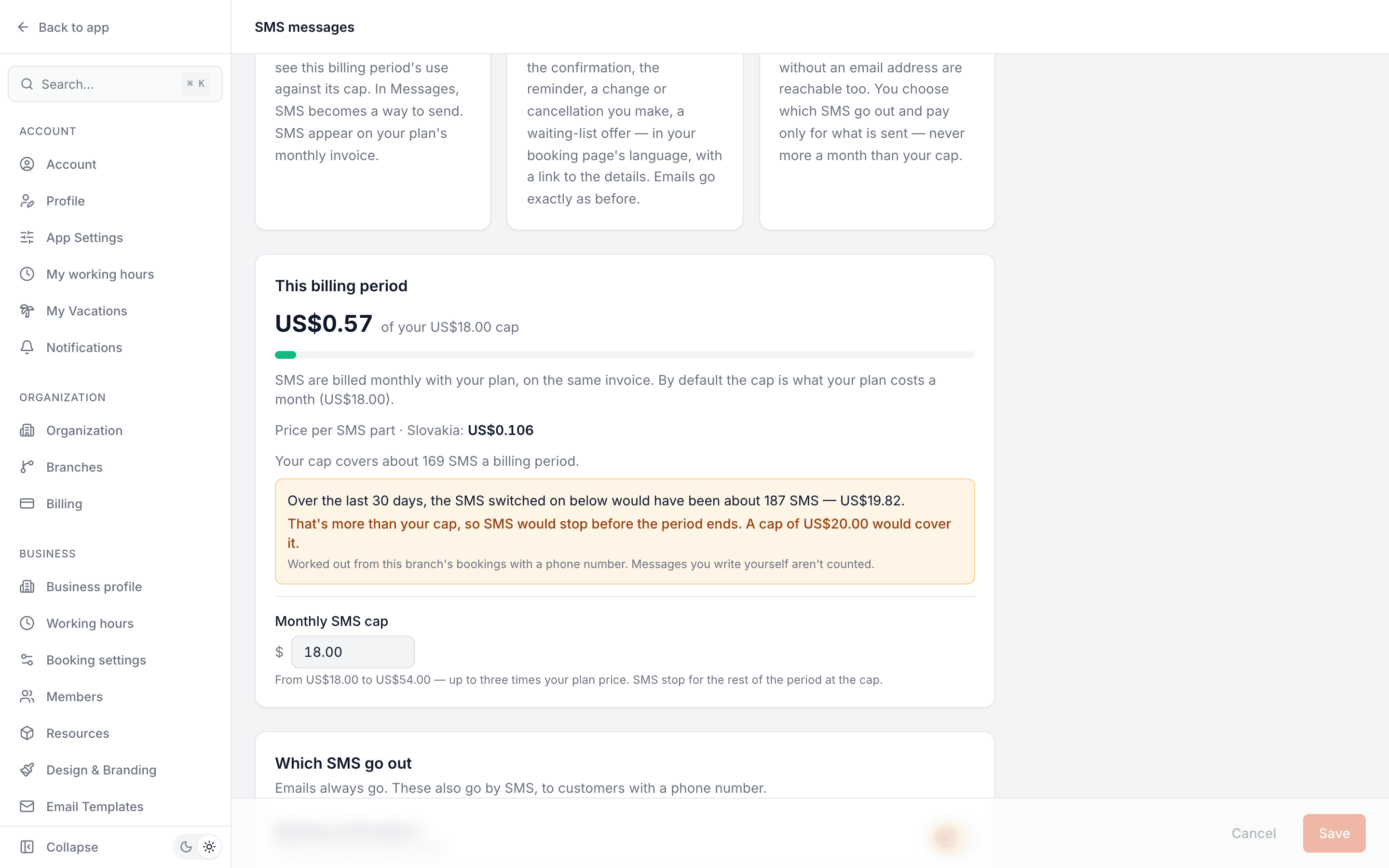
Settings → SMS messages: choose which SMS go out and see this billing period's use against its cap. In Messages, SMS becomes a way to send. SMS appear on your plan's monthly invoice.
What your customers see
Customers with a phone number get a short SMS — the confirmation, the reminder, a change or cancellation you make, a waiting-list offer — in your booking page's language, with a link to the details. Emails go exactly as before.
Why it matters
A reminder on the lock screen is hard to miss, and customers without an email address are reachable too. You choose which SMS go out and pay only for what is sent — never more a month than your cap.
How it works
Switch it on per branch
Settings → SMS messages. Choose which SMS go out — confirmations, reminders, the changes and cancellations you make, waiting-list offers, and messages your team writes. Emails keep going exactly as before.
Every automatic SMS is one SMS
Your branch's name, the date and time, and a link to the booking — in your booking page's language, written so it always fits one SMS.
Billed with your plan
The add-on is free. SMS need a paid plan and are billed monthly on its invoice, at a price per country — never more a month than your cap, which starts at your plan price and can be raised up to three times it. The settings page shows how many SMS your cap covers, and whether your last 30 days would have fit.
Made for your business
However you take bookings, here's what it looks like for you.
Barbershop
Ten barbers, 110 bookings tomorrow: every customer gets a one-SMS reminder the day before, and the chairs fill on time.
Gym & studio
A coach moves Thursday's session by an hour. The member gets an SMS with the new time and a link to the booking, not only an email they might not open.
Nail & beauty studio
A regular without an email address books by phone at the front desk; her reminders reach her by SMS.
Common questions
- What does an SMS cost?
- The add-on is free. Each SMS is billed monthly with your plan at a price per country, in US dollars; Settings → SMS messages shows the price for your branch's country. Nothing to top up.
- Can I change the wording?
- No. Automatic SMS are fixed text so each always fits one SMS: your branch's name, the date and time, and a link.
- Which language are they in?
- Your booking page's language — the one your customers see — never the language your team uses in the dashboard.
- Can customers reply by SMS?
- No — SMS are one-way. The link opens the booking, or for a message from Messages, a page where they answer.
- Is my cap enough?
- Settings → SMS messages tells you: how many SMS your cap covers at your country's price, and what the SMS you have switched on would have come to over the last 30 days — and whether that fits your cap. It updates as you change the cap or switch an SMS off.
- Can every business use it?
- Businesses everywhere except Czechia can switch it on today; for Czech businesses SMS are coming soon. SMS go to numbers in Slovakia, most of the EU, the UK and Vietnam, at a price per country.
Ready to try SMS messages?
It's included in Bookodile — turn it on in a click, no setup required.