
Revenue Split
Automate commission splits with your team.
Track commission-based revenue splits with your team. Set each employee's percentage cut and view monthly breakdowns of who earned what.
Opens a real workspace with sample data — no signup, nothing to install.
Where it appears
A Revenue Split card appears on the Reports page linking to a detailed monthly breakdown. Configuration is available in Settings under Add-ons.
Who it's for
This is an internal management tool. Customers are not affected.
Why it matters
Clear visibility into commission splits. No more manual calculations at the end of the month. Historical accuracy when split percentages change over time.
How it works
Set each person's percentage once
Give every team member their commission split — 40%, 50%, whatever you've agreed. That's the only setup. From then on the numbers work themselves out from your real bookings.
The month adds itself up
For any month, you get a line per person: the revenue they brought in, their split, their cut, and what the business keeps — with the totals reconciled at the bottom. No spreadsheet, no end-of-month arithmetic.
History stays honest
Splits are effective-dated, so if you change someone's percentage, past months keep the rate that applied at the time. Last quarter's numbers don't quietly rewrite themselves when you renegotiate.
It adds up across branches
Running more than one location? See every person's split in one view, filter to a single branch, and read the org-wide totals — the same split logic, scaled to the whole business.
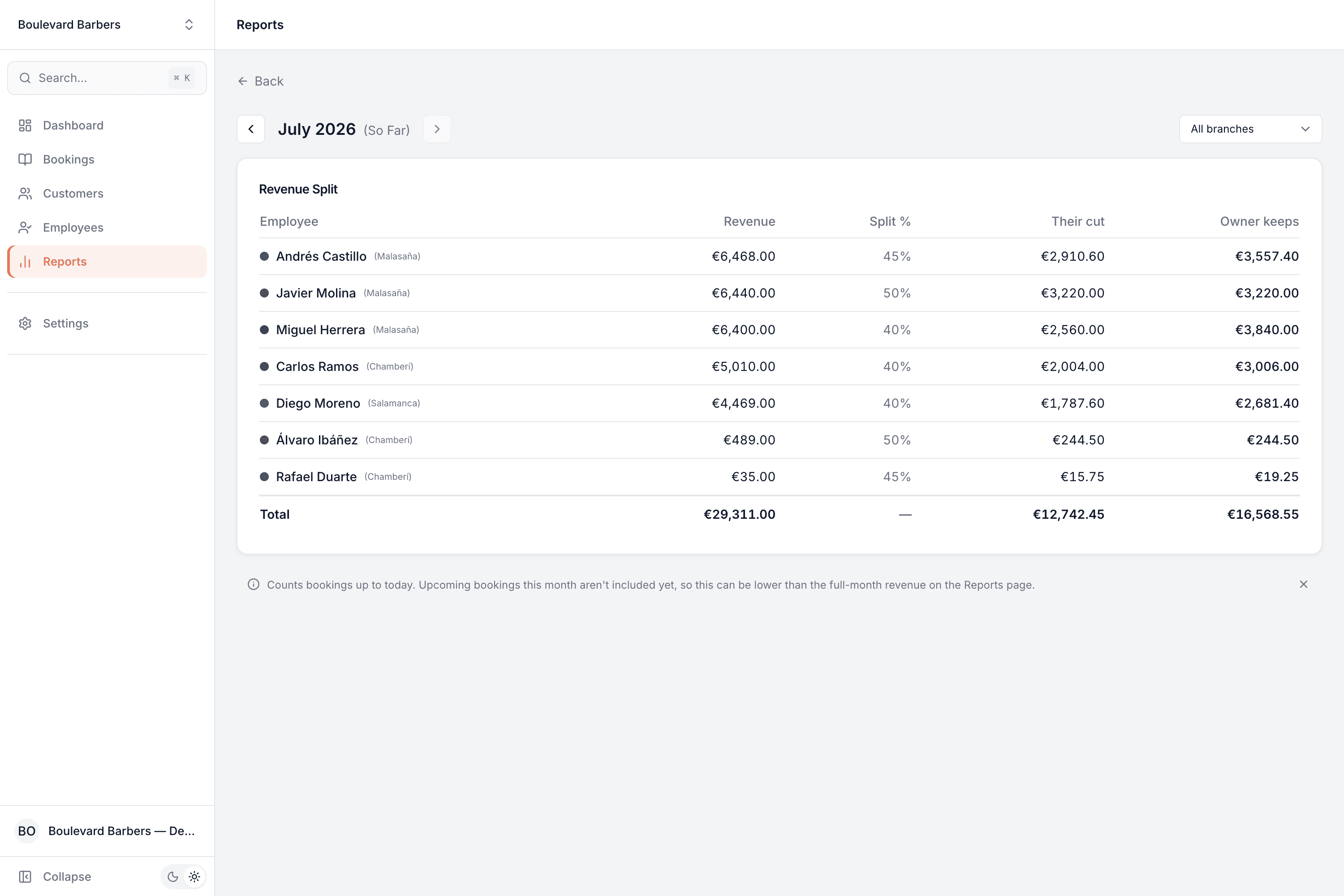
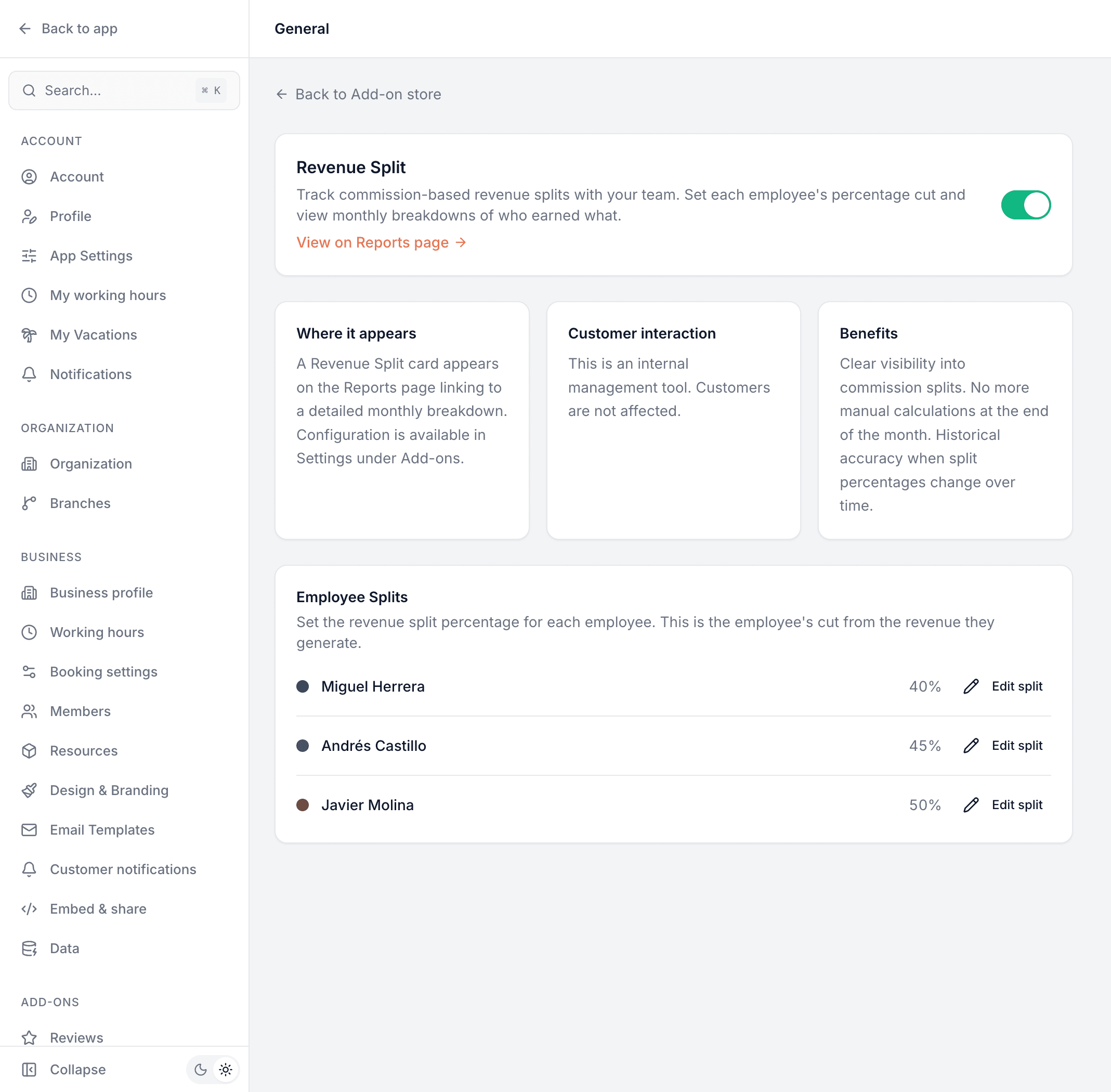
This is real sample data you can click through yourself.
Made for your business
However you take bookings, here's what it looks like for you.
Barbershop
Pay chair-renters and commission barbers their exact cut each month, straight from the takings, with nothing to reconcile by hand.
Nail & beauty studio
Settle up with technicians on different splits without a spreadsheet, and keep a clean record of who earned what.
Gym & studio
Split personal-training revenue with trainers automatically, and see it per trainer and per branch.
Photo studio
Share revenue with associate photographers on agreed percentages, with the month totalled for you.
Common questions
- How is each person's cut worked out?
- From the revenue of their own bookings for the month — never a cancellation or a no-show — multiplied by the split percentage you set for them. The report shows the revenue, the percentage, their cut and what the business keeps, all reconciled to a total.
- What if I change someone's percentage?
- Splits are effective-dated. A change applies from the date you set it, and earlier months keep the rate that was in force then — so historical figures stay accurate.
- How are combined or multi-service bookings handled?
- When a booking spans more than one service performed by different people, each part is attributed to whoever performed it, so everyone's cut reflects the work they actually did.
- Does it work across multiple branches?
- Yes. You can see every team member's split in one place, filter to a single branch, and read the totals for the whole organization.
- Do customers see any of this?
- No. Revenue Split is an internal management tool — nothing about it touches your booking page or your customers.
Ready to try Revenue Split?
It's included in Bookodile — turn it on in a click, no setup required.