
Revenue Forecasting
Know where the month will land — before it ends.
Project this month's revenue from real bookings and forecast the months ahead — for the whole shop and per employee.
Opens a real workspace with sample data — no signup, nothing to install.
Where it appears
A Forecast card appears on the Reports page linking to a detailed projection. Configure employee access and revenue targets in Settings under Add-ons.
Who it's for
This is an internal management tool. Customers are not affected.
Why it matters
Know where the month will land before it ends. Spot slow months early, set revenue targets, and see who's on track to hit their goal.
How it works
It reads your real bookings
The forecast is built from the exact same numbers as your Reports page — the value of every booking except cancellations and no-shows. Nothing to import, nothing to maintain. Turn it on and it's live.
It projects this month, day by day
Your month is split into what you've already earned, what's already booked for the days ahead, and what your typical week suggests the still-open days will add. Together that's your projected month-end total.
It looks months ahead
Once you have history, upcoming months are projected from the same months last year, adjusted for your recent growth — with a Low / Medium / High confidence badge so you know how much to trust it.
It breaks down by employee
See each team member's projected month-end, set an optional monthly target per person, and track who's on pace to hit their goal — all reconciled to the shop total.
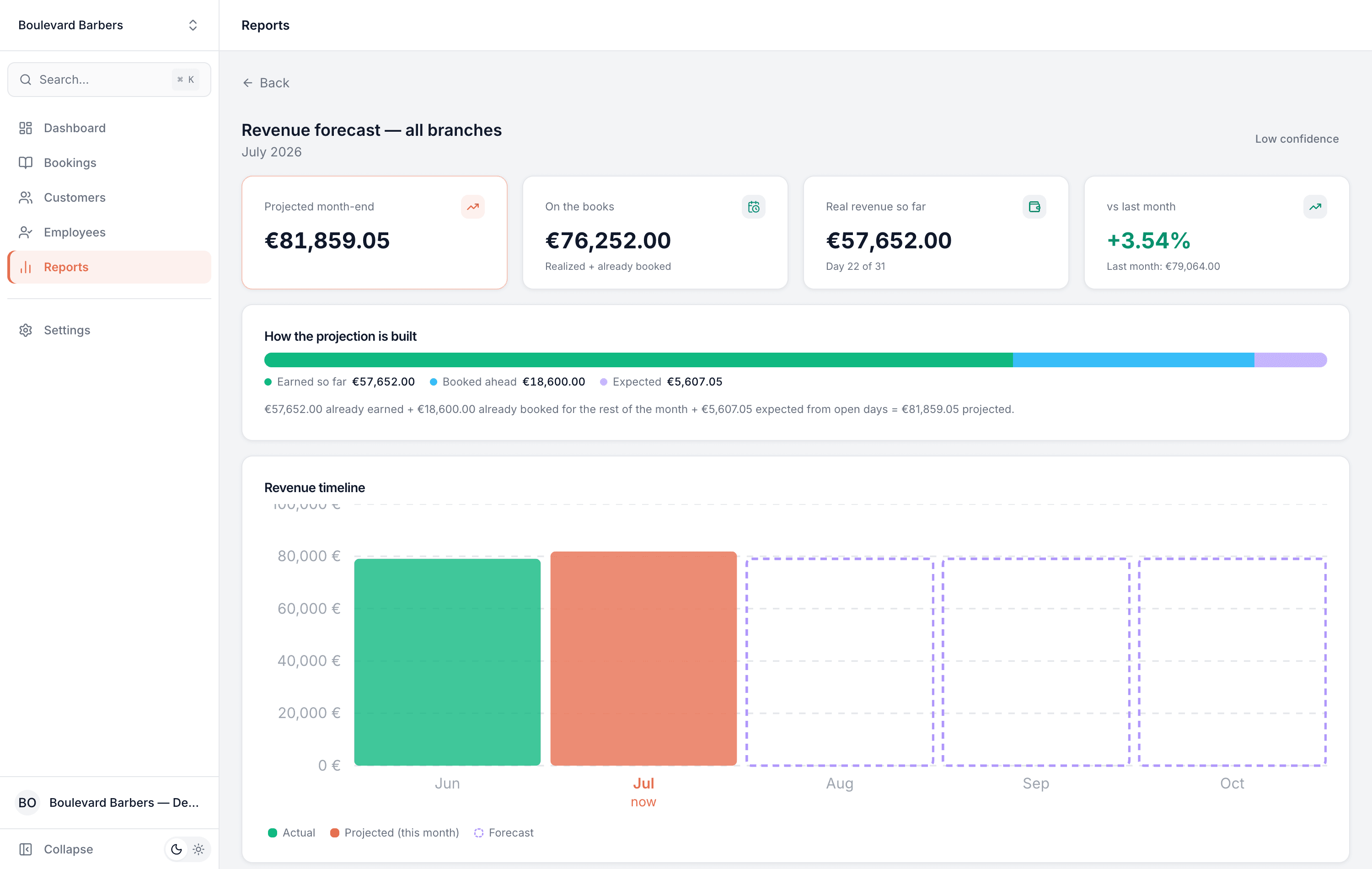
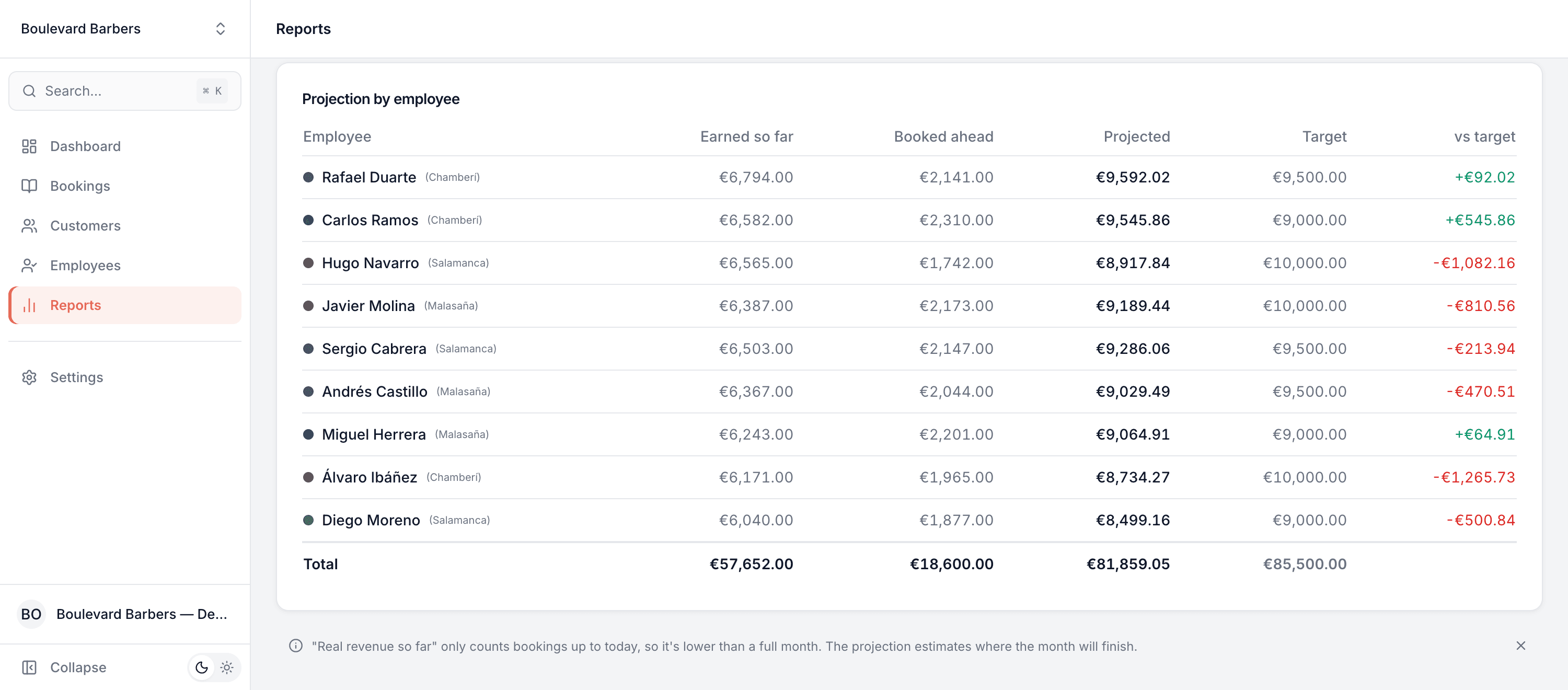
This is real sample data you can click through yourself.
Made for your business
However you take bookings, here's what it looks like for you.
Barbershop
See a slow January coming in the first week — and launch a promotion while there's still time to fill the chairs.
Nail & beauty studio
Compare projected revenue across branches and spot which location is trending down before month-end.
Gym & studio
Give each trainer a monthly revenue target and let them watch their own projection climb toward it.
Photo studio
Plan around seasonal peaks — see how this spring's wedding season is tracking against last year.
Common questions
- Where does the forecast get its numbers?
- Straight from your bookings — the sum of the price of every booking except cancellations and no-shows, exactly matching your Reports page. There's nothing to import or configure.
- How far ahead can it forecast?
- It projects the current month to its end, plus the next three months. Near-term months use your recent trend; once you have a year of history it switches to same-month-last-year seasonality.
- How accurate is it?
- Every forecast carries a Low, Medium or High confidence badge based on how much consistent history you have. It sharpens automatically as more bookings build up.
- Can my staff see it?
- It's off for staff by default. You can optionally let each employee see their own projection, and set individual monthly targets.
- Do my customers see any of this?
- No. Forecasting is an internal management tool — it changes nothing on your booking page and customers are never affected.
Works well with
Ready to try Revenue Forecasting?
It's included in Bookodile — turn it on in a click, no setup required.