
Extra hours
Open times outside your usual hours, at your usual price or more.
Open times outside your usual hours on the days you choose, for the people you choose — at your usual price or more.
Opens a real workspace with sample data — no signup, nothing to install.
Where it appears
An Extra hours page in the sidebar for people who can manage services. Extra times show on your booking page and in each person's column in the calendar.
What your customers see
Customers see early and late times in their own groups, with the added price on every time, on the review and in their confirmation email.
Why it matters
Take more bookings in your busiest weeks, and be paid for starting early or staying late.
How it works
Choose who works, and which days
Pick one team member or several, then the days: tap them one by one, mark a date range and the days of the week it keeps, or set it for every week — with an end, or without one.
Say how much earlier or later
"Start earlier, from 07:00" and "Stay later, until 22:00" are measured from each person's own day, so someone who finishes at 16:00 and someone who finishes at 20:00 both end at 22:00. For a day someone doesn't normally work, set exact times instead.
See exactly what opens before you save
Under the fields, a bar for each person shows their usual hours and the extra time around them, with the part that costs more marked. Days they are off, or the business is closed, say so.
Charge more for it, if you want
The usual price, more by an amount, or more by a percentage — the same for everyone or different for each person. The higher price applies only to visits that start outside your opening hours, and no discount reduces it.
Customers see the price before they choose
Early and late times sit in their own groups on your booking page, with the added amount on every time. It is its own line on the review step and in the confirmation email.
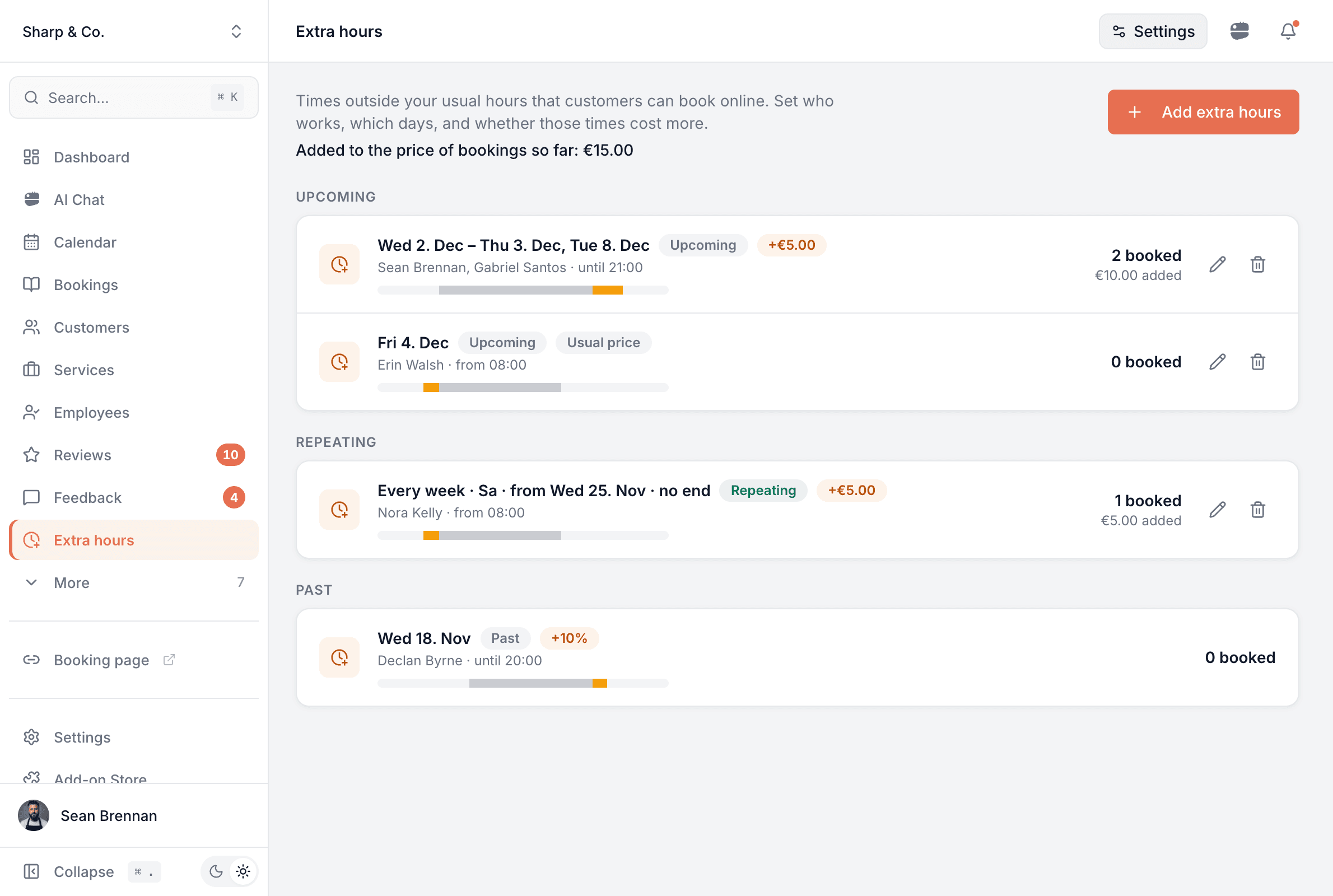
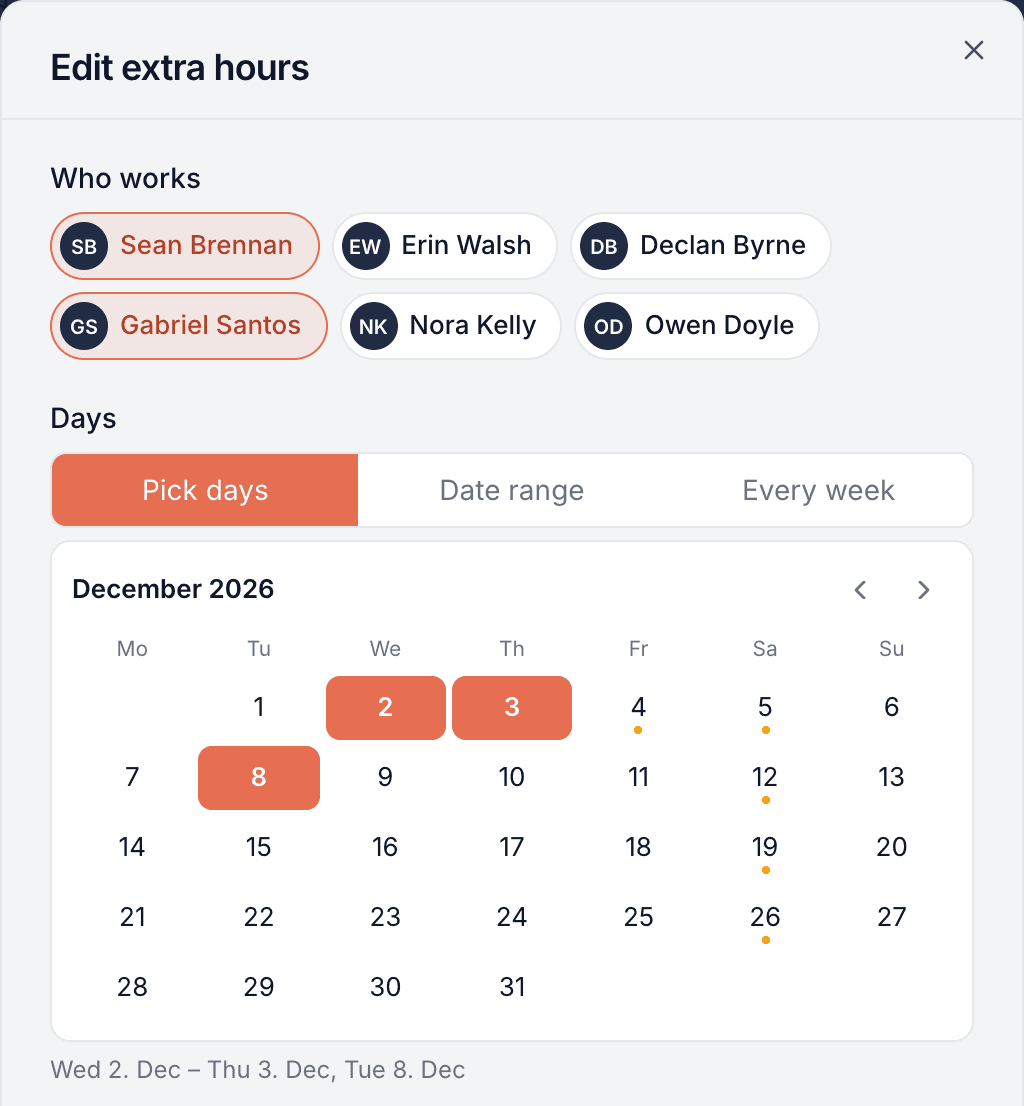
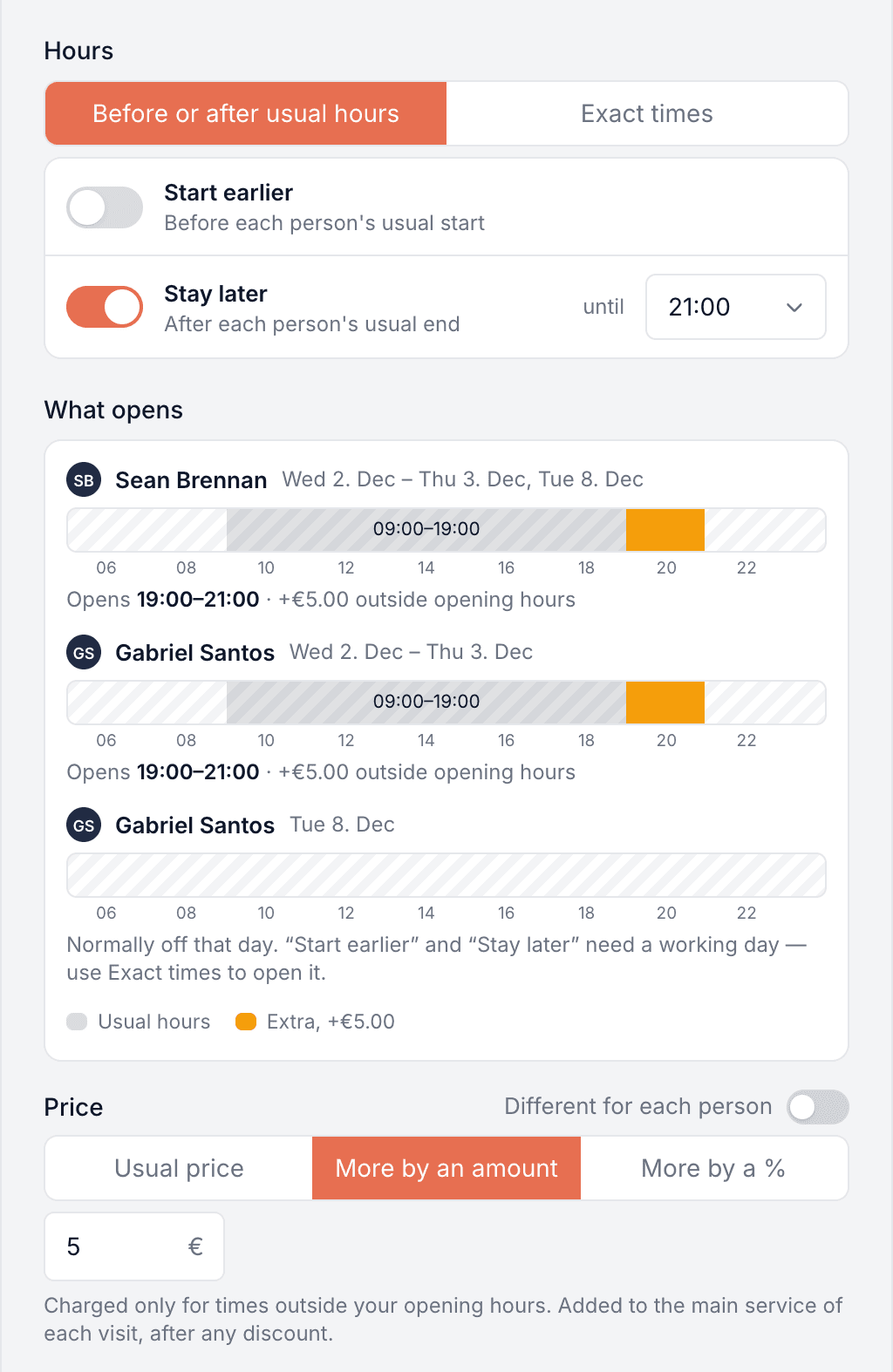
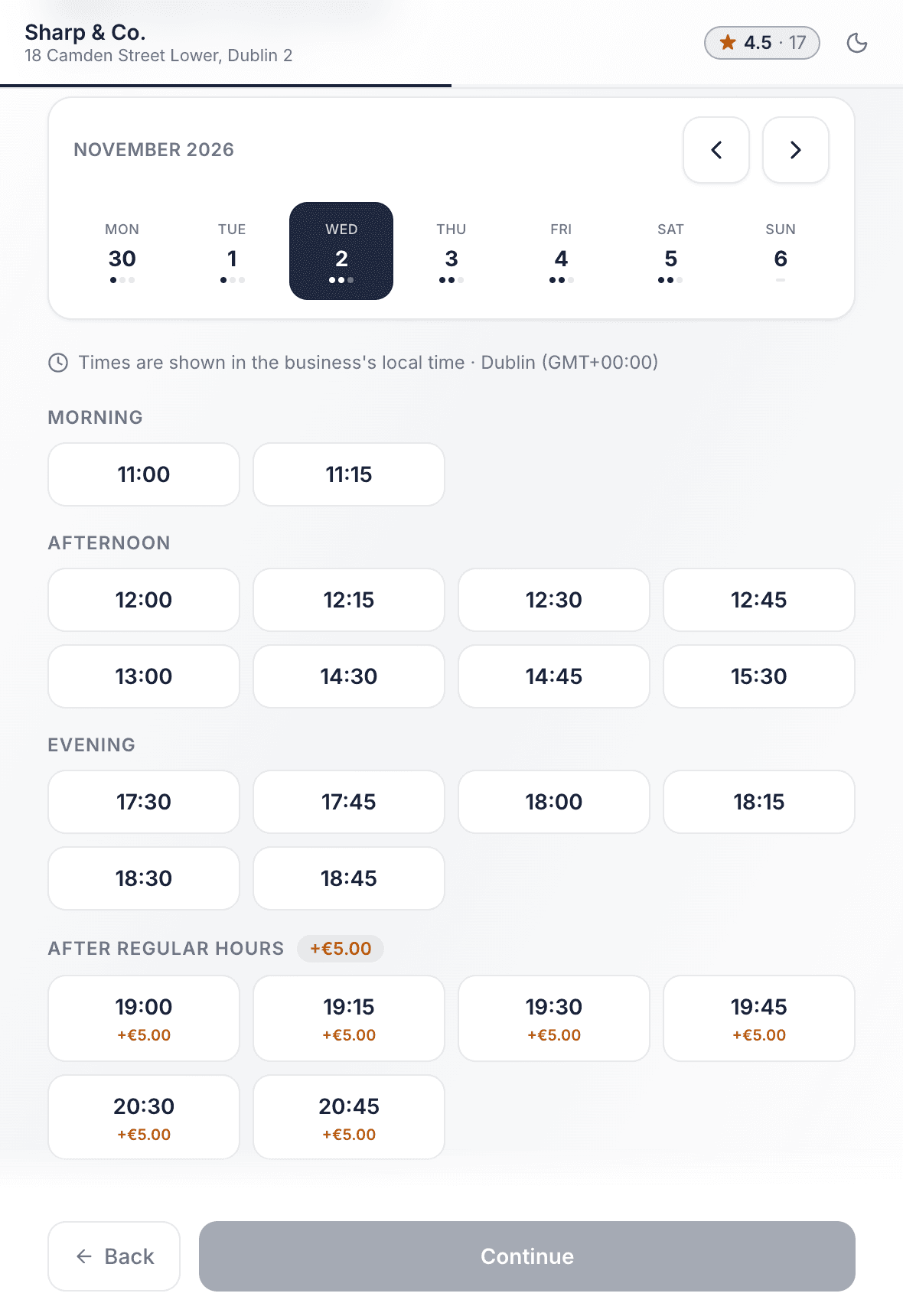
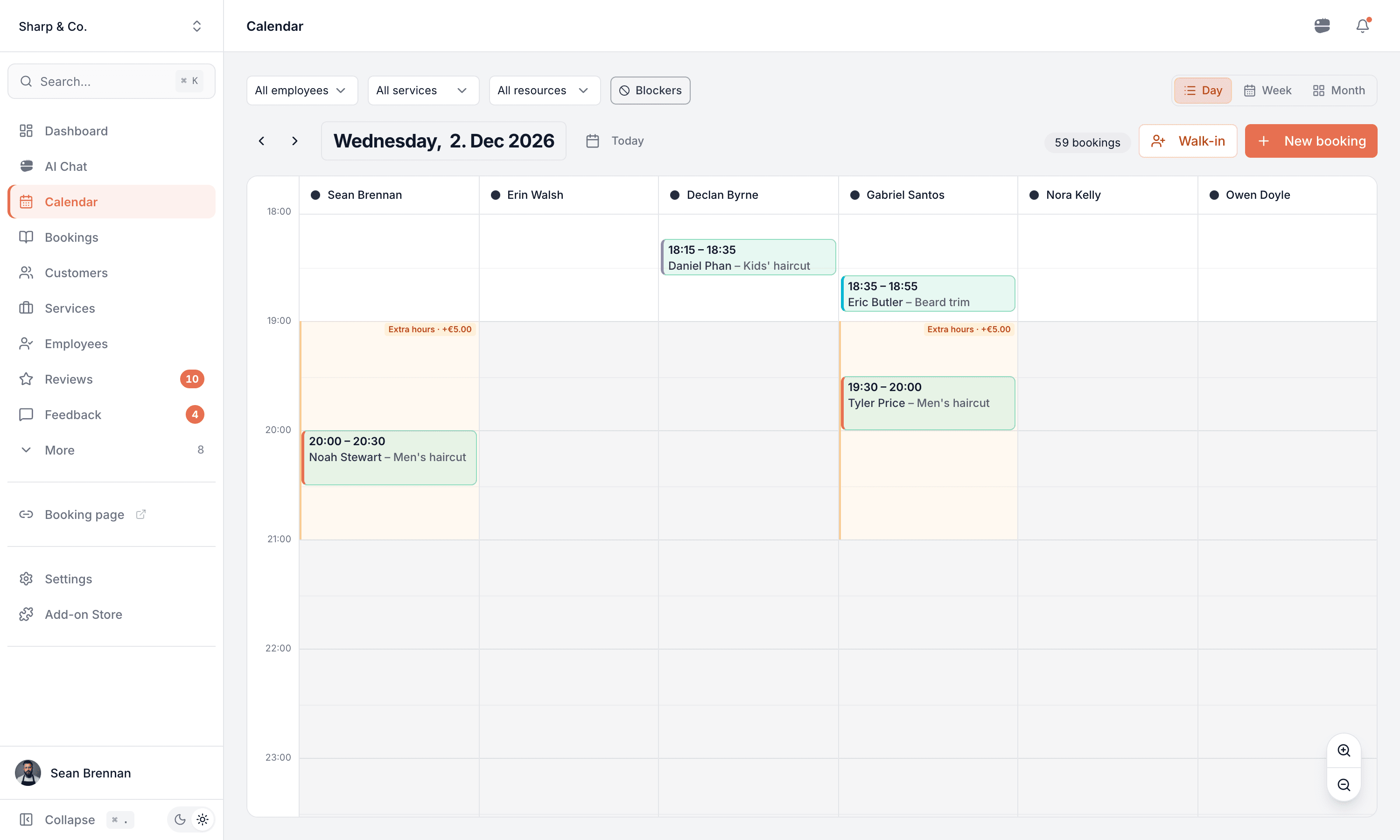
This is real sample data you can click through yourself.
Made for the phone in your pocket
Everything works on mobile — for you on the go, and for the customers booking you.
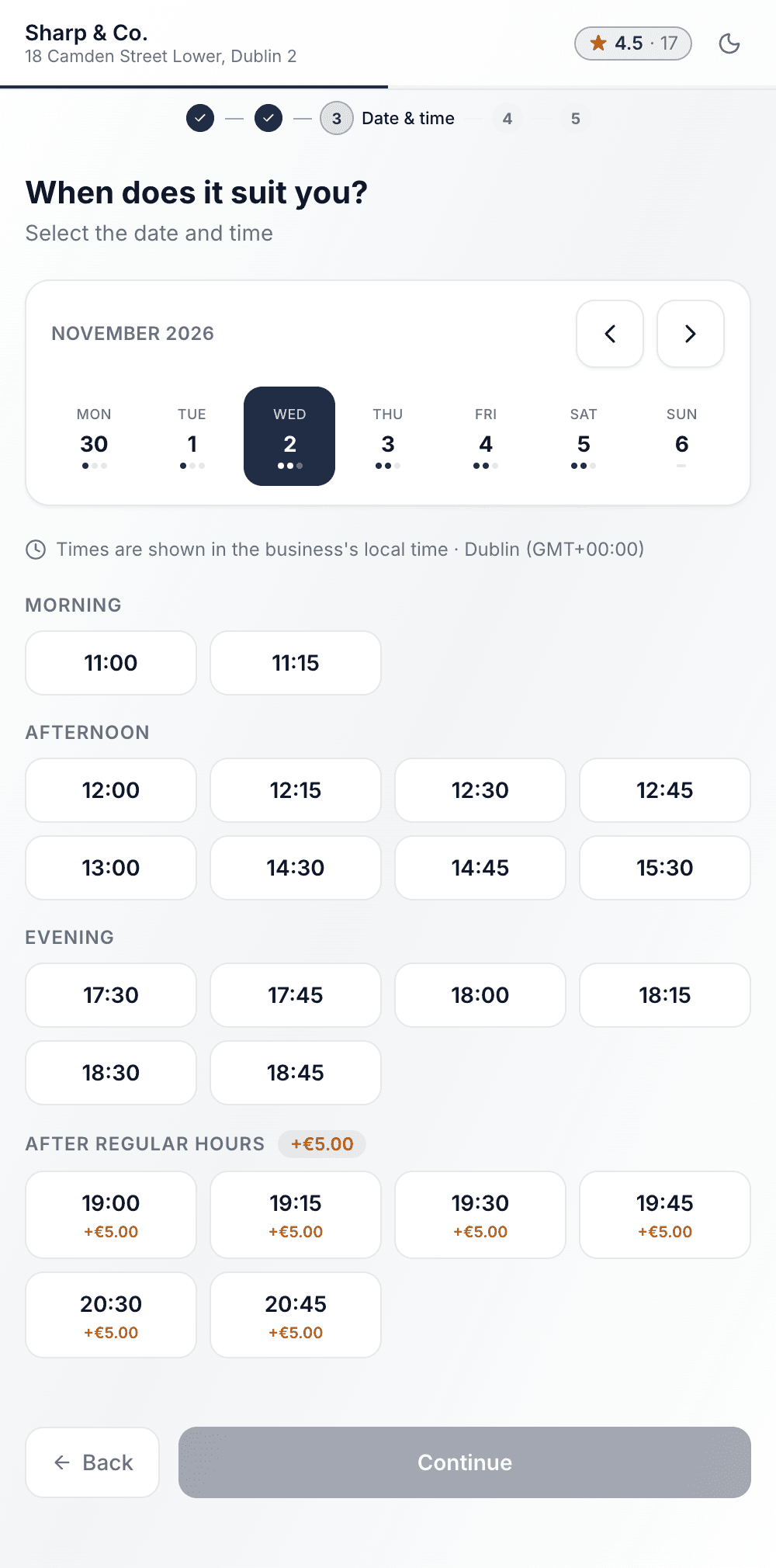
Booking an evening
Made for your business
However you take bookings, here's what it looks like for you.
Barbershop
Stay open until 22:00 for the three days before a holiday, for the two barbers who want the hours, at a few euros more.
Nail & beauty studio
Open Sunday mornings in wedding season for one technician, without changing anybody's regular week.
Gym & studio
Add 06:30 sessions with one coach every weekday in January, ending by themselves on the last day of the month.
Photo studio
Offer a standing late slot every Thursday for clients who can only come after work.
Common questions
- Do I have to change my opening hours?
- No. Your opening hours and everyone's working hours stay as they are. Extra hours sit on top of them on the days you choose, for the people you choose.
- Which times cost more?
- Only visits that start outside your opening hours. If someone stays later than their own usual finish but your business is still open then, those times are simply more times at the usual price.
- Does a discount code or a promotion reduce the extra amount?
- No. A discount takes its share off the service; the extra amount is added afterwards, whole.
- What happens to a booking if I change or remove the extra hours later?
- Nothing. A booking keeps its time and the price it was made at, the same way changing a service's price changes no existing booking.
- Who can set extra hours?
- The owner, and anyone whose role can manage services and pricing. Everyone else sees their own extra hours in their calendar.
- Can a closed day still be closed?
- Yes. A block on the whole business, someone's time off and existing bookings all still take time out of extra hours.
- Does the team member know?
- Yes. The people on a set get an email when they are given extra hours, when theirs change and when they are removed — with the days, the hours and what it adds. Each person can turn it off for themselves in Settings, and every change is in the activity log with who made it.
Ready to try Extra hours?
It's included in Bookodile — turn it on in a click, no setup required.