
Announcements
Tell customers what's new, on your booking page and your website.
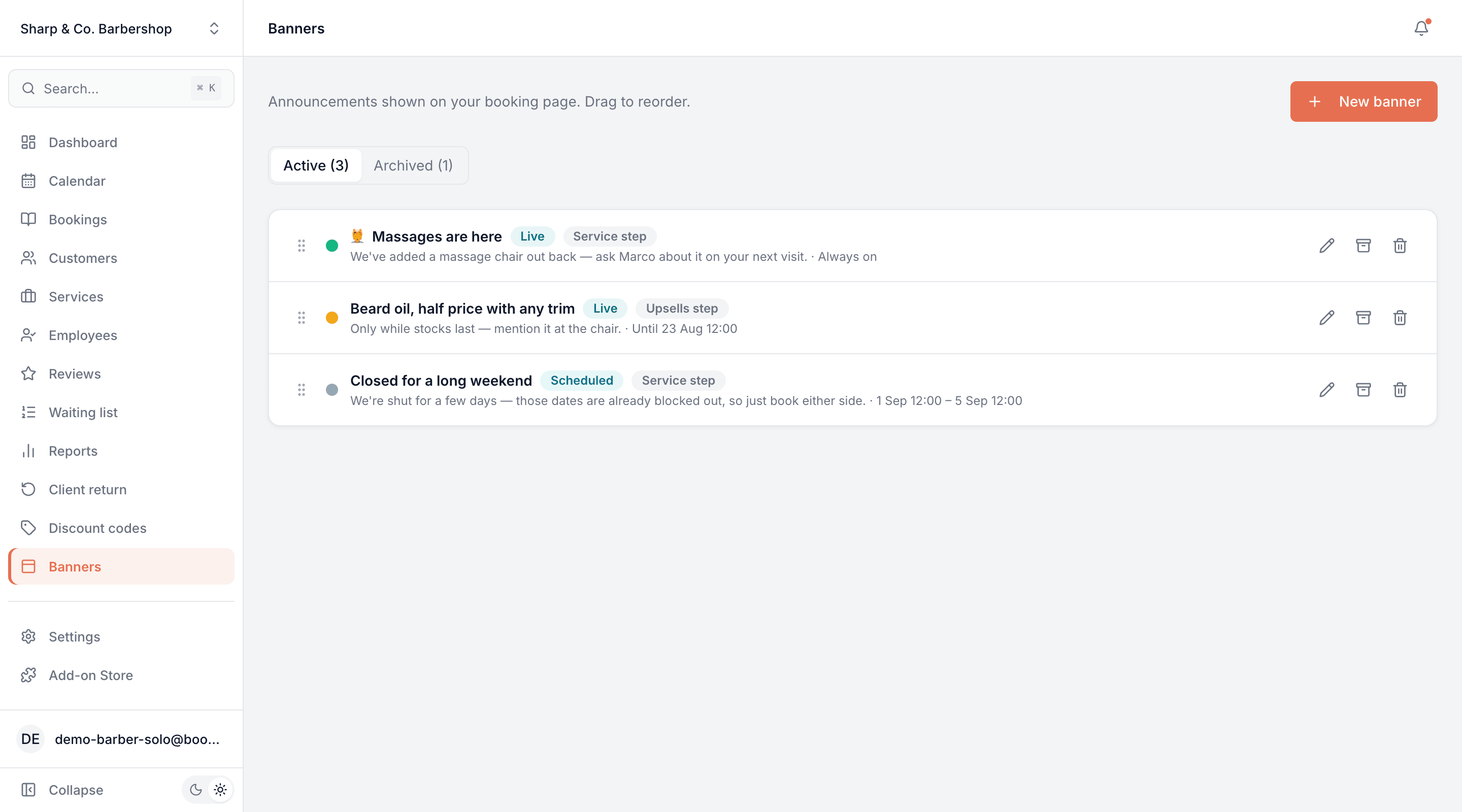
Show a short announcement on your booking page and your website — like the fact you now offer massages. No discounts, nothing touching your prices.
Opens a real workspace with sample data — no signup, nothing to install.
Where it appears
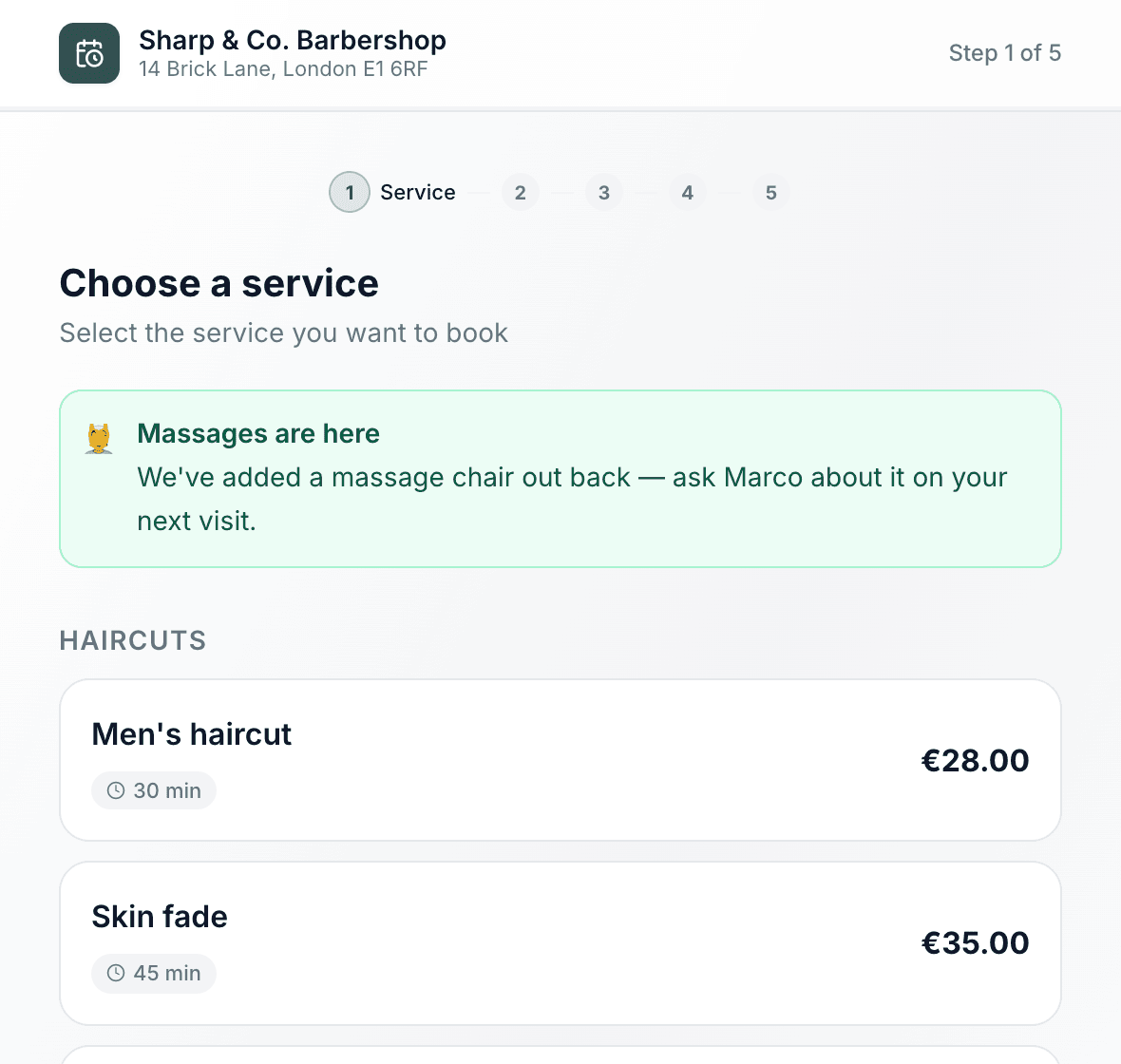
On your booking page above the service list, and optionally on the upsells step too — and along the top of every page of your website.
What your customers see
Customers see it the moment they open your booking page or your website. Nothing to click, nothing to enter.
Why it matters
Tell customers about something new exactly where they book — and the announcement hides itself when it ends.
How it works
Write it once, in your own words
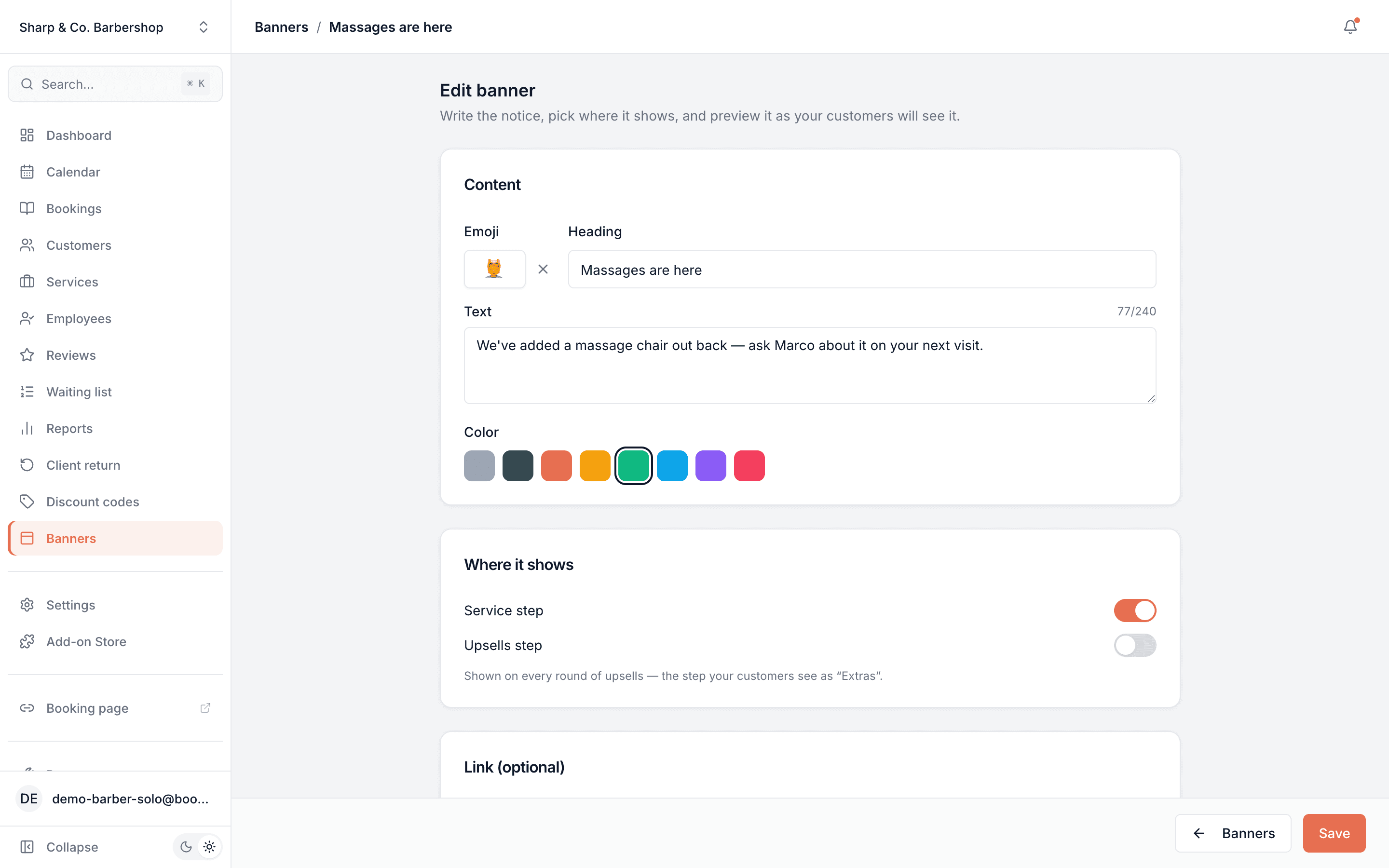
A short bold line and a sentence or two — "Massages are here", "Closed for the bank holiday". No templates and no discount rules to configure: it's a notice, not an offer.
One click picks the colour
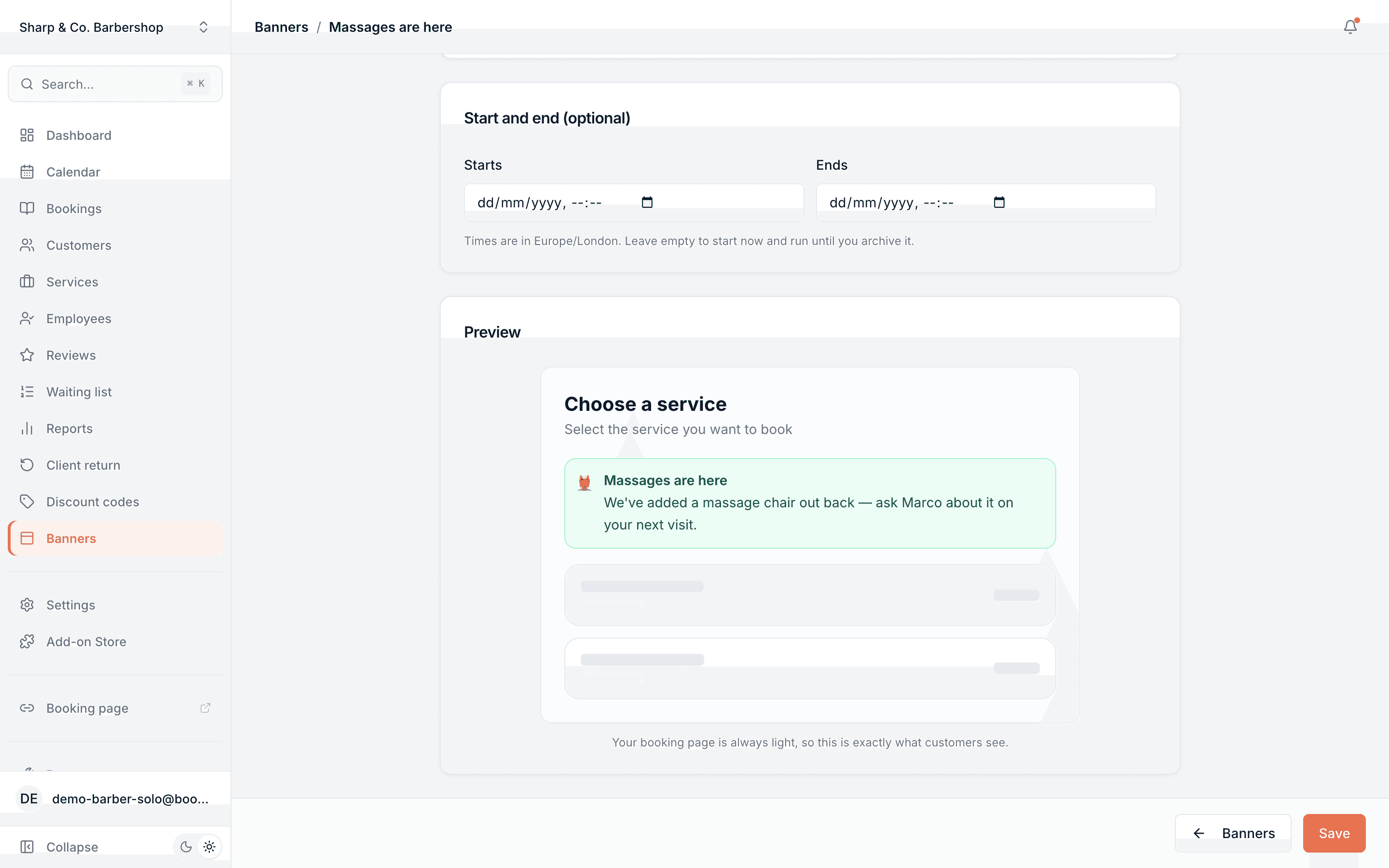
Choose a colour and the whole strip follows — background, border, text and link together. Every option is checked to stay readable, and one of them is simply your own brand colour.
Choose where it shows: the booking page, your website, or both
On the booking page it sits on the first step, the upsells step or both — a nudge about an extra belongs where the extras are. On your website it runs along the top of every page, above the menu, with no section to add. You can run different notices in each place at the same time.
Keep it for customers who have booked before
Someone booking with you for the first time is choosing a service, and a notice can get in the way. Switch on "Only customers who have booked before" and first-time visitors see a clean page, while your customers see the news when they are signed in or book again on the same phone or computer.
Give it a start and an end, or don't
Schedule a notice to appear the morning a promotion starts and disappear when it's over — down to the hour, in your shop's own time zone. Leave the dates empty and it simply runs until you archive it.
Archive keeps it for next year
Christmas hours, summer closures, the annual sale — archive the notice instead of deleting it and it's waiting, fully written, when the season comes round again.
This is real sample data you can click through yourself.
Made for your business
However you take bookings, here's what it looks like for you.
Barbershop
Announce that you've added massages, with a link to the new price list.
Nail & beauty studio
Flag a bank-holiday closure two weeks out so nobody turns up to a locked door.
Gym & studio
Put a note on the upsells step reminding members that a sauna session can be tacked onto any booking.
Photo studio
Run a "last week for autumn shoots" notice that switches itself off on the final day.
Common questions
- Is this the same as a promotion?
- No. A promotion changes prices and highlights services; an announcement is only text. If you want money off, use Promotions — if you want to say something, use this.
- Can I show more than one at a time?
- Yes, up to three live at once, in an order you set by dragging. At most two appear on any single step so the page never turns into a wall of notices.
- Will a scheduled announcement leak early?
- No. An announcement that hasn't started yet isn't sent to the browser at all, so nobody can read next month's news by viewing the page source.
- Does it work in the embedded widget?
- Yes — it shows on your Bookodile booking page and in the widget embedded on your own site.
- Can the text be in more than one language?
- Not yet. It shows exactly what you type, in whatever language you write it, to everyone who visits your booking page or your website.
- Can I hide an announcement from first-time visitors?
- Yes, on the booking page. Switch on "Only customers who have booked before". It shows to customers who are signed in and you already have, and on any phone or computer that has booked with you before. A customer booking again on a new device, not signed in, counts as new — so an announcement like this is sometimes missed, never shown to someone it wasn't meant for. It stays off your website, which can't tell who has booked before.
- Does it show on my website?
- Yes, when your website is made with Bookodile and "Your website" is on — it is unless you switch it off. Up to two run along the top of every page, above the menu, in the order of your list, and they appear and disappear with their start and end without you publishing anything.
Ready to try Announcements?
It's included in Bookodile — turn it on in a click, no setup required.