
Activity
Who changed what, and when — so "how did this happen?" has an answer.
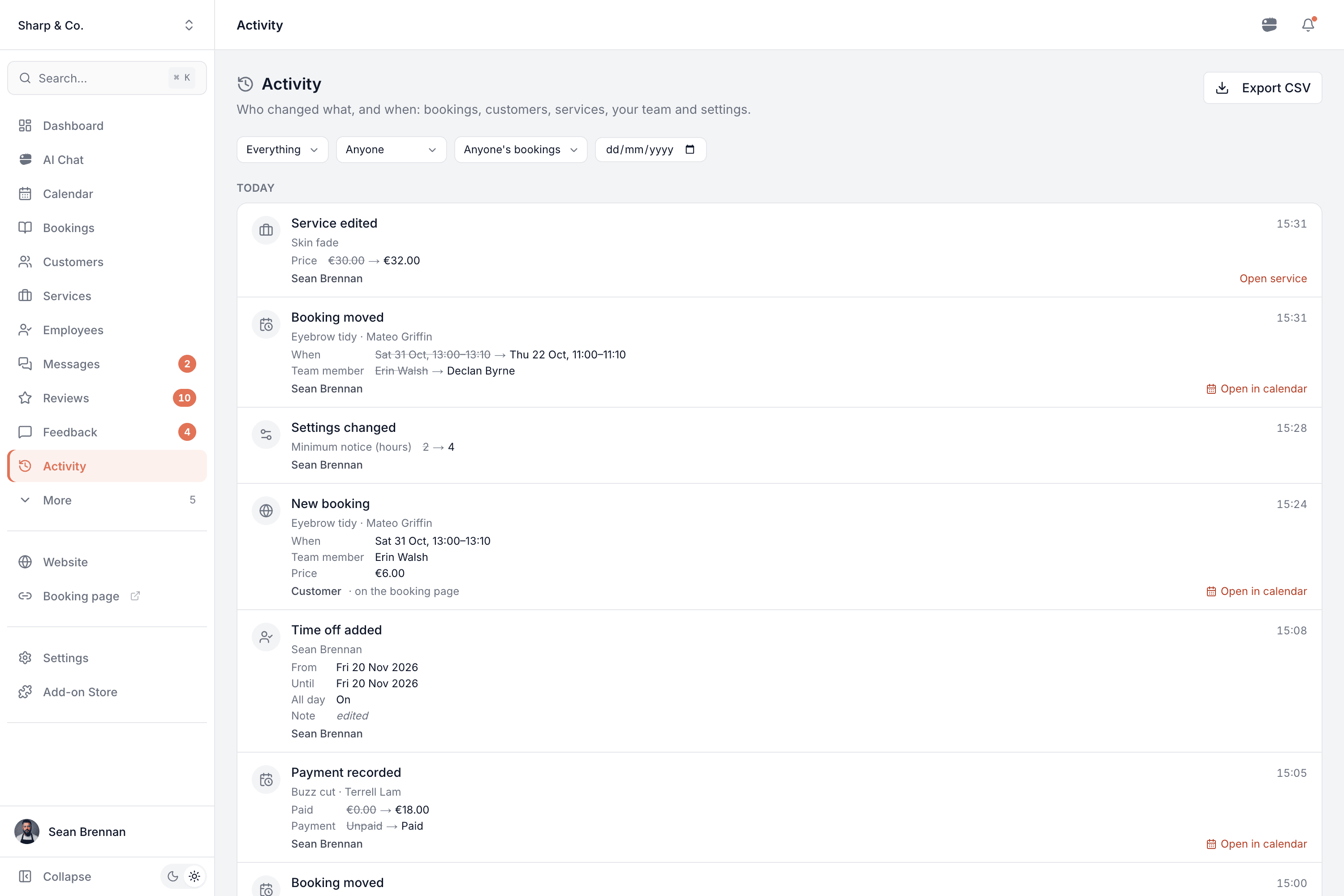
A record of every change in your account — bookings made, moved, handed over or cancelled, customers' details, services and prices, the team's hours and time off, and your settings — with who made it, how and when. Ask AI Chat "who moved this booking?" and it answers from the same record.
Part of every plan — nothing to switch on.
Who did it
A team member by name, the customer themselves, or Automatic when nobody did it by hand — like an online payment confirming a booking.
How it was done
In the calendar, on your booking page, from the link in a customer's email, from the waiting list, or through AI Chat — each change says.
Before and after
Times, team members, prices, opening hours and booking rules show what they were and what they became. A note only shows that it was edited — never its words.
Was the customer told?
A booking's history includes the confirmation, reminders and new-time messages sent to the customer, by email or text.
Everyone sees what they're allowed to
A team member who sees only their own bookings sees only those bookings' history. Nobody — the owner included — can edit or delete it.
Filter and export
Narrow it to bookings, customers, services, the team or settings, to whoever made the change or whose bookings they were, or to one day — and download it as a spreadsheet.
The story behind every booking
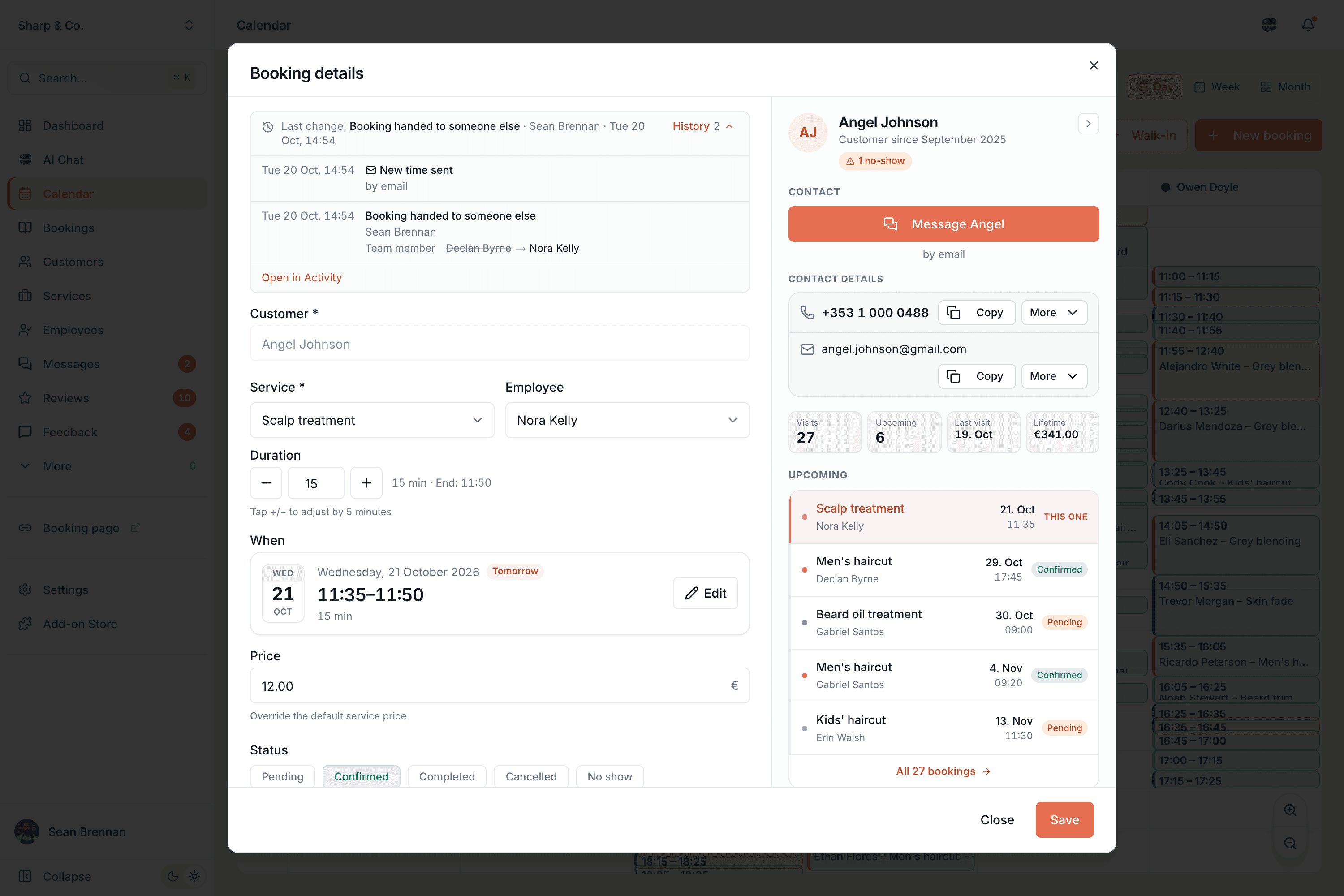
Open a booking and the last change is right at the top: what happened, who did it and when. One tap shows its whole history — when it was made and how, every move, every hand-over — and what the customer was sent about it.
- "Booked online by the customer" or "moved by Erin in the calendar" — no more guessing
- Shows whether the customer was told: a confirmation, a reminder, the new time, by email or text
- A visit of several services reads as one: move it once and the history shows every service
With AI Chat
Just ask what happened
AI Chat reads the same record, with your own access, and answers in plain words: who did it, how and when. Ask about one booking and it also tells you how it was first booked and what the customer was sent. Pick a customer by typing @ — the AI never sees their name.
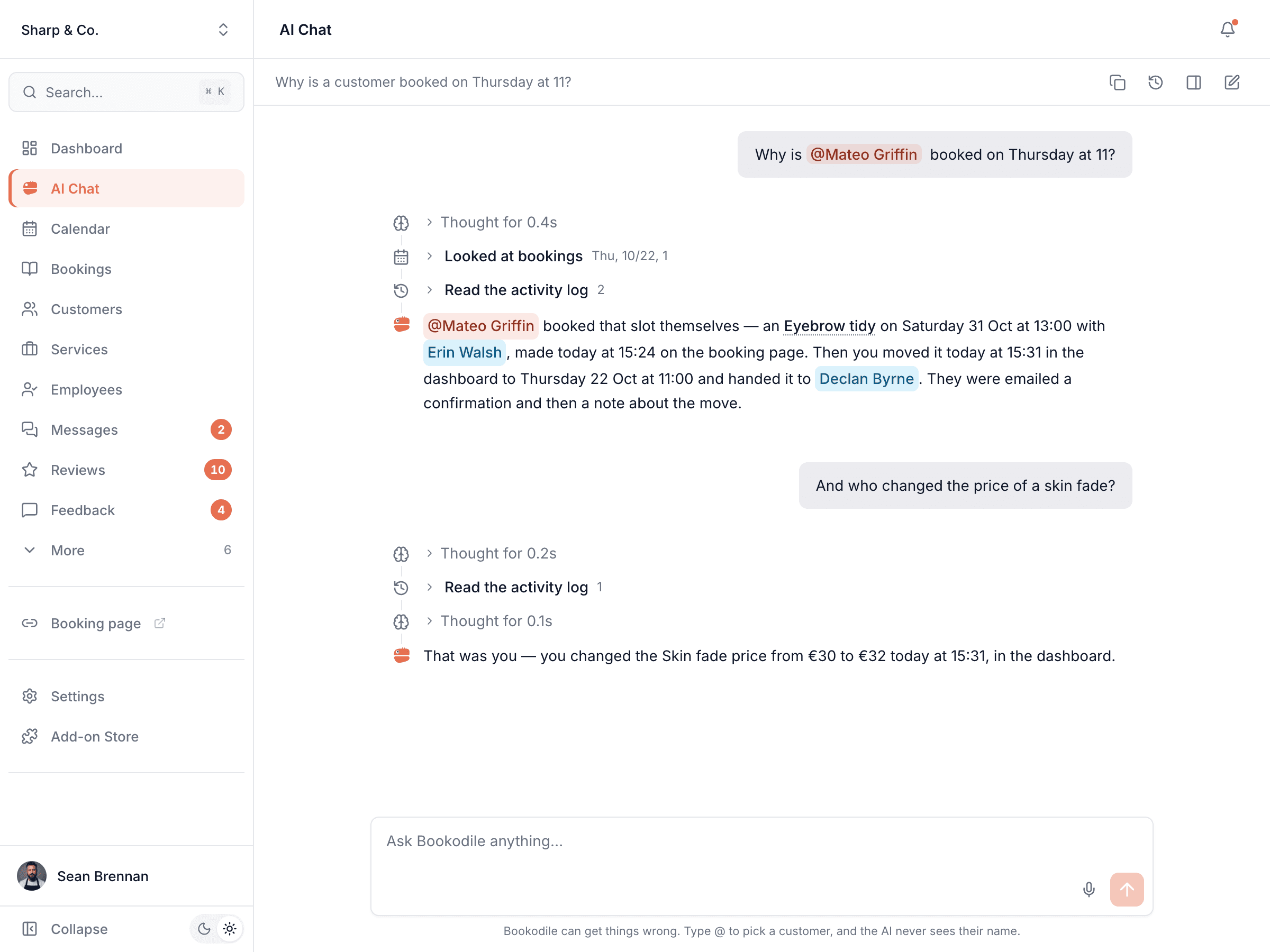
Why is @Lucy booked at 11 on Saturday?
When and how it was first booked, every move and hand-over since, and who made each one.
Who cancelled the 3 o'clock?
The customer, from the link in their email, or a team member in the calendar — it says which, and when.
Who changed the price of a massage?
What the price was, what it became, who changed it and when.
Was she told her booking moved?
The confirmation, reminders and new-time messages the customer was sent, by email or text.
Has anyone changed Daniel's bookings this week?
Every change to one team member's bookings, hours and time off — whoever made it.
Who turned the reviews off?
Settings and add-ons switched on or off, and booking rules changed — who, and when.
Common questions
- Can someone change or delete the history?
- No. Nobody can edit or delete a line, the owner included. It is kept for 24 months and then removed automatically.
- Does it record what a note says?
- No. It records that a note, a reason or a profile was edited, never the words, and never a customer's contact details — only that their phone or email was changed.
- Who can see it?
- Everyone on your team sees the history of what their role already shows them. Someone who sees only their own bookings sees only those bookings' history; settings changes need access to Settings. The owner sees everything, at every location.
- Does it show changes from before I started using it?
- No. The history starts on the day it was switched on for your account, and only changes made from then on are in it.
- Does it cost extra?
- No. It's part of every account, with nothing to switch on.
Activity is in every Bookodile account
Along with everything else you need to take bookings — nothing to switch on, no add-on required.