
Bookings
Every appointment, in one searchable list.
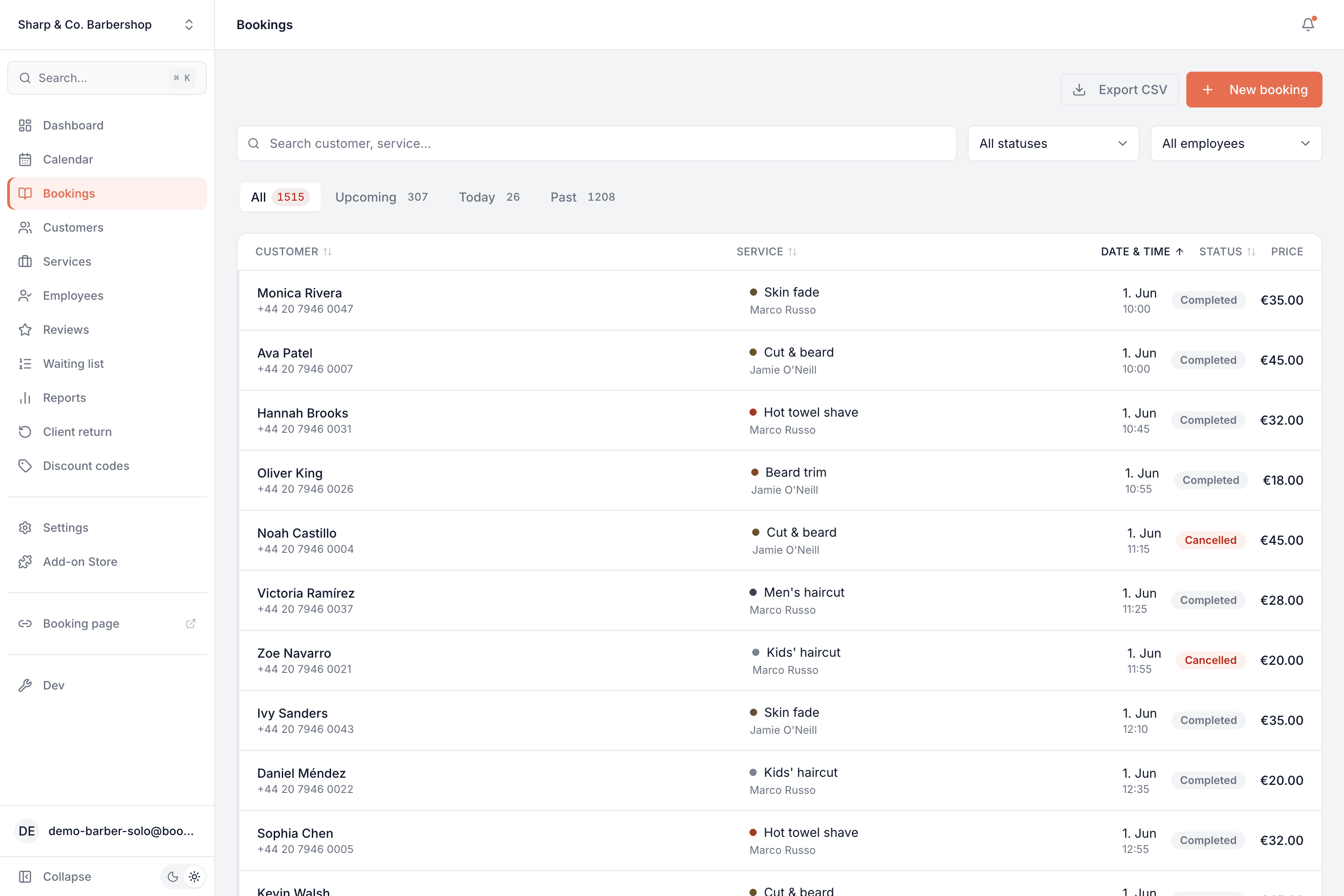
Every appointment you've ever taken in one searchable, sortable list — filter by status or team member, jump to today or what's upcoming, and export it whenever you need.
Part of every plan — nothing to switch on.
Search anything
Find a booking by customer name or service in a second — no scrolling through the calendar.
Filter by status or staff
Show only cancellations, only one team member, or any combination — the list narrows instantly.
Upcoming, today, past
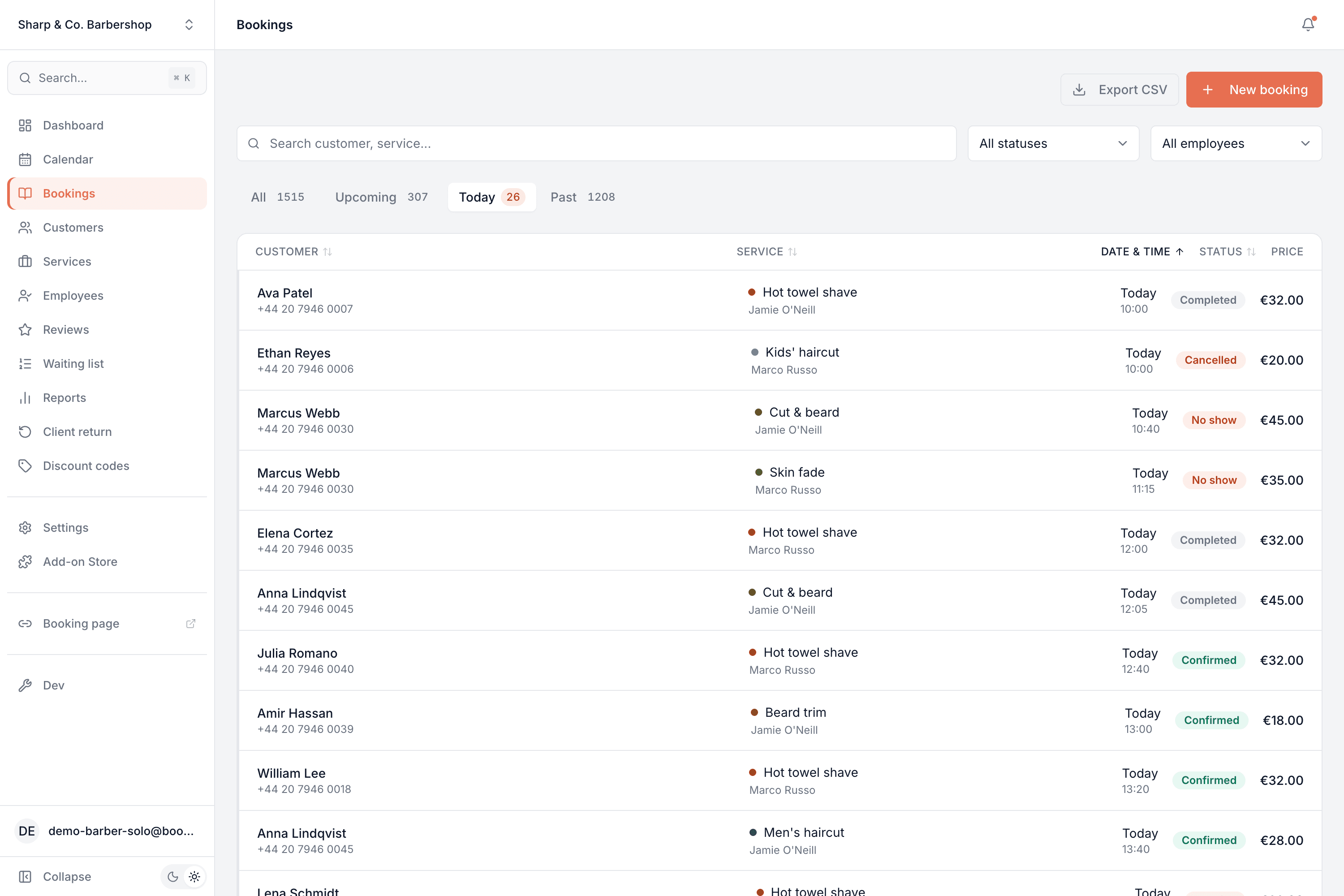
One tap flips between everything, what's coming up, just today, or the full history.
Status & price at a glance
Every row shows the status and the price, so the state of your book is obvious without opening anything.
Export to CSV
Pull the whole list into a spreadsheet whenever you need it — for your accountant, or your own records.
Edit in place
Open any booking to reschedule it, change its status, or cancel it — same as on the calendar.
Find any booking in seconds
The calendar is for seeing your day; this is for finding a needle. Search by name or service, filter by status or team member, and flip between everything, what's upcoming, just today, or your whole past — the count updates as you go.
- Tabs for all / upcoming / today / past, each with a live count
- Search by customer or service, filter by status and team member
- Sort by customer, service, date or status
Common questions
- How is this different from the calendar?
- The calendar is the visual view of your schedule; the bookings list is for finding and managing specific appointments — search it, filter it, sort it, export it. Same bookings, two ways to work with them.
- Can I filter to just cancellations, or one person?
- Yes. Filter by status (pending, confirmed, completed, cancelled, no-show) and by team member, in any combination.
- Can I export my bookings?
- Yes — one click exports the current list to a CSV you can open in any spreadsheet.
- Can I edit a booking from here?
- Yes. Open any booking to reschedule, reassign, change its status or cancel it, exactly as you would on the calendar.
- Does it include past bookings?
- Yes. Your entire history is here — the Past tab holds everything that's already happened, still searchable and sortable.
Bookings is in every Bookodile account
Along with everything else you need to take bookings — nothing to switch on, no add-on required.