
Customers
A client list that builds itself.
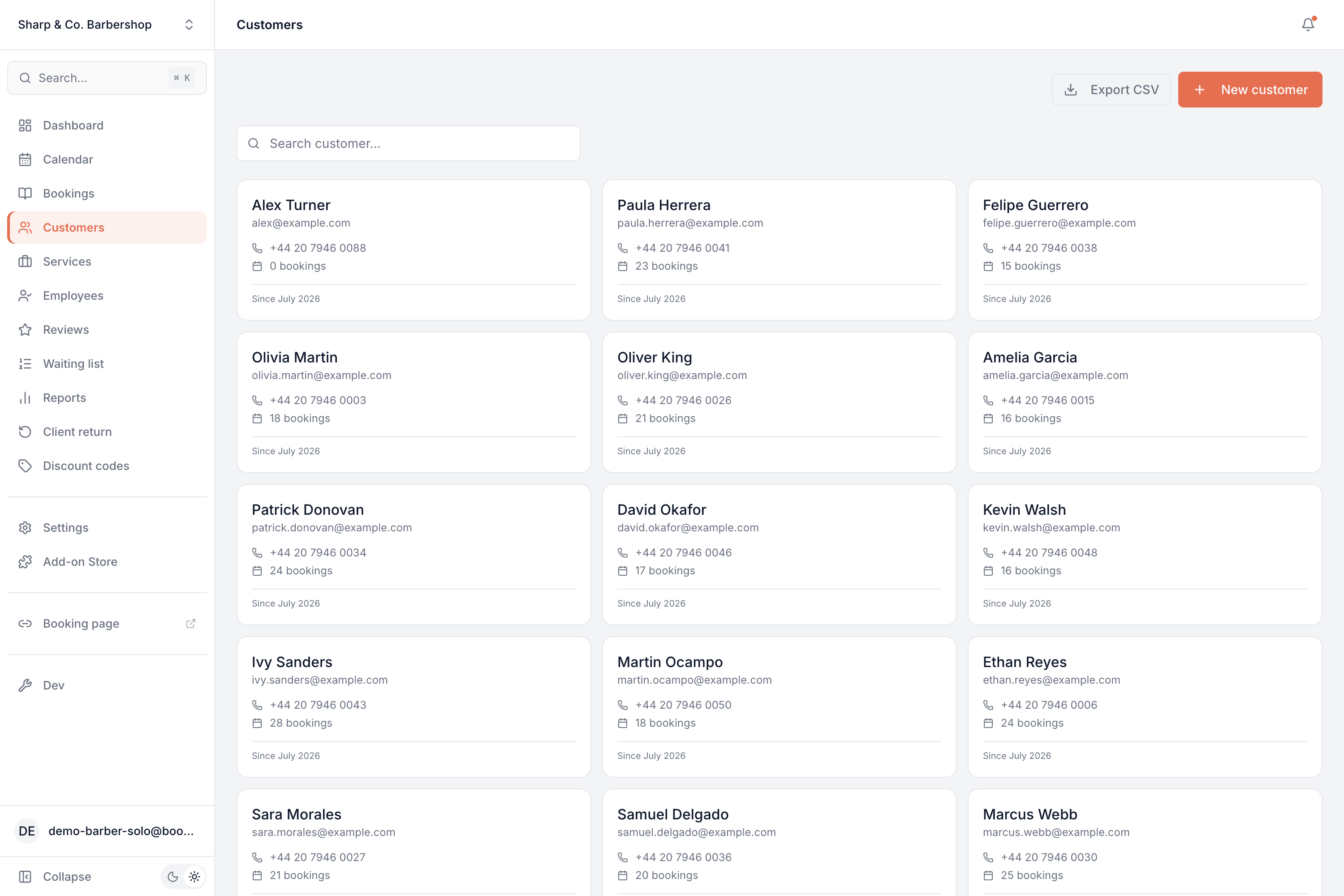
A client list that fills itself from your bookings — every person with their contact details, full visit history, upcoming appointments and what they've spent, no data entry required.
Part of every plan — nothing to switch on.
Builds itself
Every customer who books is added automatically, with their name and contact details — you never key anyone in.
Full visit history
Every past and upcoming appointment for each person, in one place, so you always know their story.
Lifetime value
See what each customer has spent and how many times they've been — spot your regulars at a glance.
Find anyone fast
Search by name to pull up a customer and their whole history in a second.
It's your list to keep
Export your customers to CSV whenever you like — the list is yours.
Notes & details
Add contact details or a note to any customer, and edit them any time.
A profile that writes itself
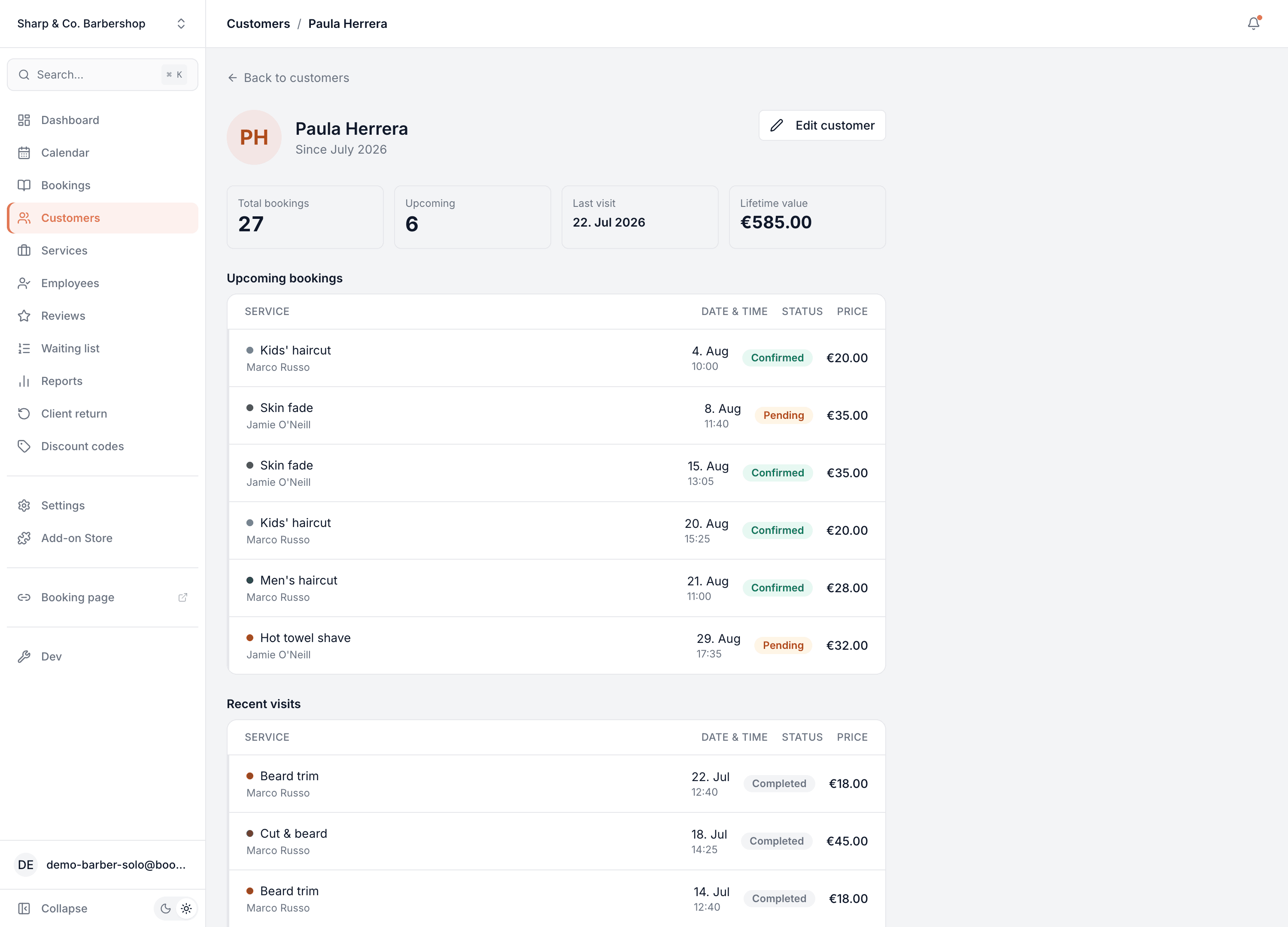
Open anyone and it's all there without you ever having typed it: how many times they've been, what's coming up, when they last visited and what they've spent with you — above a full timeline of every appointment, past and future.
- Total bookings, upcoming count, last visit and lifetime value up top
- Every upcoming appointment and every past visit, with service, staff and price
- Contact details and notes you can edit any time
Common questions
- Do I have to add customers manually?
- No. Anyone who books is added to your customer list automatically, with the name and contact details they entered. You can also add someone by hand if you want to.
- What's on a customer's profile?
- Their contact details, their total number of bookings, what's upcoming, when they last visited, their lifetime spend, and a full timeline of every appointment — past and future.
- Can I see what someone has spent?
- Yes. Each profile shows a lifetime value, so your best customers are easy to spot.
- Is the customer list mine to export?
- Yes. Export your customers to a CSV any time — it's your data.
- Can I add notes about a customer?
- Yes. You can add and edit contact details and notes on any customer profile.
Customers is in every Bookodile account
Along with everything else you need to take bookings — nothing to switch on, no add-on required.